3.2.19 Devices 485
The devices connected on the bus 485 must be enabled to allow the management of the central unit.
Select the option :
Press or
with the buttons select the device to enable o disconnect and press or to modify the
setting.
For example if you select :
(on the right on top will appear the ID on the network RS485)
If you dial the display will show the writing:
If you enable a device that is not conncted to the central unit, the display will signal:
When a device on bus 485 generates an alarm 24 h because of a lack of connection (when enabled) on
the display appears the indication:
Or if the device in the meanwhile is starting connecting to the the central unit:
The devices that can be activated on the bus 485 are:
- Console - with address 8.
- Inserter 1, 2, 3, and 4 - with addresses 16,17,18 e 19.
- Radio 1 and 2 (DXR2/DXR1) - with addresses 32 e 33.
- Module Link - with address 1.
Note: every missed connection on an enabled device on the bus 485 is indicated on the display through a
message during the visualization of the status of the central unit, also when it doesn't generate an alarm
24h.
Devices 485
Console 8
Disconnected
Console 8
Link OK
Console 8
Link BAD
Console 8
Link BAD Mem 24H
Console 8
Link OK Mem 24H
3.2.18 RADIO Code
The code of 18 binary digits (a sequence of 0 and 1) that is possible to program and visalize in this
section is that one used from PROTEC8GSM and that has to be to set in all the radio devices that have to
be connected to the central computer. Devices with a different code won't be managed by the central
computer.
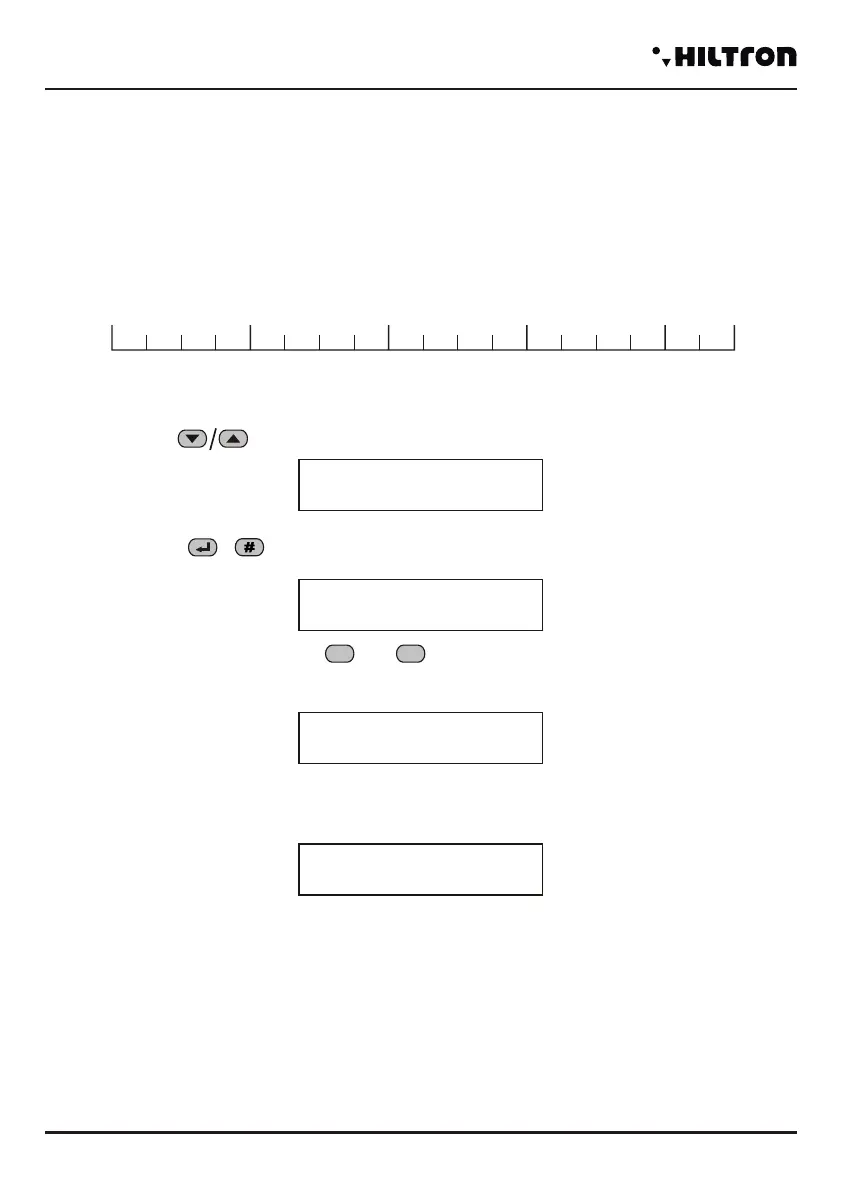
Below there is a scheme with 18 boxes inside which you can write the code used by the central computer:
WARNING: the system code can't be composed of all 0 or 1
select the buttons the menu option SETUP:
then confirm with or in order to visualize the current code.
Dial the new code, using the buttons and .
After inserted the 18° value, on the display will appear the message:
-10101010
101010101
VALID CODE
System code
Radio Code
001100110
011001100
10
Programming
security
PROTEC4GSM - PROTEC8GSM - Installation guide and use
security
28 29


 To Next Page