4.6 Total Insertion
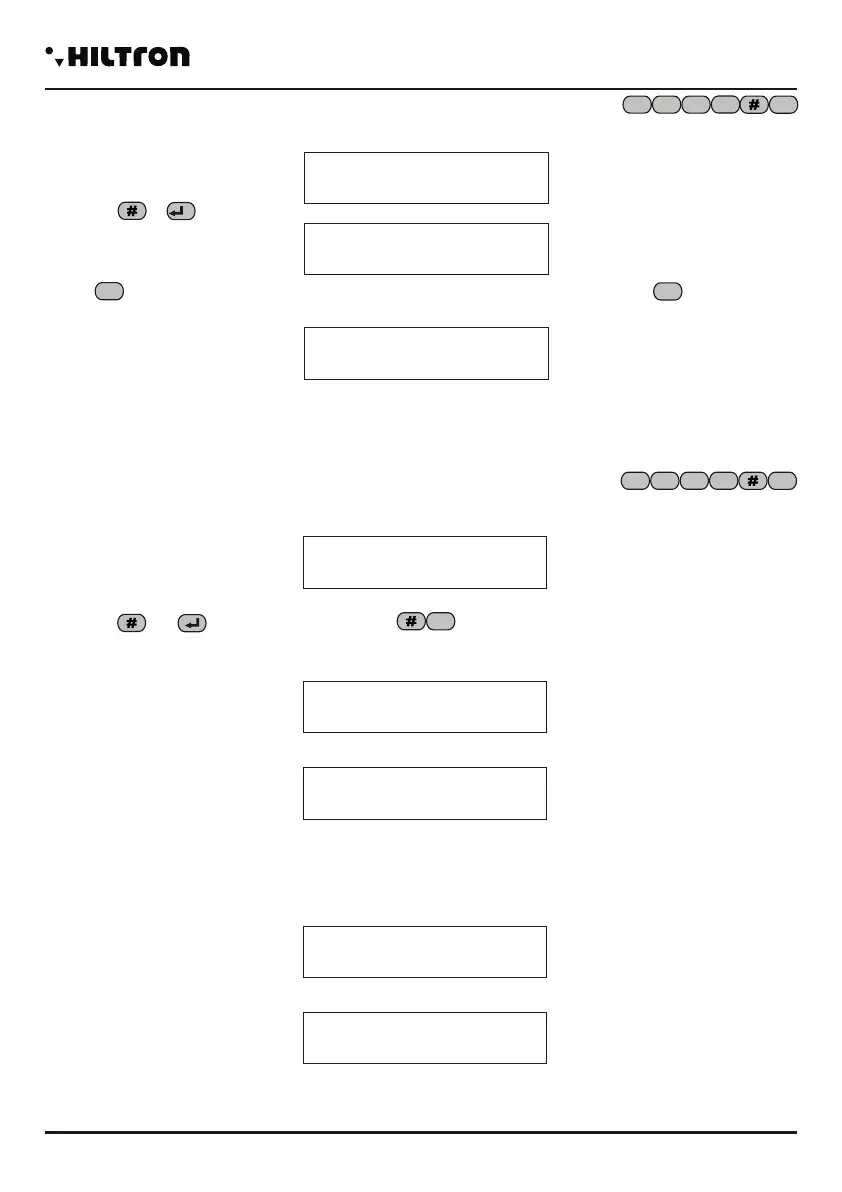
When the central computer is inserted, select in the commands menu:
And dial or or dial the USER CODE as follows
If there are no obstacles (there are no immediate open zones not excluded) the central computer waits for
the output and at the end activates the the protections against the intrusions on all the zones (but the
excluded).
And at the end of the time of output:
An eventual delayed open zone ( zone 1 and 2) doesn't prevent from inserting the alarms. But at the end
of the time of output, if the zone continues to be to be open, it will generate a cycle of alarm.
Instead if there are immediate open zones and the command is not carried out, on the display will
appear the indication.
That it alternates to the indication:
Note: with an ongoing alarm 24h with the central computer disconnected, a probable input command
(both total and partial) mutes the alarms but leaves the central computer disconnected.
7
Ins. Disconnected
7 Total Insertion
31Y Voda IT
Output… Tot
7
31Y Voda IT
Ins Inserted Tot
31Y Voda IT
Ins Disconnected
OPEN ZONES
>- - 3 4 24H-<
1 2 3
4
security
PROTEC4GSM - PROTEC8GSM - Installation guide and use
security
Programming
3938
4.3 USER Code
Allows to modify the USER CODE that allows to enter the commands menu.
Select :
Press or :
Dial the new user code made of 4 numbers. If the code is accepted on the display will appear the
indication:
Otherwise will appear the message:
At the end, then, you can re-enter in the Commands Menu.
2
4.4 Exclusion of the zones
Select in the menu commands:
and then confirm the choice with or
The display will visualize:
In order to exclude a zone, dial the related number of the zone,
Press in order to exclude the zone for 24 H.
For example, if you dial , you can achieve:
The led in the zones 3, 4 and 24 H are flashing on the panel of the central computer in order to indicate
the excluded zones. The opening of an excluded zone sets the alarm memory of the zone when the
central computer is inserted, also if it doesn't generate any cycle of alarm; In this way it is possible to
monitor an area without generating any false alarm. Instead, the zones that are not monitored, because of
the partialisation do not set the alarm memory of an area.
1 2 3
4
Ins. Disconnected
2 USER Code
USER Code
- - - -
VALID CODE
WRONG CODE
3
Ins. Disconnected
3 Exclus. Zones
Exclusion ZONE:
>--------< 24H:-
9
3
4
1 2 3
4
Exclude the ZONE:
>-2-4< 24H:S
Exclude the ZONE:
>--3--6--< 24H:S
PROTEC8GSM
4.5 Activation OUT
Select in the Programming menu:
Then dial or
Press when you want to activate the output (+12V present on the clamp +INT)or if you want to
disconnect it.When the output is active, on the display will appear:
And during the visualiztion of the status of the central computer, it appears the indication ACTIVE
OUTPUT cyclically.If you program the option Funz. OUT +INT of the SETUP, setting it on ON , the
activation menu OUT is not available and on the clamp +INT will be present 12V when the central
computer is inserted only.
6
Ins. Disconnected
6 Activat. OUT
OUT: Disconnected
7=ON 9=OFF
7
9
OUT: Active
7=ON 9=OFF
1 2 3
4


 To Next Page
 Loading...