25
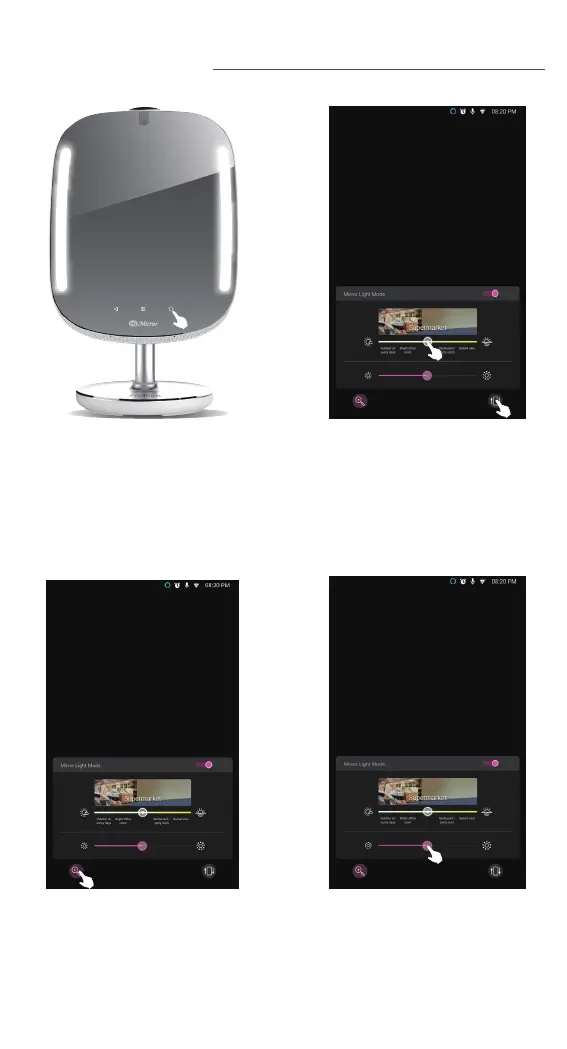
To access the make up light
mode, press the mirror/light
button on lower right.
MAKE UP LIGHT
Slide the mirror light mode
bar to select the mirror light
mode that is most suitable
for you. Press the mirror
only button to turn on
mirror only mode.
Press the magnifying glass
logo to switch on the
magnifier function. Press
the logo to toggle between
2x, 3x magnifying and
return to mirror light mode.
Slide the brightness
control bar to adjust the
makeup light brightness
level. To return to home
page, press the mirror/light
button at the lower right.



 To Next Page