11
MAIN MENU
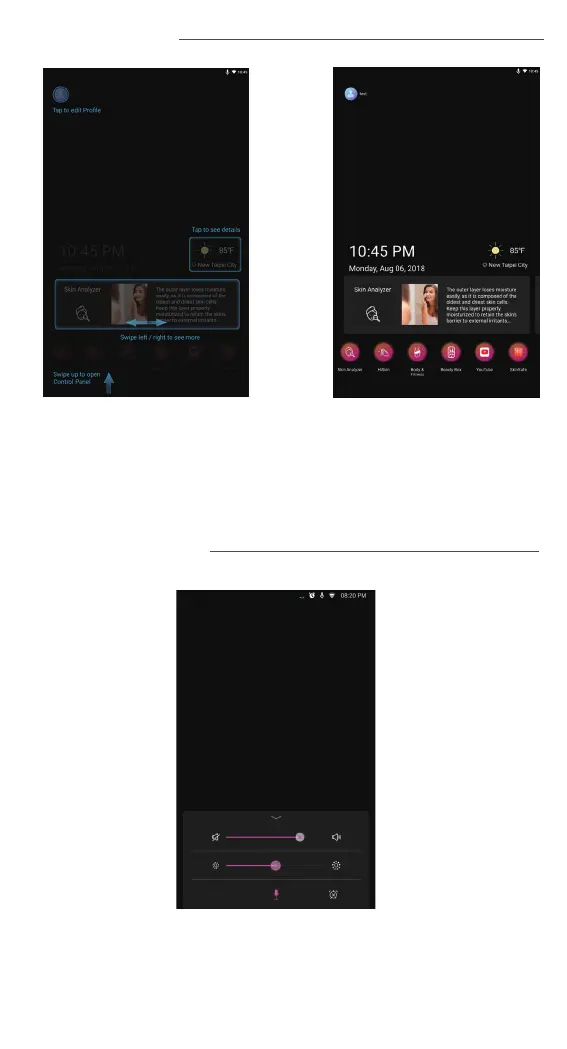
Select the functions you will like to use – Skin analyzer, HiSkin , Body&
Fitness, BeautyBox. To use HiSkin function, you must purchase HiSkin
device (Sold separately). To use Body & Fitness function, you must
purchase Smart Body Scale (Sold separately). Press on the weather
info to get the detailed today weather information.
CONTROL PANEL
The system sound, screen brightness, microphone
and alarm can be set from control panel.



 To Next Page