25
SYMPTOM CAUSE POSSIBLE REMEDY
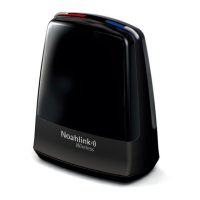
Noahlink Wireless
not found
No Noahlink Wireless inserted in the PC’s
USB port.
Insert Noahlink Wireless activating a 2-3 second solid green
light confirming that Noahlink Wireless is powered. Launch the
fitting software if not already launched.
No Connection The USB port(s) in your PC have no power.
No Noahlink Wireless attached to the PC’s
USB port.
Obstacles between the Noahlink Wire-
less and the hearing instruments block the
wireless signal.
The Noahlink Wireless is placed too far
away from the hearing instruments.
Hearing instrument low battery.
Not a Noahlink Wireless issue. PC service is required.
Insert Noahlink Wireless activating a 2-3 second solid green
light confirming that Noahlink Wireless is powered. Launch the
fitting software if not already launched.
Place Noahlink Wireless in line-of-sight of the hearing instru-
ments.
Move Noahlink Wireless closer to the hearing instruments.
Always use fresh zinc-air batteries, which have not expired. Re-
move the sticker from the battery and let the battery breathe for
2 minutes before inserting and starting up the fitting.


 To Next Page