NOAHlink Users Manual
28
8.2 Advanced Applications
8.2.1 Displaying Errors in NOAHlink and Bluetooth
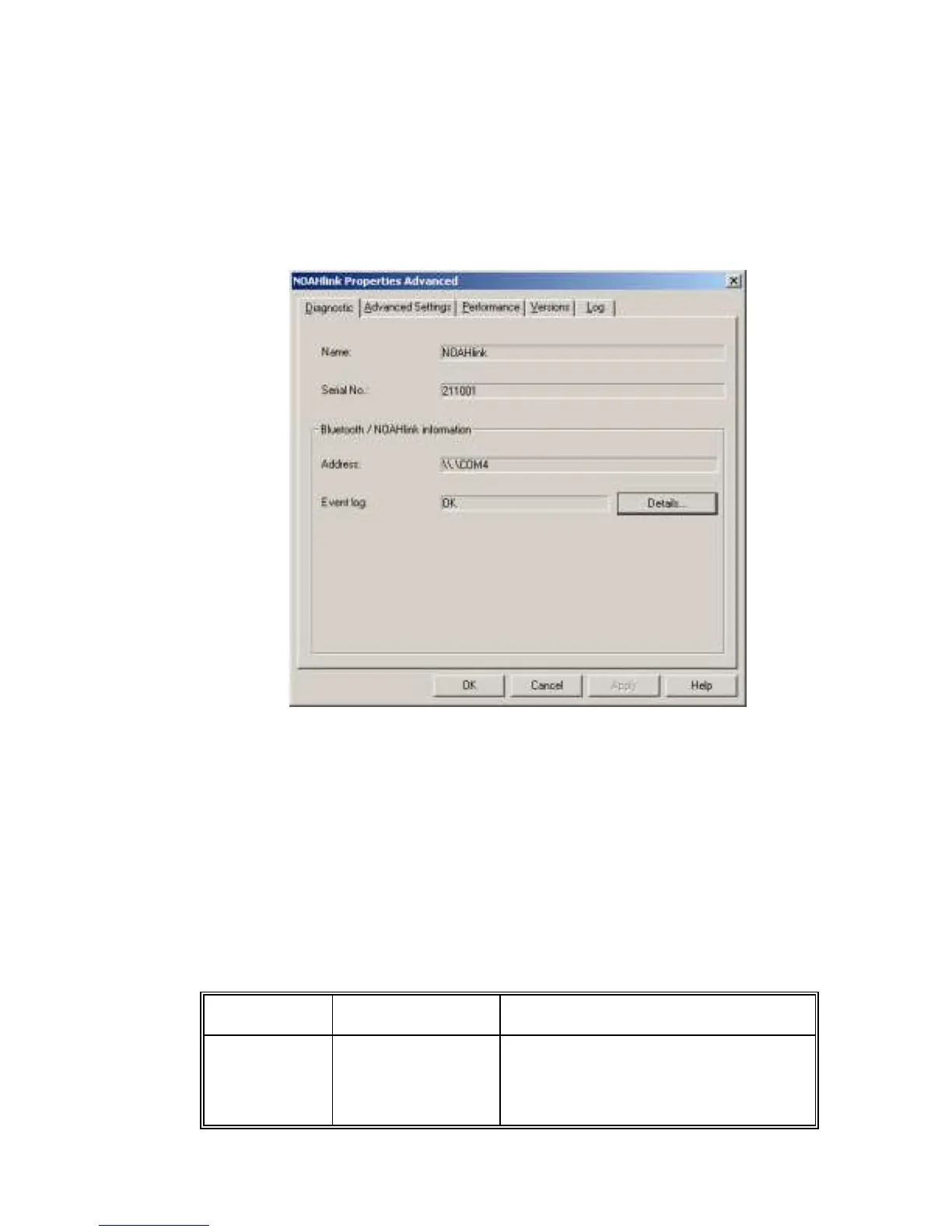
The Diagnostic tab displays errors found in tests on Bluetooth and
NOAHlink to check response and other capabilities.
Figure 9: The Diagnostic tab
This tab displays the user-defined name of your NOAHlink, the
NOAHlink serial number (printed at the back of the unit) and the
Bluetooth device address (or COM port).
The Event log is listed as „OK‟ or „Error‟.
NOTE: If any errors are listed, these may help your support
representative to troubleshoot problems.
The following table describes how to use the Diagnostic tab:


 To Next Page