Installation into Panel
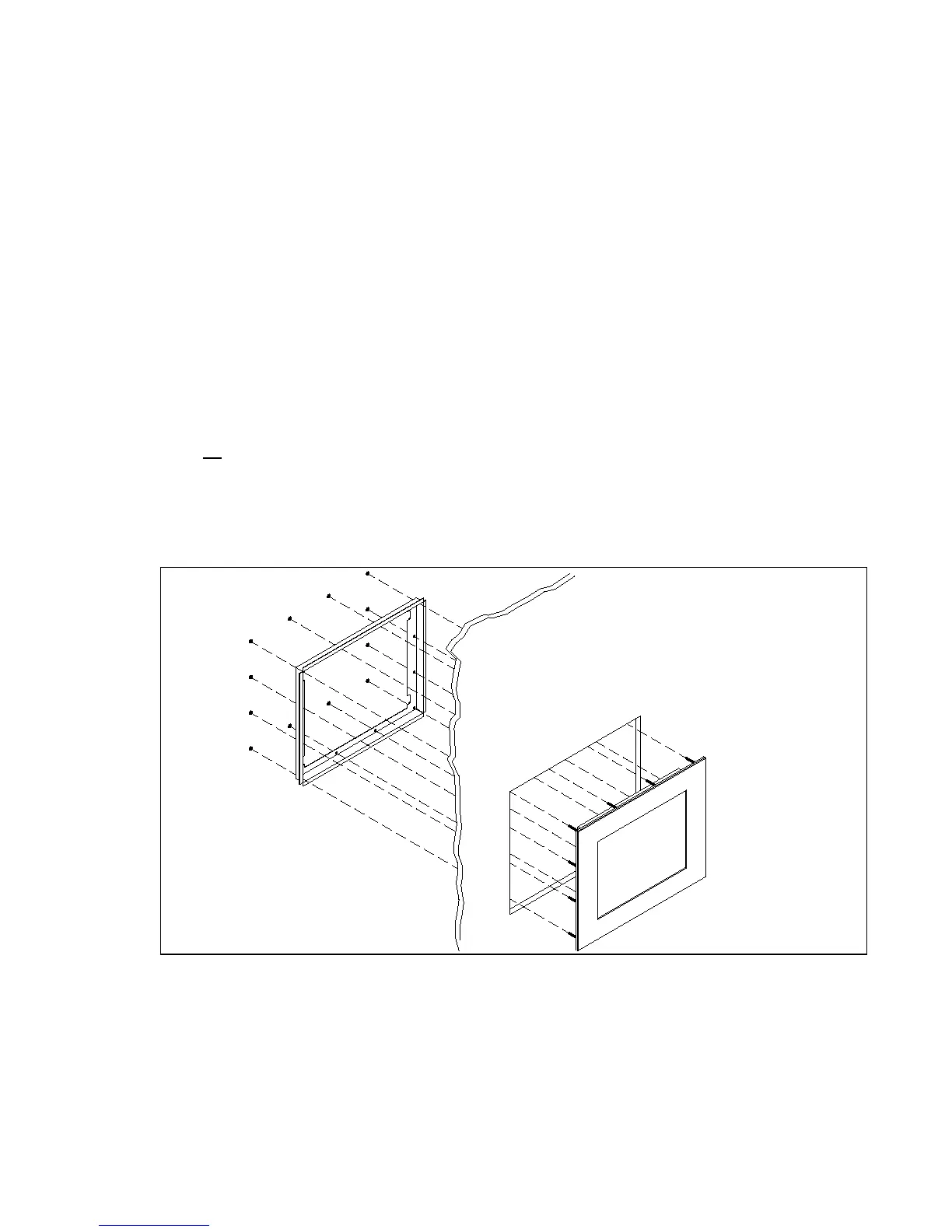
1. Refer to the drawing below.
2. Locate position in panel for mounting of the monitor. Assure that there is adequate space
begin the panel. Allow extra space (0.5 in. behind and on each side) for air ventilation.
3. Cut a rectangular hole in the panel. Clean and deburr. Dimensions: 17.85” (454mm) W
x 14.44” (367mm) H ; +/- .020”
4. Separate the rear collar from the unit by removing the 12 nuts.
5. Insert the unit into the front of the panel and re-attach the collar.
6. Tighten
all
12 nuts to a torque of 24 inch-pounds to assure a water-tight seal between the
poron bezel gasket on the monitor and equipment panel. HIS will not assume liability for
damage to internal electronics due to improper installation.


 To Next Page