STEP 1. Attach the TV Stand or Wall Mount Bracket
Attach the TV Stand
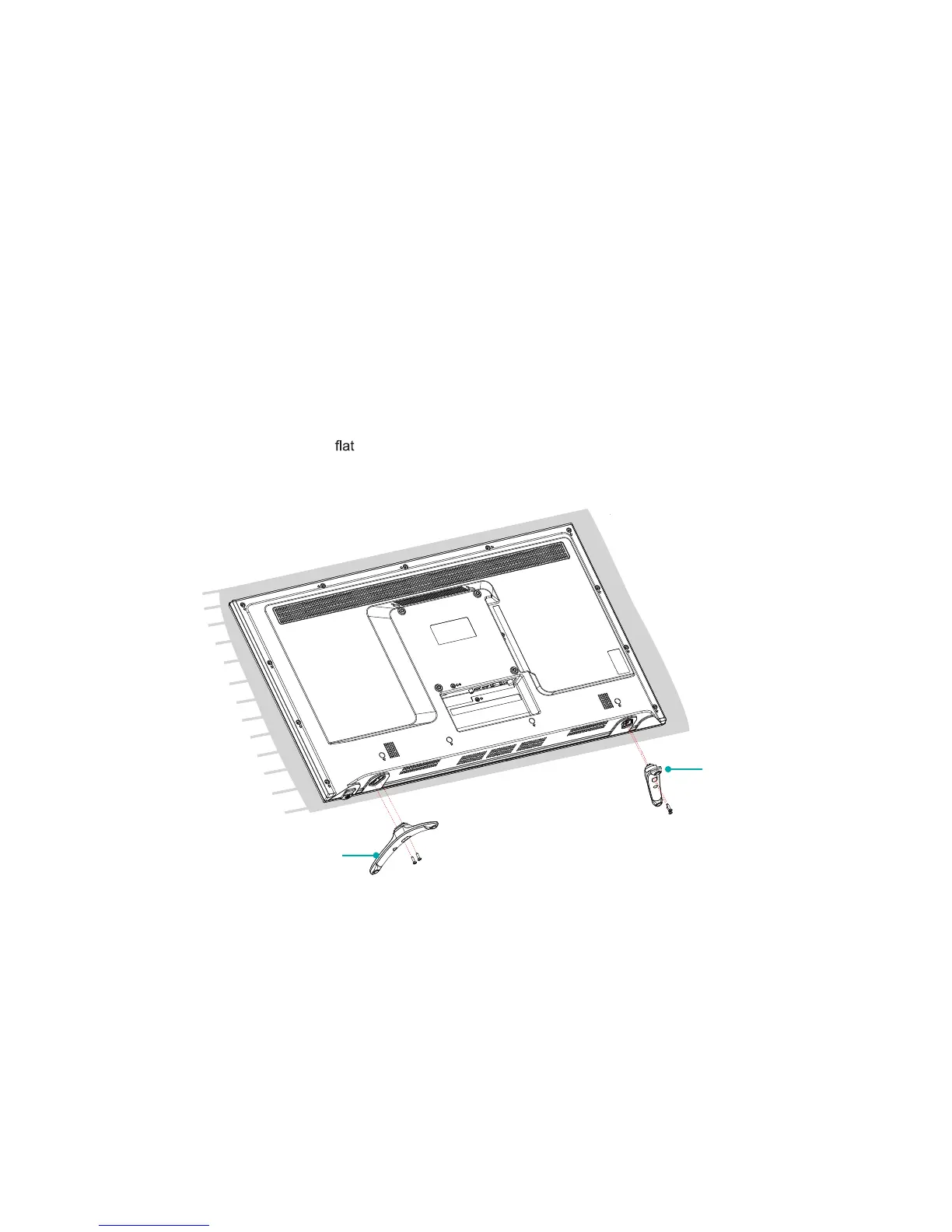
Follow the illustrations and instructions below to complete the installation steps:
1. Carefully place your TV facedown on a soft,
surface to prevent damage to the TV or scratching to the screen.
2.
Remove the 2 stands from the foam and then insert the stands into the bottom slots of the TV.
3. Use the 4 screws in the accessory bag to secure the BASE STAND to the TV.
BASE STAND
BASE STAND
Screws: ST4×12F
(32")
ST4×14F (40"/43")
Screws: ST4×12F
(32")
ST4×14F (40"/43")
5



 To Next Page