6
STEP 1. Attach the TV stand or wall mount bracket (not included)
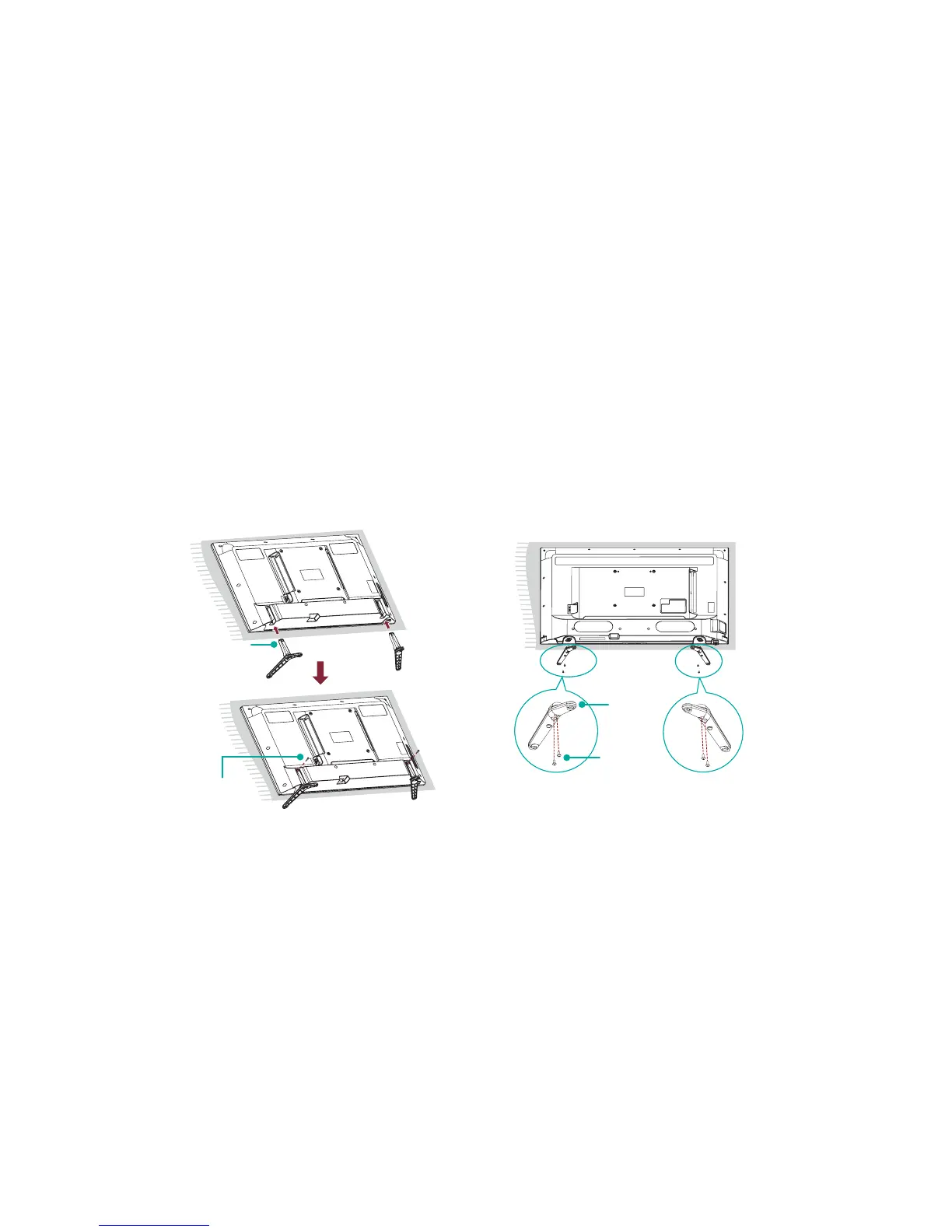
Attach the TV Stand (For steps to attach the wall mount see page 7)
Follow the illustrations and instructions below to complete the installation steps:
1. Carefully place your TV facing down on a soft, flat surface to prevent damage to the TV or scratches to the screen.
2. Remove the two legs (that form the stand) from the accessory bag and then insert them into the bottom slots of the TV.
3. Secure the legs to the TV with the screws in the accessory bag.
Screws:
ST4×16C (40")
M4×12 (43")
ST4×25C
(50")
M4×20 (55")
leg
Screw:
ST3.5×10F (32")
leg
for 32" for 40"/43"/50"/55"



 To Next Page