- 15 -
4.1 USB Software Upgrading directly
The software can be upgraded by USB Disk.
First, copy the upgrade_loader.pkg file to USB Disk;.
Second, make sure there is no other .pkg file in the root directory of USB Disk such as
upgrade.pkg or upgrade_loader LTDN40K20DWUS.pkg(40H5).
Insert USB Disk to USB port, and then turn on the TV.
The TV will identify the software and upgrade automatically.
4.2 USB upgrading unsuccessfully
If USB upgrading unsuccessfully, then need burning the Nand Flash program file“ *.bin ”to the
Nand Flash.
Hardware connecting
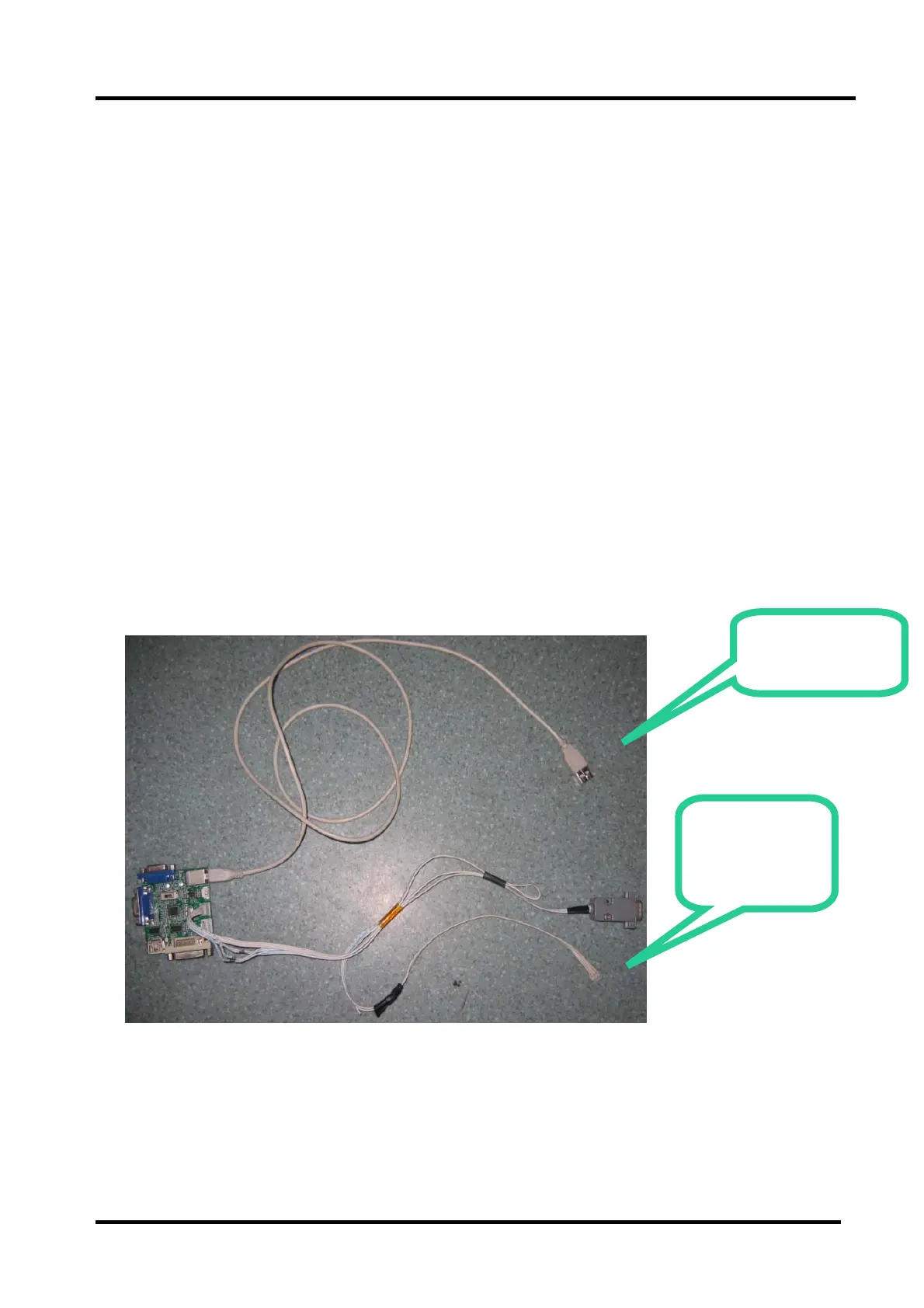
Connect the unit to your pc with a USB-to-serial port cable. USB port connects to your PC and
serial port to the TV’s RS232 port. As following
Connect to
the TV RS232
port
USB Connect to
the PC


 To Next Page