- 20 -
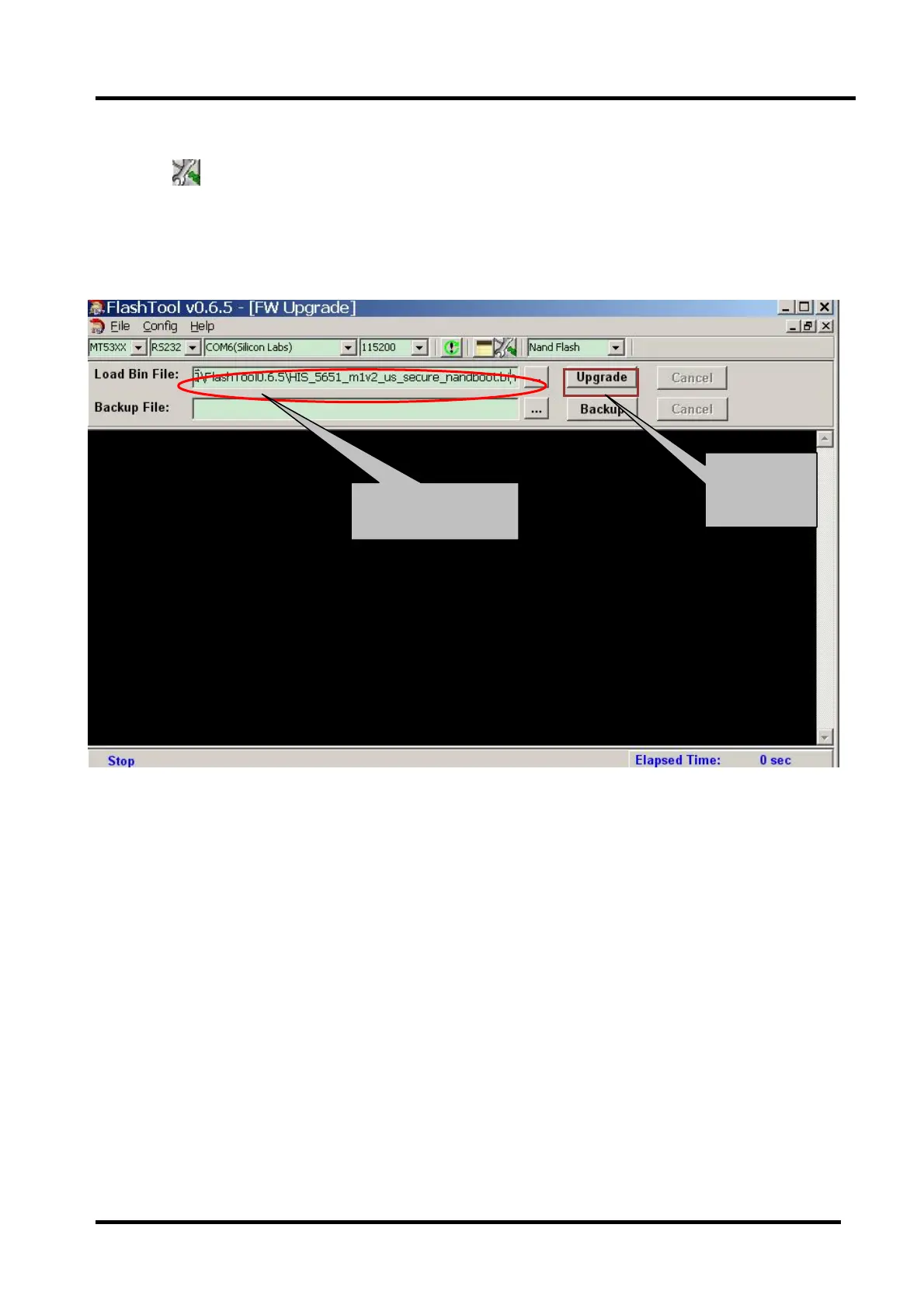
Click , bounce the following dialog box. Load Bin File:find the upgrading
programfile,andselectit.forexample:HIS_5651_m1v2_oceania_secure_nandboot.bin.
Press“Upgrade”buttonandstartupgrading. ,ifupdatedefeat,tryagain.
4.4 Network online updating
Network online updating includes two ways. one is “Auto Upgrade ”the other is “Network
Upgrade”. If Auto Upgrade is ON,then Network Upgrade is invalidated ; if Network Upgrade is on,
then Auto Upgrade is invalidated.
Auto Upgrade---- When it is set to “on” , Turn on automatic check whether or not have any new
updating file in servers when connects to the network. Customer can download and update
according to the guide.
Network Upgrade---- Check the process and it will prompt you to upgrade the software.
Select *.bin file
Start upgrade



 To Next Page