10
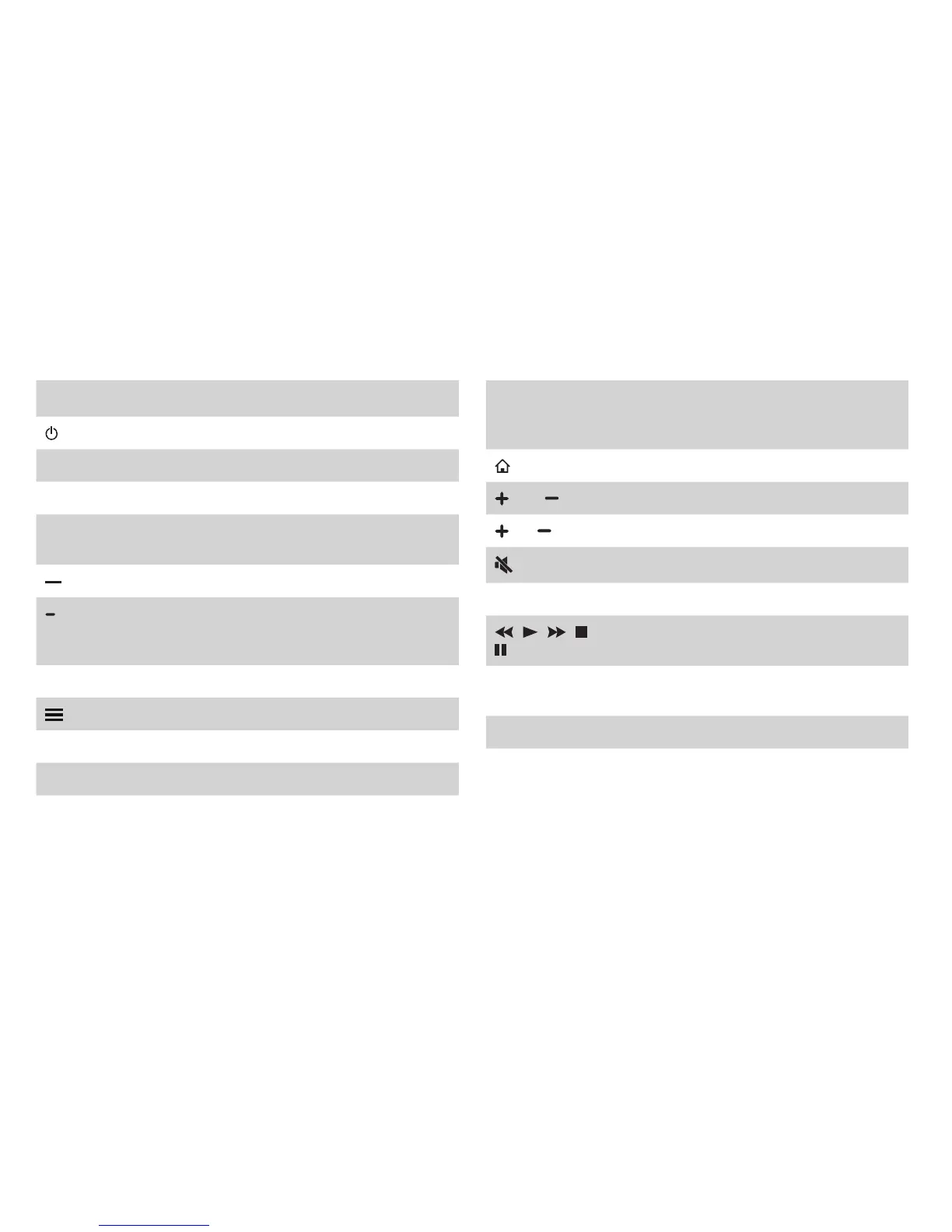
Buttons on your TV remote
BUTTON DESCRIPTION
Power on / off
INPUT Change TV input source
Number Enter Channels / input numbers
CC
Turn Closed Captioning On/Off and CC On
When Mute
Dash button / Select a digital sub-channel
(Red / Green /
Yellow / Blue)
Special function buttons
TV Live TV
The button for the Quick setup menu
˄
/
˅
/
˂
/
˃ D-pad (up/down/left/right navigation buttons)
OK Conrmation button
BACK
Return to the previous place in the menu or
app
BUTTON DESCRIPTION
EXIT Exit the application
Display the Home screen
VOL Volume (up/down)
CH Channel (up/down)
Mute and restore sound
MTS Set the audio language(MTS)
/
/
/
/
Media content control function buttons
NRT
Choose to leave the Video description feature
On or Off
APPS All Apps
NOTE: The buttons that appear on your remote may differ
fromthedescriptionsthatwe'veprovidedforcontext.


 To Next Page