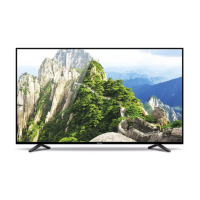
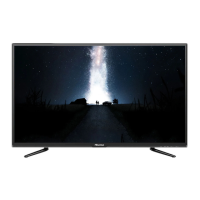
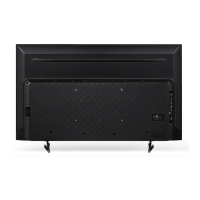
This document is a Quick Setup Guide for Hisense 55P1 and 65P1 series televisions, providing essential information for initial setup, usage, and safety. It is intended to be read thoroughly before using the TV and retained for future reference. More detailed instructions are available in the User Manual.
Function Description:
The Hisense 55P1 and 65P1 are televisions designed for home entertainment. They support various input sources including HDMI, AV, USB, and antenna/cable connections, allowing users to connect external devices such as set-top boxes, gaming consoles, and media players. The TVs feature a remote control for easy navigation and operation, including power on/off, volume adjustment, channel selection, input source switching, and access to menus and applications. The TVs also support network connectivity (both wired LAN and wireless) for accessing online content and services. Specific features like Freeview Plus are supported in certain regions (e.g., Australia), offering an electronic program guide and seamless access to catch-up TV. The TVs are equipped with built-in speakers for audio output and a headphone jack for private listening. Digital audio output is also available for connecting to external audio systems.
Important Technical Specifications:
- Models: 55P1, 65P1
- Screen Sizes (Diagonal): 55 inches (55P1), 65 inches (65P1)
- Screen Resolution: 3840 x 2160 (both models)
- Audio Power: 10W + 10W (55P1), 15W + 15W (65P1)
- Power Supply: 100-240V ~ 50/60Hz
- Standby Power: 0.5W
- Receiving Systems:
- Analog: PAL-D/K, B/G, I; SECAM-D/K, B/G, L/L'
- Digital: DVB-T/T2, DVB-C
- HDMI Input Support:
- 60 Hz (640×480, 800×600, 1024×768)
- 60 Hz (480 I, 480 P, 720 P, 1080 I, 1080 P)
- 50 Hz (576 I, 576 P, 720 P, 1080 I, 1080 P)
- 24 Hz 30 Hz (3840×2160 HDMI 3,4)
- 24 Hz 30 Hz 50 Hz 60 Hz (3840×2160 HDMI 1,2)
- USB Ports: USB1 (DC 5V 0.5A MAX), USB2 (DC 5V 1A MAX)
- Environmental Conditions:
- Temperature: 5°C - 45°C
- Humidity: 20% - 80% RH
- Atmospheric pressure: 86 kPa - 106 kPa
- Dimensions (W × H × D):
- 55P1:
- Without Stand: 1230 × 719 × 52 mm
- With Stand: 1230 × 786 × 262 mm
- 65P1:
- Without Stand: 1450 × 845 × 54 mm
- With Stand: 1450 × 924 × 354 mm
- Weight:
- 55P1:
- Without Stand: 18.6 kg
- With Stand: 20.6 kg
- 65P1:
- Without Stand: 27 kg
- With Stand: 30 kg
- Wall-Mount Hole Pattern: 400 × 200 mm
- Wall-Mount Screw Size: M6
Usage Features:
- Initial Setup: The TV guides the user through an Installation Guide upon first power-on, allowing selection of language, location, time zone, acceptance of the End User License Agreement (EULA), and network connection setup (wired or wireless).
- Input Sources: The TV supports multiple input types including ANT (VHF/UHF antenna or cable), HDMI (up to 4K@60Hz on HDMI 1,2 and 4K@30Hz on HDMI 3,4), AV (Video, L/R Audio), USB (for hard drives, USB sticks, and digital cameras), LAN (Ethernet/Cat 5 cable), and Wireless LAN.
- Remote Control: A comprehensive remote control is provided, featuring buttons for power, input selection, sound mode, picture mode, teletext, number keys, EPG, info, channel list, volume, mute, settings, navigation (Up/Down/Left/Right), OK (confirm/on-screen keyboard), back, exit, special function buttons (A, B, C, D), media control (play, pause, stop, fast forward, rewind), Timeshift, subtitle, quick access to apps, and media mode. The remote operates up to 8 meters away with a horizontal angle of ±30° and vertical angle of ±15°.
- Joystick Button: A physical joystick button on the TV itself serves as a remote sensor, power indicator, and standby control. It can power on/off the TV, call up the menu, select input sources, adjust volume (right/left), and control channels (forward/backward).
- ARC (Audio Return Channel): HDMI 2 (ARC) supports direct digital sound output to an ARC-compatible audio receiver.
- USB Multimedia: USB ports allow browsing photos, listening to music, and watching recorded movies from connected USB devices.
- Network Connectivity: Supports both wired (LAN) and wireless (IEEE 802.11 b/g/n) network connections, with DHCP support.
- Freeview Plus (Region-Specific): Provides an Electronic Program Guide (EPG) and access to catch-up TV services.
Maintenance Features:
- Cleaning: Unplug the TV before cleaning. Use a lightly dampened cloth; avoid liquid, abrasive, or aerosol cleaners.
- Battery Replacement: The remote control uses two AAA batteries. Ensure correct polarity (+/-) when inserting. Remove depleted batteries promptly to prevent leakage and remove batteries if the remote will not be used for a long time. Do not mix battery types or combine new and used batteries.
- Ventilation: Ensure adequate ventilation by not covering cabinet slots and openings. Maintain a minimum 10cm gap around the unit and 6cm from the wall.
- Power Cord Protection: Route power cords to prevent them from being walked on or pinched. The main plug is the disconnect device and should remain readily operable.
- Lightning Protection: Unplug the TV and disconnect the antenna/cable system during lightning storms or prolonged disuse to prevent damage.
- Servicing: Do not attempt to service the TV yourself. Refer all servicing to qualified personnel. Unplug the TV and seek service if the power cord/plug is damaged, liquid/objects enter the TV, or it has been exposed to rain/water.
- Disposal: Packaging and electrical goods should be recycled appropriately, not treated as household waste. Dispose of equipment at designated collection points for electrical and electronic waste. Batteries should be disposed of in designated areas.

 Need help?

 To Next Page
 General