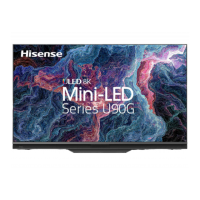
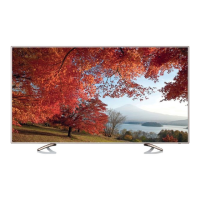
This document provides a quick setup guide and important information for the Hisense 75U8G television. It covers installation, connections, remote control operation, specifications, and other relevant details.
Function Description:
The Hisense 75U8G is a television designed for home entertainment. It offers a large display for viewing various content, including broadcast TV, external AV sources, and smart TV features. The TV supports both wired and wireless network connections, enabling access to online content and services. It includes a remote control for easy navigation and control, with some models featuring a Bluetooth remote for enhanced functionality. The TV is equipped with multiple input/output ports for connecting a wide range of external devices, such as gaming consoles, Blu-ray players, and sound systems. It also incorporates audio technologies like Dolby Vision, Dolby Atmos, DTS-HD Master Audio, and IMAX DTS for an immersive viewing and listening experience.
Important Technical Specifications:
- Model: 75U8G
- Dimensions (W × H × D):
- Without Stand: 1679 × 971 × 74 mm
- With Stand: 1679 × 1057 × 424 mm
- Weight:
- Without Stand: 35.7 kg
- With Stand: 36.8 kg
- Active Screen Size (Diagonal): 189 cm
- Screen Resolution: 3840 x 2160 (4K UHD)
- Audio Power: 15W + 15W
- Power Supply: 100-240V ~ 50/60Hz
- Standby Power: 0.5W
- Receiving Systems:
- Analog: PAL-D/K, B/G, I SECAM-D/K, B/G
- Digital: DVB-T/T2, DVB-C
- Environmental Conditions:
- Temperature: 5°C - 45°C
- Humidity: 20% - 80% RH
- Atmospheric pressure: 86 kPa - 106 kPa
- HDMI Input Support:
- 60Hz (640×480, 800×600, 1024×768)
- 60Hz (480i, 480p, 720p, 1080i, 1080p)
- 50Hz (576i, 576p, 720p, 1080i, 1080p)
- 24Hz 25Hz 30Hz 50Hz 60Hz (3840×2160)
- Connectivity:
- HDMI ports (including HDMI 2 with eARC/ARC, HDMI 1, HDMI 3, HDMI 4)
- USB ports (USB 1: DC 5V 1A(MAX), USB 2: DC 5V 0.5A(MAX))
- LAN (Ethernet/Cat 5)
- DIGITAL AUDIO OUT
- AV IN
- ANT (VHF/UHF antenna or cable)
- HEADPHONE output
- Built-in Wireless LAN Adapter (IEEE 802.11 a/b/g/n/ac)
- Audio Technologies: Dolby Vision, Dolby Atmos, DTS-HD Master Audio, IMAX DTS.
Usage Features:
- Installation: The TV can be installed on a base stand (included) or mounted on a wall using a compatible wall mount bracket (optional). Instructions for both methods are provided, emphasizing safety precautions like disconnecting power and handling the fragile screen carefully.
- Initial Setup: Upon first power-on, the TV guides the user through an installation process, including language selection, internet connection setup (wired or wireless), country selection, acceptance of terms and conditions, enhanced viewing options, VIDAA account sign-in, TV naming, and voice assistant selection.
- Remote Control: The included remote control allows for power on/standby, input source selection, channel navigation, volume adjustment, quick setup access, menu navigation, and access to smart TV features. Some models feature a Bluetooth remote that requires pairing with the TV. The remote has a typical operating range of up to 8 meters and a controlled horizontal angle of ±30° and vertical angle of ±15°.
- Connectivity:
- Antenna: Connects to outdoor VHF/UHF antennas or cable systems for broadcast TV reception.
- HDMI/AV: Connects to external AV equipment. HDMI connections do not require separate audio cables. The TV supports various HDMI resolutions and refresh rates.
- Headphone: For private listening. Users are advised to use headphones without microphone function and be aware of potential hearing loss from excessive sound pressure.
- Digital Audio Out: Connects to external digital audio systems. Users should decrease TV and system volume before connecting to avoid sudden loud sounds.
- eARC/ARC: HDMI 2 supports eARC/ARC for direct digital sound output to compatible audio receivers. This port cannot be used for signal input simultaneously when functioning as eARC/ARC.
- USB: Connects USB 1.1, USB 2.0, and USB 3.0 devices (depending on model) like hard drives, USB sticks, and digital cameras for media playback (photos, music, movies). Users are cautioned about power requirements for hard disks and USB hubs, and potential compatibility issues with certain digital cameras.
- LAN (Wired Setup): Connects the TV to a network via an Ethernet cable to a modem or router, preferably one supporting DHCP for automatic network configuration.
- Wireless Setup: The TV has a built-in Wireless LAN Adapter for connecting to wireless networks (IEEE 802.11 a/b/g/n/ac). DHCP-enabled routers simplify connection. Supported security systems include WPA, WEP, WPA2. A distance of less than 10 meters between the router and TV is recommended for smooth network performance.
- Smart TV Features: The TV's software functions may change with system upgrades. It supports Freeview Plus in Australia, providing an Electronic Program Guide (EPG) and catch-up TV access via broadband when connected to the internet and an antenna.
- Audio/Video Enhancements: The TV supports advanced audio and video technologies from Dolby and DTS, including Dolby Vision, Dolby Atmos, DTS-HD Master Audio, and IMAX DTS, for a high-quality entertainment experience.
Maintenance Features:
- Cleaning: Unplug the TV before cleaning. Use a lightly dampened cloth; avoid liquid, abrasive, or aerosol cleaners as they can damage the cabinet and screen.
- Ventilation: Ensure proper ventilation by not covering cabinet slots and openings. Maintain a minimum 10cm gap around the unit and 6cm from the wall to prevent overheating.
- Power Cord Protection: Route power cords to prevent walking on or pinching. The main plug serves as the disconnect device and should be readily operable.
- Lightning Protection: Unplug the TV from the wall outlet and disconnect the antenna/cable system during lightning storms or prolonged disuse to prevent damage.
- Servicing: Do not attempt to service the TV yourself. Refer all servicing to qualified service personnel to avoid dangerous voltage exposure and other hazards.
- Battery Handling:
- Do not mix new and old batteries or different types.
- Do not expose batteries to heat or direct sunlight.
- Ensure correct polarity (+/-) when inserting batteries.
- Remove depleted batteries immediately to prevent acid leakage.
- Remove batteries if the remote control will not be used for a long time.
- If battery chemicals touch skin, wash immediately.
- Disposal: Packaging and electrical goods should be recycled appropriately. Dispose of the TV and batteries at designated collection points for electrical and electronic equipment waste. Do not treat as household waste.

 Need help?

 To Next Page
 General