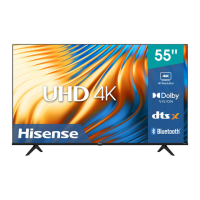
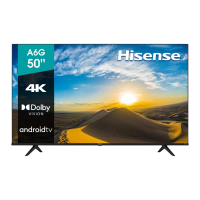
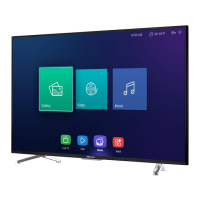
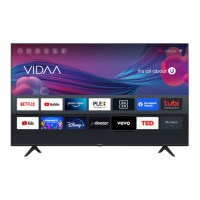
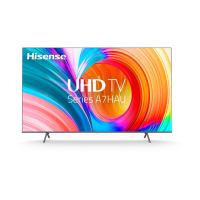
This document serves as a Quick Setup Guide for Hisense 50A6HAU and 58A6HAU television models, providing essential information for initial setup, safety, and basic operation. For more detailed instructions, users are directed to the User Manual or E-Manual.
Function Description
The Hisense 50A6HAU and 58A6HAU are televisions designed for home entertainment. They offer a range of connectivity options for external devices, including HDMI, AV, USB, and network connections (both wired and wireless). The TVs are equipped with a remote control for easy navigation and control of various functions, including channel selection, volume adjustment, input source selection, and access to smart features and applications. They support Freeview Plus in Australia, providing an Electronic Program Guide (EPG) and access to catch-up TV services. The televisions are designed to display high-resolution video and output audio through built-in speakers or external audio systems.
Important Technical Specifications
- Models: 50A6HAU, 58A6HAU
- Screen Sizes (Diagonal):
- 50A6HAU: 126 cm
- 58A6HAU: 146 cm
- Screen Resolution: 3840 x 2160 (4K UHD)
- Audio Power: 8W + 8W
- Power Supply: 100-240V ~ 50/60Hz
- Standby Power: 0.5W
- Receiving Systems:
- Analog: PAL-D/K, B/G, I SECAM-D/K, B/G
- Digital: DVB-T/T2, DVB-C
- Environmental Conditions:
- Temperature: 5°C - 45°C
- Humidity: 20% - 80% RH
- Atmospheric pressure: 86 kPa - 106 kPa
- HDMI Input Support:
- 60Hz (640×480, 800×600, 1024×768)
- 60Hz (480i, 480p, 720p, 1080i, 1080p)
- 50Hz (576i, 576p, 720p, 1080i, 1080p)
- 24Hz 25Hz 30Hz 50Hz 60Hz (3840×2160)
- Dimensions (W × H × D):
- 50A6HAU:
- Without Stand: 1117 × 646 × 74 mm
- With Stand: 1117 × 709 × 225 mm
- 58A6HAU:
- Without Stand: 1295 × 752 × 70 mm
- With Stand: 1295 × 812 × 291 mm
- Weight:
- 50A6HAU:
- Without Stand: 9.8 kg
- With Stand: 10.0 kg
- 58A6HAU:
- Without Stand: 12.5 kg
- With Stand: 12.6 kg
- Wall Mount Hole Pattern: 200 × 300 mm
- Wall Mount Screw Size: M6
- USB: Supports USB 1.1 and USB 2.0 devices. Max supported current for USB 3.0 is 1A (for some models).
- Wireless LAN Adapter: Built-in, supports IEEE 802.11 a/b/g/n/ac communication protocols.
- Security System Support (Wireless): WPA, WEP, WPA2.
- Remote Control Range: Up to 8 meters in front of the TV, with a horizontal angle of ±30° and vertical angle of ±15°.
Usage Features
- Installation: The TV can be set up on a stand (included) or mounted on a wall (bracket optional). Instructions are provided for both. When installing the stand, ensure the TV is placed facedown on a soft, flat surface to prevent screen damage. For wall mounting, follow the bracket's instructions and ensure proper ventilation (minimum 10cm gap around the unit, 6cm from the wall).
- Initial Setup: Upon first power-on, the TV guides the user through an Installation Guide to select language, connect to the internet (wired or wireless), select country, agree to Terms & Conditions/Privacy Policy, sign in to a VIDAA account, name the TV, and select a voice assistant.
- Connectivity:
- Antenna: Connects to outdoor VHF/UHF antennas or cable systems for broadcast TV.
- HDMI: Connects to external AV equipment. HDMI 1 (ARC) supports Audio Return Channel for digital sound output to compatible audio receivers.
- AV In: Connects to external AV equipment using yellow (video), white (left audio), and red (right audio) cables.
- USB: For browsing photos, listening to music, and watching movies from USB 1.1/2.0 devices, hard drives, and digital cameras.
- Headphone: For audio output to headphones. Ensure headphones do not have a microphone function for compatibility.
- Digital Audio Out: Connects to external digital audio systems. Volume should be decreased before connecting to avoid sudden loud output.
- LAN (Wired): Connects to a modem or router (preferably with DHCP) via an Ethernet/Cat 5 cable for network access.
- Wireless (Wi-Fi): Connects to a wireless network using the built-in Wireless LAN Adapter. A wireless router or modem is required.
- Remote Control: The included remote control allows for power on/standby, input source selection, channel and volume control, access to the Electronic Program Guide (EPG), quick setup, navigation, app quick access buttons, and teletext functions. Bluetooth remote controls may require pairing with the TV by pressing any button (except power and mic) within 3 meters after power-on.
- Freeview Plus (Australia only): Provides an advanced EPG and catch-up TV services when connected to the internet and an antenna. Activated by pressing the 'Green' button on the remote when prompted.
- Smart Features: The TV offers smart features, which are dependent on acceptance of the End User License Agreement.
Maintenance Features
- Cleaning: Unplug the TV from the wall outlet before cleaning. Use a lightly dampened cloth; avoid liquid, abrasive, or aerosol cleaners, as they can damage the cabinet and screen.
- Battery Handling:
- Do not mix new and old batteries, or different types.
- Do not expose batteries to excessive heat (sunlight, fire).
- Ensure correct polarity (+/-) when inserting batteries.
- Remove depleted batteries immediately to prevent acid leakage.
- Remove batteries if the remote control will not be used for a long time.
- Dispose of batteries in designated areas, not in fire.
- If battery chemicals touch skin, wash immediately.
- Power Cord Protection: Route power cords to prevent walking on or pinching. Ensure the main plug is easily accessible as it serves as the disconnect device.
- Lightning Protection: Unplug the TV from the wall outlet and disconnect the antenna/cable system during lightning storms or prolonged disuse to prevent damage.
- Servicing: Do not attempt to service the TV yourself. Refer all servicing to qualified personnel. Unplug the TV from the wall outlet if the power cord/plug is damaged, liquid is spilled, objects fall in, the TV doesn't operate normally, it's dropped/damaged, or performance changes.
- Ventilation: Ensure ventilation slots are not covered and the TV is not placed in a confined space without proper ventilation. Maintain minimum 10cm clearance around the unit and 6cm from the wall.
- Disposal: Packaging and electrical goods should be recycled appropriately, not treated as household waste. Dispose of equipment at an applicable collection point for electrical/electronic waste to prevent environmental and health hazards. Do not damage, dismantle, or throw the unit in municipal waste; hand it over to an authorized re-cycler.

 Need help?

 To Next Page
 General