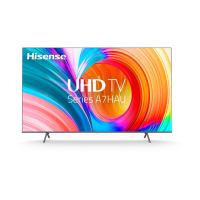
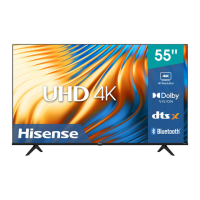
EasyManua.ls Logo

Hisense A7H - User Manual

Hisense A7H
41 pages
Print Icon
To Next Page IconTo Next Page
Loading...
USER MANUAL
Before using the TV, please read this manual
thoroughly and retain it for future reference.
ENGLISH
FRANÇAIS
ESPOL
ES-G2111HC
Questo manuale d’istruzione è fornito da trovaprezzi.it. Scopri tutte le offerte per Hisense A7H 85"
(85A7H) o cerca il tuo prodotto tra le migliori offerte di Televisori

Questions and Answers

  • A
    Alicia ThomasAug 12, 2025
    How to fix Hisense A7H with no picture or black and white picture?
    • J
      jleonAug 12, 2025
      If your Hisense TV shows no picture or a black and white picture, here are a few things to try: * Unplug the TV's power cord from the AC outlet, wait 60 seconds, and then plug it back in. * Check that the Color Saturation is set to 50 or higher in the settings. * Try tuning to different TV channels to rule out a channel-specific issue.
  • M
    Mr. Donald Johnson MDAug 16, 2025
    What to do if Hisense A7H picture is blurry or flickering?
    • T
      Thomas MeyerAug 16, 2025
      If your Hisense TV picture is blurry, flickering, or cuts out momentarily, you can try the following: * Go to Settings > Picture > Sharpness and adjust the sharpness level. * If you're using an external antenna, check its direction, position, and connection. * Adjust the direction of your antenna, or reset or fine-tune the channel.
  • B
    Breanna ChapmanAug 20, 2025
    Why is there picture but no sound on my Hisense A7H?
    • M
      Michael DavisAug 20, 2025
      If your Hisense TV has a normal picture but no sound, try the following: * Check the volume settings to ensure they are not set too low. * Make sure that 'Mute' mode is turned off.
  • J
    jose52Aug 23, 2025
    How to fix Hisense TV picture with red, purple or pink colors?
    • H
      hannahmaysAug 25, 2025
      If the picture on your Hisense TV appears red, purple, pink, or other unusual colors, try adjusting the white balance settings. Navigate to Settings > Picture > Calibration Settings > White Balance, and then try increasing or decreasing the white balance to correct the color issue.
  • S
    Scott MorganAug 27, 2025
    Why is the sound distorted or appears wavy on my Hisense TV?
    • H
      Heather ConradAug 27, 2025
      If the sound on your Hisense TV is distorted or appears wavy, it might be due to interference from other electrical appliances. Try turning off nearby appliances. If the interference stops, move the appliance further away from the TV. Also, try plugging your Hisense TV into a different power outlet.
  • S
    schultzmarkAug 30, 2025
    Why is the picture distorted or appear wavy on my Hisense A7H?
    • R
      Richard RodgersAug 31, 2025
      If your Hisense TV picture is distorted or appears wavy, it might be due to interference from electrical appliances. Try turning off any nearby appliances. If the interference stops when you turn off the appliance, move it further away from the TV. Also, try plugging the TV into a different power outlet.
  • A
    Albert SheltonSep 4, 2025
    Why is the picture distorted on my Hisense A7H?
    • D
      deborah17Sep 4, 2025
      If you're experiencing a distorted picture on your Hisense TV, it could be due to a few reasons: * The compression of video content, especially during fast-moving scenes in sports or action movies, can cause distortions. * A weak or poor signal reception can also lead to screen distortion. * Mobile phones used close to the TV (within 1 meter) may cause noise on analog and digital channels.
  • J
    jennifer90Sep 7, 2025
    Why are the speakers making an odd sound on my Hisense A7H TV?
    • M
      Mario AdkinsSep 7, 2025
      If your Hisense TV speakers are making an odd sound, ensure the audio cable is connected to the correct audio output connector on the external device. If you are using antenna or cable connections, check the signal information. A low signal level may cause sound distortions.

Summary

Hisense User Manual

Copyright Statement

Disclaimer Page

Live TV

Channel Scan

Scan channels automatically or manually to receive TV programs.

Channel List

Display and manage the list of available TV channels.

Favorite Channels

Connection

Establishing a Wired Internet Connection

Connect the TV to the internet using an Ethernet cable.

Establishing a Wireless Internet Connection

Connect the TV to a Wi-Fi network for internet access.

Connecting Bluetooth Devices

Using HDMI & CEC Control

Connecting Audio System via eARC;ARC

Connecting AV Devices, PC, or Game Console

Connecting USB Devices

Multi-screen

Screen Sharing

Mirror your mobile device's screen onto the TV.

Content Sharing

Share videos, music, or pictures from devices to the TV.

Smart Functions

Getting Familiar with the Home Screen

Navigate and customize the TV's Home screen interface.

Using Voice Control

Alexa Setup and Control

Media Playback and Formats

App Management and Mobile Control

Picture and Sound

Picture Quality Adjustments

Configure backlight, brightness, contrast, color, and picture modes for optimal viewing.

Picture Mode Selection

Select picture modes, including Low Blue Light, for the best viewing experience.

Fine-Tuning Picture Settings

Advanced Picture and Source Settings

Motion, Noise, and Calibration Settings

Game Mode and Sound Adjustments

Enabling System Sounds

Enable or disable default system sounds.

Choosing a Sound Mode

Select preset sound modes for different content or environments.

Audio Output and Advanced Features

Advanced Sound Configuration

Accessibility and System

Accessibility Features Overview

Enable features for visually or hearing impaired users, like captions and video description.

Parental Control Setup

Set up locks and blocking for content inappropriate for children.

Device Preferences Configuration

Advanced System Settings Management

Control Ports, Customization, and Services

E-Manual and Mobile App Connection

Mobile Device Connectivity Tips

System Cache and Help Resources

Troubleshooting

Picture Issue Solutions

Solutions for common picture problems like distortion, blurriness, and color issues.

Sound Issue Solutions

Solutions for common sound problems like no sound, low volume, or distorted audio.

Network Connectivity Troubleshooting

External Device Connection Troubleshooting

Remote Control and App Issues

Media File and Voice Control Issues

Other Common TV Issues

Using the E-Manual

Launching the E-Manual

Instructions on how to access the E-Manual via QR code.

E-Manual Navigation and Settings

Using search and settings functions within the E-Manual for feature information.

Hisense A7H Specifications

General IconGeneral
Display TechnologyLED
Smart TVYes
Operating SystemVIDAA U5
Refresh Rate60 Hz
HDMI Ports3
USB Ports2
BluetoothYes
Wi-FiYes
Audio TechnologyDTS Virtual:X
Audio Output20W
Screen Size55 inches
Resolution3840 x 2160
HDRHDR10

Related product manuals