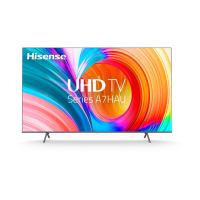
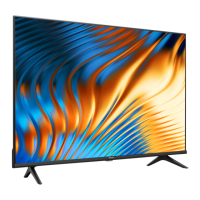
This document is a Quick Setup Guide for Hisense televisions, providing essential information for initial setup, troubleshooting, and product specifications. It emphasizes environmental responsibility by encouraging users to access the full User Manual online to reduce paper waste.
Function Description:
This guide facilitates the initial setup of a Hisense TV, covering physical assembly, device connections, remote control operation, and network configuration. It also includes troubleshooting tips for common issues and detailed product specifications. A key feature is the support for Text-to-Speech (TTS) and Video Description functionalities, designed to assist visually impaired users in navigating menus and understanding program content through audio narration. The guide provides contact information for customer support in the USA, Canada, and Mexico, including phone numbers, hours of operation, and service email addresses, along with links to regional support and product registration pages.
Important Technical Specifications:
The guide covers several Hisense TV models: 40H5G, 40A4GV, 40A40GV, 40A40GMV, 40H55G, 40A4HV, and 40A4070GMV.
- Dimensions (W × H × D):
- Without Stand: 35.2 x 20.2 x 3.4 inches (893 × 513 × 86 mm)
- With Stand: 35.2 x 22.0 × 7.2 inches (893 × 559 × 182 mm)
- Weight:
- Without Stand: 11.9 lbs (5.4 kg)
- With Stand: 12.1 lbs (5.5 kg)
- TV Stand Width (W × D): 31.7 x 7.2 inches (806 × 182 mm)
- Active Screen Size (Diagonal): 39.5 inches (100.3 cm)
- Screen Resolution: 1920 × 1080
- Audio Power: 7W + 7W
- Power Consumption & Supply: Refer to the rating label (not specified in detail in the guide).
- Connectivity: Built-in Wireless feature (2x2, 2.4GHz).
- Receiving Channels:
- VHF: 2 - 13
- UHF: 14 - 69
- CATV: 1 - 125
- Digital Terrestrial Broadcast (8VSB): 2 - 69
- Digital cable (64/256 QAM): 1 - 135
- Tuner Type: Frequency synthesized
- Receiving System: Analog: NTSC, Digital: ATSC/QAM
- Operating Temperature: 41°F - 95°F (5°C - 35°C)
- Operating Humidity: 20% to 80% non-condensing
- Storage Temperature: 5°F to 113°F (-15°C to 45°C)
- Storage Humidity: 10% to 70%, non-condensing
- Wall Mount Hole Pattern (mm): 100 × 200
- Wall Mount Screw Size (mm): M6
- Wall Mount Screw Length: 9.5 - 11.5 mm (from the attaching surface of the rear cover)
- USB Port: Supports USB devices for photos, music, and movies. Hard disks with total current consumption or impulse current consumption greater than 500mA are not supported.
- Remote Control Range: Up to 26 feet (792.5 cm) in front of the TV, with a 30-degree horizontal or vertical angle.
Usage Features:
- Quick Setup: A guided first-time setup process helps users connect the TV to the Internet and complete initial configurations.
- Stand or Wall Mount Installation: Detailed instructions are provided for attaching the TV stand or mounting the TV on a wall, including screw specifications (ST4×20F for stands) and safety precautions.
- Device Connectivity: The TV offers various ports for connecting external devices:
- DIGITAL AUDIO OUT: For optical cable connection to external digital audio systems.
- USB: For connecting USB devices.
- HDMI (HDMI 1 ARC): For High Definition Multimedia Interface connections.
- AV IN: For composite video and left-right audio cables from external AV devices.
- RESET: Button for power off/restart (quick press) or factory reset (long press).
- HEADPHONE: For connecting headphones (microphones not supported).
- ANT/CABLE: For outdoor VHF/UHF antenna connection.
- Remote Control Functionality: A comprehensive table describes each button on the remote, including power on/off, input selection, channel/number input, Live TV access, Closed Caption (CC) control, Media access, Menu navigation, Home screen display, volume and channel adjustment, mute, audio language (MTS), media content control, and quick access buttons for VIDAA SPORTS, VIDAA Free, and VIDAA ART. Special function buttons (Red/Green/Yellow/Blue) are also present. Additional buttons include digital sub-channel selection, quick access to YouTube Music and other apps, exit functions, sleep timer adjustment, quick access to all applications, and display of current input source information (INFO). A GUIDE button switches to TV channels or displays the Electronic Program Guide (EPG), though EPG functionality may vary by model/region.
- Network Configuration: Users can establish a wireless network connection by selecting "Wireless" in "Connection Select" modes, choosing a network from the list, and entering the password. Options to refresh the network list or manually add a Wi-Fi network are available.
- Accessibility Features:
- Text-to-Speech (TTS) / Voice Guide: Converts written text into spoken words to assist visually impaired users in navigating menus.
- Video Description: Provides audio narration describing main visual elements in certain programs. These features can be enabled via the Accessibility settings (Settings > Accessibility > Narration or Voice Guide).
Maintenance Features:
- Troubleshooting Guide: A table lists common TV issues (e.g., no sound/picture, distorted picture, remote not working) and provides possible solutions, such as checking power cords, input connections, volume settings, and remote control batteries.
- Remote Control Battery Management: Instructions for inserting AAA(1.5Vcc) batteries are provided, emphasizing correct polarity. Important information about battery disposal, removal of old batteries, and precautions against leakage or mixing different battery types is included. Users are advised to remove batteries if the remote is not used for a long time and to contact support if the remote gets warm or hot.
- Environmental Protection: The guide includes a symbol indicating that the product should not be disposed of with domestic garbage and encourages responsible recycling to promote sustainable reuse of materials.
- Software Updates: While not explicitly detailed as a user-initiated maintenance feature, the mention of "initializing and searching for previous setting information" during startup implies potential internal software processes.
- FCC and Industry Canada Compliance: The device adheres to FCC Rules Part 15 for Class B digital devices and Industry Canada's licence-exempt RSSs, ensuring it operates within regulatory limits for radio frequency interference.
- HDMI, Dolby Audio, and DTS-HD Licensing: The TV incorporates technologies from HDMI Licensing Administrator, Dolby Laboratories, and DTS, Inc., with appropriate licensing acknowledgments.
- AVC Patent Portfolio License: The product is licensed under the AVC Patent Portfolio License for personal use, indicating compliance with AVC video standards.

 Need help?

 To Next Page
 General