4
USING YOUR DISHWASHER
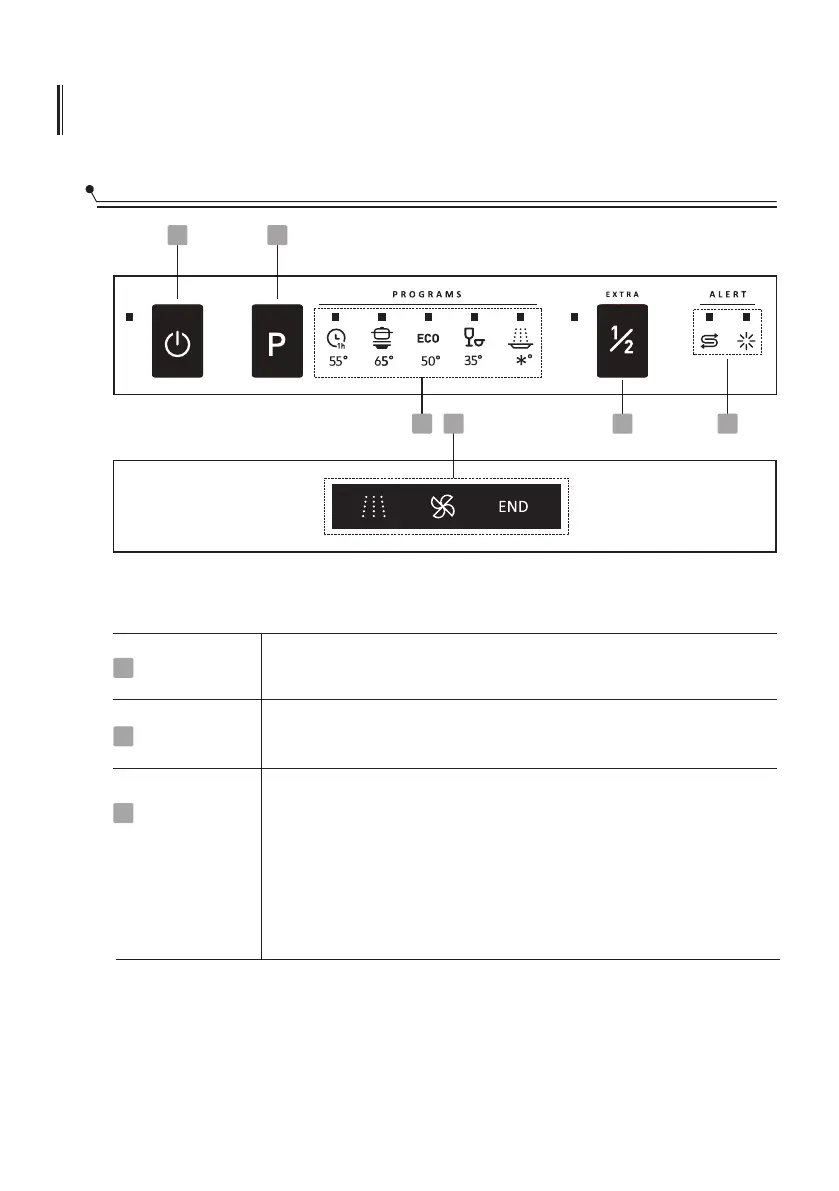
Control Panel
Operation (Button)
Power
Program
1
2
3
Half-load
Press this button to turn on your dishwasher,the screen lights up.
When pressing this button, corresponding indicator will be lit.
Select the appropriate washing program, the selected program
indicator will be lit.
When you have about or less than six sets of dishware to be
washed, you can choose this function to save energy and water.
(It can be used with 1 hour, Intensive, ECO.)
Press this button for 3s and the indicator light flashes to cancel
automatic opening function, which comes with the dishwasher
after power on. To restore this function, you need to power off
and restart.
1 2
34
6
5




 To Next Page