EasyManua.ls Logo

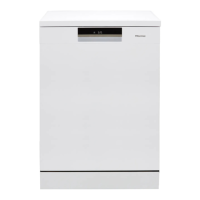
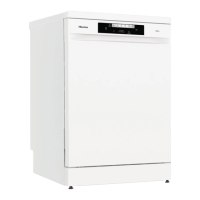
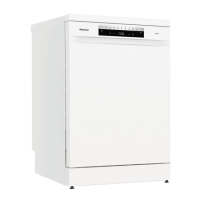
Hisense HS693C60XAD - User Manual

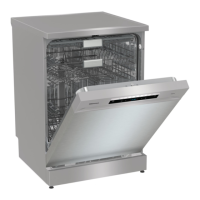
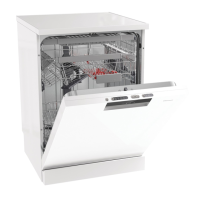
Hisense HS693C60XAD
44 pages
Print Icon
To Next Page IconTo Next Page
Loading...
HS693C60XADUK
EN
User manual
Dishwasher

Table of Contents

Questions and Answers

  • R
    Richard Davis DDSAug 13, 2025
    Why does the control panel on my Hisense HS693C60XAD not react when pressed?
    • F
      Felicia WoodsAug 13, 2025
      If the control panel of your Hisense Dishwasher isn't responding, it might be because you pressed it too soon after closing the door. Wait a moment and try again. Also, the control panel only works when the door is closed. Finally, check if the Child lock or Automatic child lock is activated, and if so, refer to the Safety instructions chapter to deactivate it.
  • A
    Angela LarsonAug 17, 2025
    What to do if my Hisense Dishwasher is overfilling with water?
    • W
      wongmatthewAug 17, 2025
      If your Hisense Dishwasher is overfilling with water, unblocking the drainage pump might solve the issue. Refer to the Care and cleaning chapter for instructions. If the problem continues, it is recommended to turn off the water tap and contact your nearest service center for assistance. To prevent water from leaking, do not unplug the dishwasher until the water tap is turned off.
  • B
    bsmithAug 20, 2025
    How to fix a water inlet fault on my Hisense HS693C60XAD?
    • M
      Michelle Zimmerman MDAug 21, 2025
      If your Hisense Dishwasher displays a water inlet fault, first ensure that the water tap is turned on. Then, check the outer filter on the inlet hose for any blockages. You can find instructions on how to unblock the inlet hose filter in the Care and cleaning chapter. If the issue persists, it is recommended to contact your nearest service center for further assistance.
  • M
    megancastanedaAug 25, 2025
    What to do if my Hisense HS693C60XAD has a water level fault?
    • S
      salassarahAug 25, 2025
      If your Hisense Dishwasher has a water level fault, begin by cleaning the coarse and fine filters. Next, check the outer filter on the inlet hose to ensure it is not blocked. Also, verify that the drainage hose is properly fitted according to the installation instructions. If the problem continues, it is recommended to contact your nearest service center.
  • D
    Diane SalazarAug 28, 2025
    How to resolve water inlet fault (F67) on Hisense Dishwasher?
    • J
      jonestylerAug 28, 2025
      If your Hisense Dishwasher shows a water inlet fault (F67), ensure that the water tap is turned on. Also, check the outer filter on the inlet hose for any blockages. Instructions for unblocking the inlet hose filter can be found in the Care and cleaning chapter. If the problem continues, it is recommended to contact your nearest service center.
  • K
    Kenneth RobinsonSep 1, 2025
    What to do if there's an inlet valve leakage in Hisense HS693C60XAD?
    • C
      Chelsea JonesSep 1, 2025
      If there's an inlet valve leakage in your Hisense Dishwasher, turn off the water tap and contact your nearest service center for assistance.
  • K
    kenneth25Sep 4, 2025
    What to do if Hisense HS693C60XAD Dishwasher has heater fault 1?
    • A
      Adrian MedinaSep 5, 2025
      If your Hisense Dishwasher displays a heater fault 1, turn off the water tap, remove the plug from the wall socket, and contact your nearest service center for assistance.
  • M
    Mr. Julian Watson Jr.Sep 8, 2025
    What to do if my Hisense Dishwasher has circulation pump fault?
    • C
      charlespageSep 8, 2025
      If your Hisense Dishwasher has a circulation pump fault, it is recommended to contact your nearest service center for assistance.

Summary

Your Dishwasher Overview

Control Panel and Display Guide

Details on operating the control panel and understanding display indicators.

Safety Instructions

General Safety Precautions

Essential safety rules for handling and operating the dishwasher.

Safety Features and Compliance

Child Lock and Safety Guards

How to use child lock features and the function of the overflow guard.

Appliance Symbols

Initial Setup: Water Hardness

Initial Setup: Rinse Aid and Salt

Initial Setup: Automatic Detergent

Greener Dishwashing Practices

Energy Saving and Water Connection

Methods to save energy and water, and options for water supply connection.

Loading the Dishwasher

Basket Usage and Loading Tips

Guidance on loading, fragile dishes, basket use, and cutlery tray.

Upper Basket Loading

Adjusting Upper Basket Height

How to adjust the height of the upper basket for different loads.

Lower Basket and Plate Supports

Using Detergent

Manual and Automatic Detergent Dosing

Explains manual and automatic detergent dosing options and types.

Operating Programs

Program Selection and Details

Overview of programs like Auto, Eco, 1h, and Intensive, and how to select them.

Specialized Programs and Options

Self-Clean, Remote Control, and Auto Dry

Using the Self-Clean program, remote control via WiFi, and the Auto Dry option.

Advanced Program Features

Program Control and Timing Features

Managing program start, pause, stop, and understanding remaining time.

Program Completion and Unloading

Loading More Dishes and Handling Interruptions

How to add dishes mid-cycle and handle power failures.

Program Chart

ConnectLife Smart Integration

App Setup and Network Pairing

Steps to install the app, create an account, and pair the dishwasher.

ConnectLife Remote Operations

Dishwasher Settings

Configuring Core Settings

Adjusting settings like child lock, sounds, rinse aid, and water hardness.

Advanced Settings and Defaults

Care and Cleaning: Consumables

Care and Cleaning: Detergent System

Care and Cleaning: Filters and Spray Arms

Care and Cleaning: Exterior and Tub

Unblocking Drainage Pump

Steps to unblock the dishwasher's drainage pump.

Care and Cleaning: Hoses and Storage

Troubleshooting: Error Messages

Troubleshooting: Operational Issues

Detergent Usage and Dish Loading Issues

Addressing issues related to detergent and incorrect dish loading.

Troubleshooting: Dish Appearance

Troubleshooting: Dish Quality

Sticky Films and Detergent Residue

Solutions for sticky films, spots, and detergent residue on dishes.

Troubleshooting: Odour and Drying

WiFi Connectivity Troubleshooting

Dishwasher Installation Guide

Safety and Placement for Installation

Safety precautions and steps for positioning the dishwasher.

Installation: Adjusting and Sliding

Installation: Water and Drainage

Drainage and Water Supply Connections

Detailed instructions for connecting drainage and water supply lines.

Installation: Electrical and Ancillaries

Electrical Connection and Sound Insulation

Electrical hookup procedures and fitting sound insulation.

Service and Support

Technical Data and Energy Labeling

Appliance Specifications and Consumer Info

Technical details, energy data, and consumer information sources.

Hisense HS693C60XAD Specifications

General IconGeneral
TypeFreestanding
Capacity16 place settings
Energy RatingA++
Noise Level42 dB
Delay startYes, up to 24 hours
Child lockYes
Wash ProgramsAuto, Eco, Intensive, Quick, Rinse
Width600 mm
Height845 mm
Depth60 cm
Water consumption9.5 L
Drying SystemCondensation drying

Related product manuals