8
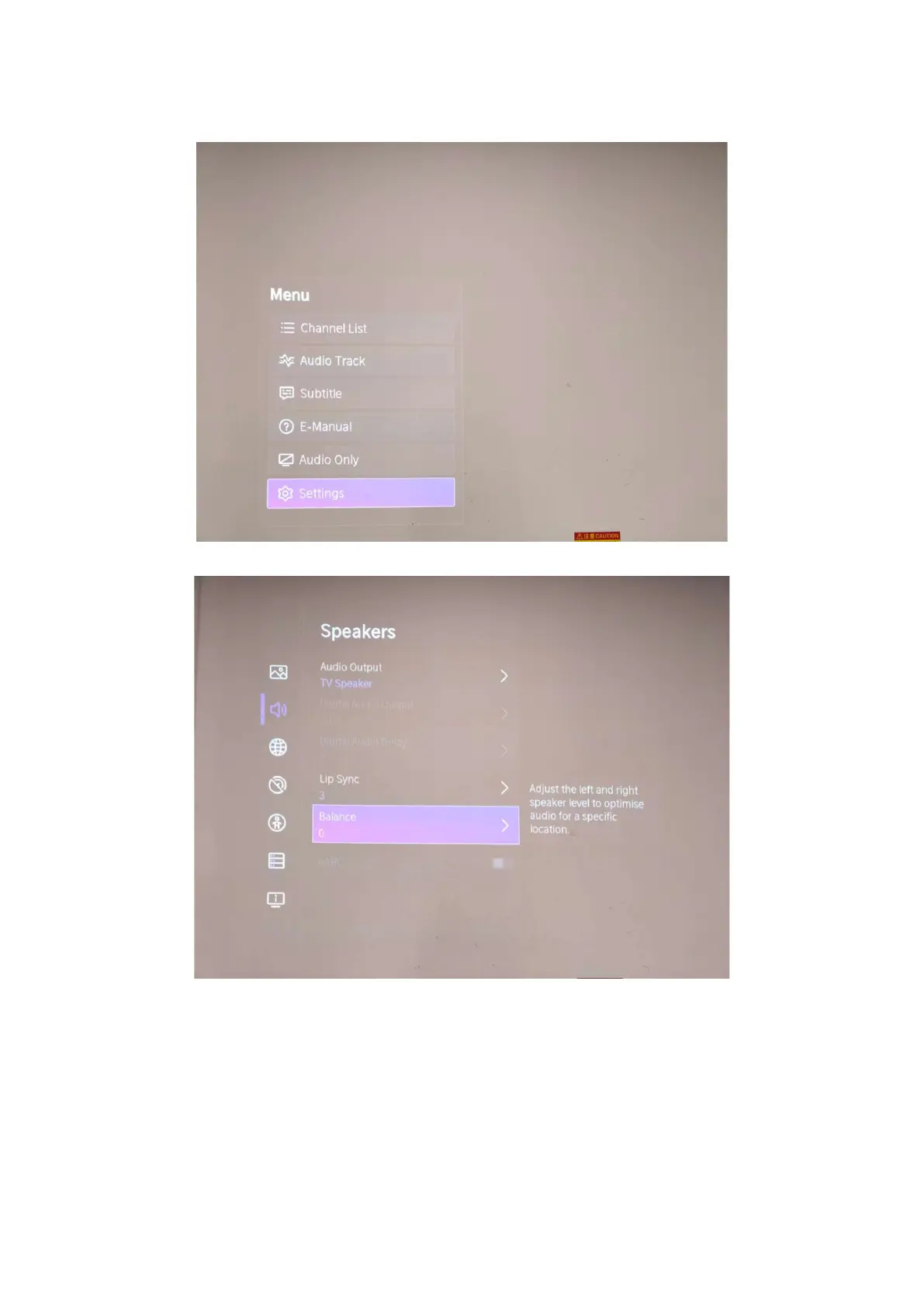
(2) Press button on the RC then call up “Menu” option.
(3) Move and “ok “button on RC to select Setting-Sound-Speakers-Balance
(4) On the Balance, input figure 1->9->6->9 in sequence on RC.
Note: It is important to remember that the hand fingers can’t shield the RC
emitter diode.
(5) Call up a “M” on the left-top of TV, then press button again, the Factory
menu appear then


 To Next Page
 Loading...