LCD TV Service Manual
------------------------------------------------------------------------------------------------------------------------
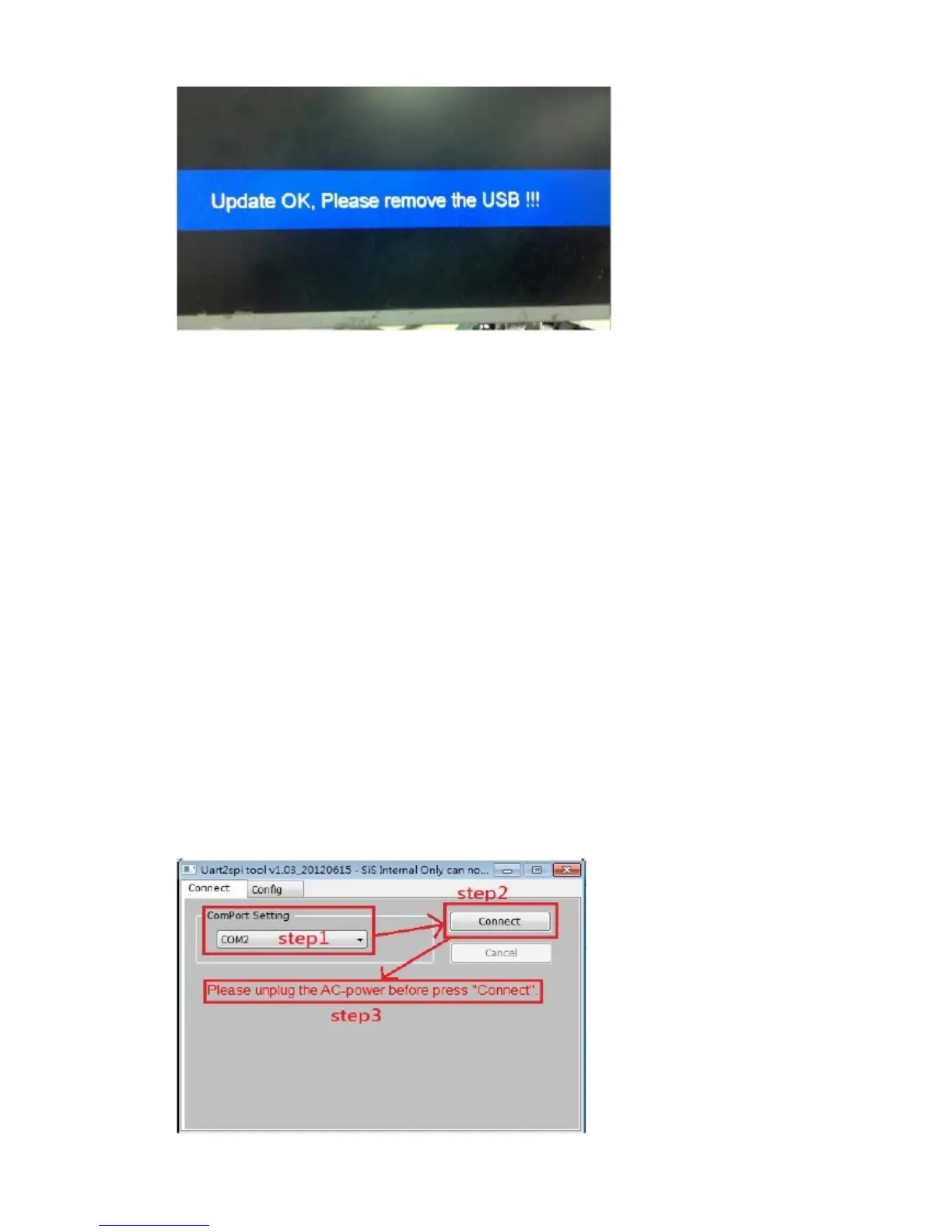
4.2.4 Confirm the software Version in the Version Menu. If the update is successful,
enter t he Factory Menu and select “Init TV”
4.3 Upgrade when power up
4.3.1 Make sure the TV is AC off.
4.3.2 Copy the BIN file to the USB root directory,insert the USB disk to theside of the
USB interface of the main board.
4.3.3 AC on, the LED indicator will start flash red and blue till the upgrade is finished.
The red light and green light flashing at 1/4 seconds intervals.Please AC off and AC on.
4. 4 Using uart2spi_tool tool to upgrade
Serial port can upgrade the whole program. Serial port upgrade is very slow, it takes
about 20 minutes.As far as possible without serial upgrade.The serial upgrade tools
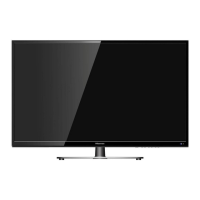
isuart2spi_tool.Serial port upgrade steps:
4.4.1.Open the serial port upgrade kits uart2spi_tool, choosing the right serial number.
4.4.2.Click "connect".
4.4.3.AC on.
------------------------------------------------------------------------------------------------------------------------
Hisense Confidential





 To Next Page