
 Need help?
Do you have a question about the Hisense LCD3203EU and is the answer not in the manual?
Lists functions for XPE003 to XP16 connector pins.
Lists functions for XPE001 to XP15 connector pins.
Lists functions for XPE002 to XP17 connector pins.
Lists functions for XP7 to XP608 connector pins.
Lists functions for XP4 to XP607 connector pins.
Lists functions for XP6 to XP610 connector pins.
Lists functions for XP12 connector pins.
Lists functions for XPK01 to XP8 connector pins.
Lists functions for XPE005 and XPE006 connector pins.
Lists functions for XPE004 to XP611 connector pins.
Lists components and their details for the main board.
Lists components and their details for the tune board.
This document outlines the service manual for the LCD3203EU, providing essential information for technicians and service personnel to effectively maintain and repair the device. It covers safety precautions, product safety notices, block and signal diagrams, function descriptions of various connections, troubleshooting steps, and a detailed parts list. The manual is structured to guide service personnel through the intricacies of the device, ensuring safe and efficient servicing.
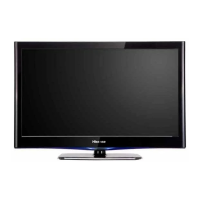
The LCD3203EU is a display device, likely a television or monitor, designed to receive and process various video and audio signals for display on an LCD panel. Its core functionality revolves around signal reception, processing, and output to the display and integrated audio system.
The device incorporates a TUNE BOARD (393A) responsible for receiving broadcast signals. This board connects to the MAIN BOARD (530), which acts as the central processing unit for all incoming signals. The MAIN BOARD is equipped with several integrated circuits (ICs) that handle different aspects of signal processing. For instance, the SDA5550 (N605) likely manages I²C communication for various components, including the tuner and audio processor. The MSP3410 (N600) is an audio processor, indicating the device's capability to decode and process audio signals from the tuner and other inputs. The VPC3230 (N6) is a video processor, crucial for handling and scaling video signals before they are sent to the LCD panel. The GM1501 (N8) is another IC involved in video processing, specifically for LVDS (Low-Voltage Differential Signaling) output to the LCD.
The device supports multiple input sources, including SCART (SCART1, SCART2), which can carry composite video, S-video, and RGB signals. It also features inputs for HDTV components (PR, PB, Y), DVI, and VGA, making it versatile for connecting to various external devices such as DVD players, gaming consoles, computers, and high-definition sources. The presence of a TUNER (A600) indicates its ability to receive terrestrial or cable television broadcasts.
Audio processing is handled by the MSP3410 (N600), which feeds into the TDA7266B (N603) for power amplification, driving the external speakers. An additional IC, TDA2822 (N604), is present, likely for headphone output or a secondary audio amplification stage. MUTE functionality, controlled by V603 and V604, allows for silencing the audio output.
The LCD panel itself is driven by LVDS signals from the MAIN BOARD, processed by the GM1501 (N8). The POWER BOARD (526) supplies the necessary power to all components, including the LCD panel and its inverter lines (XPE005, XPE006), which are responsible for backlighting the display. The inverter lines are controlled by signals from the MAIN BOARD (BRI, PWM, ON/OFF) to regulate luminance and backlight operation.
A REMOTE BOARD (467A) handles infrared (IR) remote control signals, allowing users to interact with the device from a distance. A KEY BOARD (531) provides local control buttons for basic operations. These boards communicate with the MAIN BOARD via dedicated connections.
The LCD3203EU offers a comprehensive set of features designed for user convenience and flexibility. Its multi-input capability allows users to connect a wide array of devices, making it a central hub for entertainment. The inclusion of SCART, HDTV component, DVI, and VGA inputs ensures compatibility with both older and newer video sources. The integrated tuner provides access to broadcast television channels.
The device supports various video modes, including standard definition and high definition, depending on the input source. The video processing capabilities ensure that signals are optimized for display on the LCD panel. Audio features include stereo output through external speakers and a headphone jack for private listening.
User interaction is facilitated through both a remote control and local control buttons. The remote control, connected via the REMOTE BOARD, provides full access to the device's functions, including channel selection, volume control, input switching, and menu navigation. The KEY BOARD offers essential controls directly on the device, serving as a backup or alternative for quick adjustments.
The service mode menu, accessible through specific key combinations ([MUTE]+[5] or [DISPLAY]+[MUTE] with volume at 2), provides advanced settings for technicians and experienced users. This menu allows for adjustments such as white balance (WHITE BAN), tuner selection (SELECT TUNER), picture mode (PICTURE MODE), and clearing user information (CLEAR ROM). It also includes settings for EMI (FREQ SP) and channel configuration (SET CHANNEL) for production purposes. The presence of a general-purpose password (1016) for accessing password-protected menus indicates a level of security and control over advanced settings.
The service manual emphasizes safety precautions and product safety notices, which are crucial for anyone performing maintenance or repairs. It highlights the importance of replacing parts with specified components to prevent hazards such as electric shock or fire. This includes using non-metallic control knobs, insulating covers, shields, and specified fuses.
The detailed block diagram and signal diagram are invaluable tools for troubleshooting and maintenance. They provide a visual representation of the device's architecture and signal flow, allowing technicians to quickly identify problematic areas. For example, if there is no picture, the troubleshooting guide directs the technician to check the antenna/cable connection, the tuner board, and the main board, depending on whether noise is present or the indicator light is red or blue.
The function descriptions of conjunctions (connectors) provide pin-level details for various interfaces, such as those connecting the main board to the power board, inverter lines, and key board. This information is essential for checking voltage levels, signal integrity, and continuity during diagnostics. For instance, the XPE003-XP16 connector details the +12V and 5V panel power lines, as well as the POWER_ON control signal and ground connections. Similarly, XPE002-XP17 outlines the BRI, PWM, and ON/OFF signals for backlight control, which are critical for diagnosing display illumination issues.
The comprehensive parts list, categorized by MAIN BOARD PART and TUNE BOARD PART, is a vital resource for component replacement. It specifies the item name, catalog number, amount, unit, and location of each component. This level of detail ensures that technicians can order and replace exact parts, maintaining the device's original specifications and safety standards. The parts list includes various resistors, capacitors (ceramic and electrolytic), inductors, diodes, transistors, and integrated circuits, covering almost every replaceable component on the main and tuner boards.
The service mode menu, while primarily for advanced adjustments, also serves as a maintenance feature. It allows technicians to diagnose and correct certain issues without physical intervention, such as adjusting white balance or resetting user settings. The ability to clear ROM (CLEAR ROM) can be useful for resolving software-related glitches or preparing the device for a fresh configuration.
Overall, the LCD3203EU is designed with serviceability in mind, providing extensive documentation and access to internal settings to support effective maintenance and repair operations.
 General
| Screen Size | 32 inches |
|---|---|
| Display Technology | LCD |
| Aspect Ratio | 16:9 |
| USB Ports | 1 |
| Resolution | 1366 x 768 |
| Built-in Tuner | Yes |





 To Next Page