- 13 -
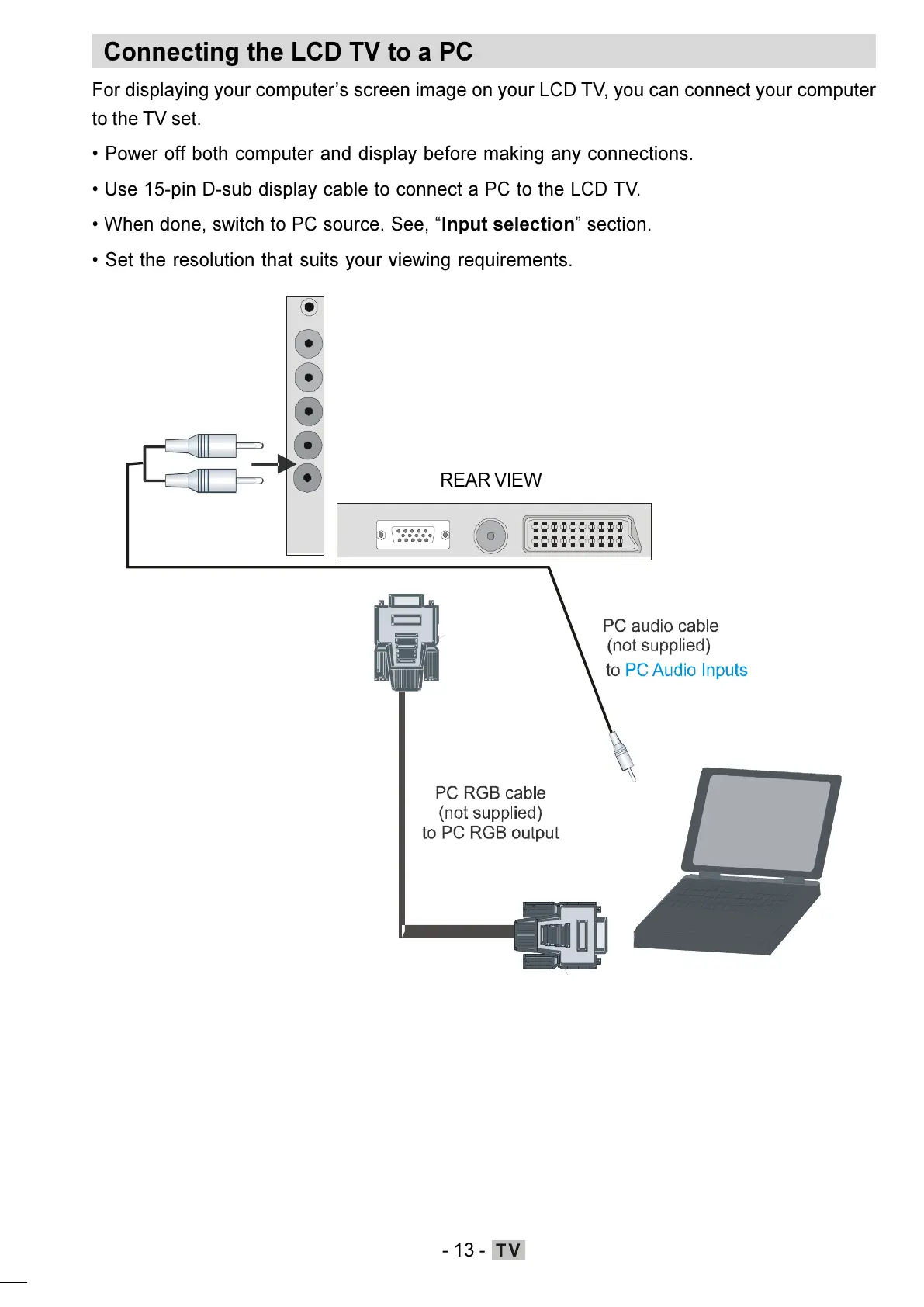
Connecting the LCD TV to a PC
For displaying your computers screen image on your LCD TV, you can connect your computer
to the TV set.
Power off both computer and display before making any connections.
Use 15-pin D-sub display cable to connect a PC to the LCD TV.
When done, switch to PC source. See, Input selection section.
Set the resolution that suits your viewing requirements.
REAR VIEW
ENG-01-TV-22784W-1165UK-MB29-PEUIDTV-(1SCRT-AV-YPBPR-HP-SPDIF-STRLOUT-PCIN)-10060401-5013xxxx.p6511.10.2008, 17:3713






 To Next Page