- 18 -
Switching the TV On/Off
To Switch the TV On
Connect the power cord to the 220-240V
AC,50 Hz.
Press STANDBY button. Then the standby
LED lights up.
To switch on the TV from standby mode either:
Press the
button, P/CH+ / P/CH- or a
numeric button on the remote control.
Press the P/CH- or P/CH+ button on the TV.
The TV will then switch on.
Note: If you switch on your TV via
PROGRAMME UP/DOWN buttons on the
remote control or on the TV set, the
programme that you were watching last
will be reselected.
To Switch the TV Off
Press the button on the remote control or
STANDBY button on the TV, so the TV will
switch to standby mode.
To power down the TV completely, unplug
the power cord from the mains socket.
Input Selection
Once you have connected external systems
to your TV, you can switch to different input
sources.
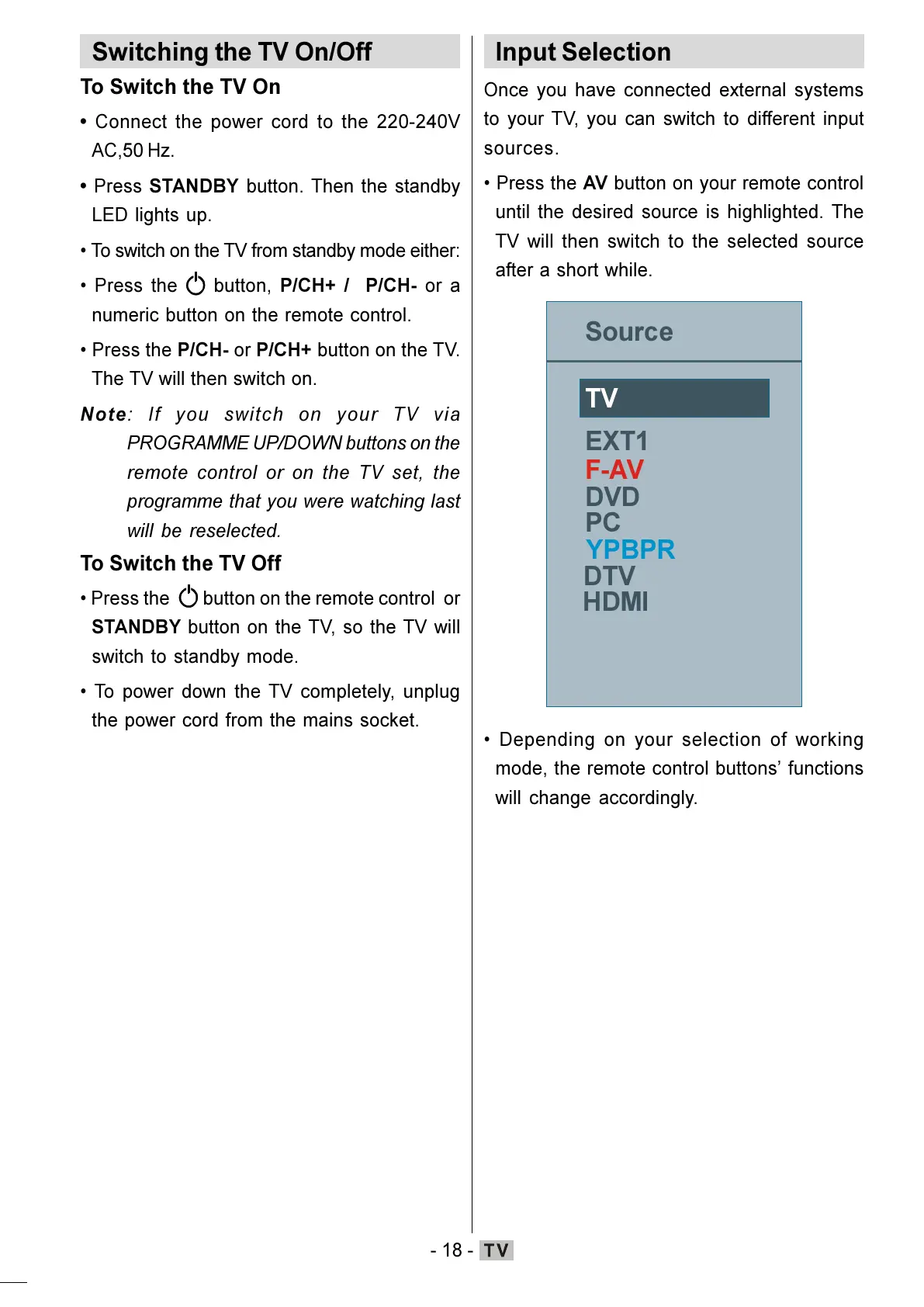
Press the AV button on your remote control
until the desired source is highlighted. The
TV will then switch to the selected source
after a short while.
+'0,
Depending on your selection of working
mode, the remote control buttons functions
will change accordingly.
ENG-01-TV-22784W-1165UK-MB29-PEUIDTV-(1SCRT-AV-YPBPR-HP-SPDIF-STRLOUT-PCIN)-10060401-5013xxxx.p6511.10.2008, 17:3718






 To Next Page