- 21 -
button to highlight Txt. Region. Select a region
by using
button. To cancel, press the
79
button.When finished, press OK
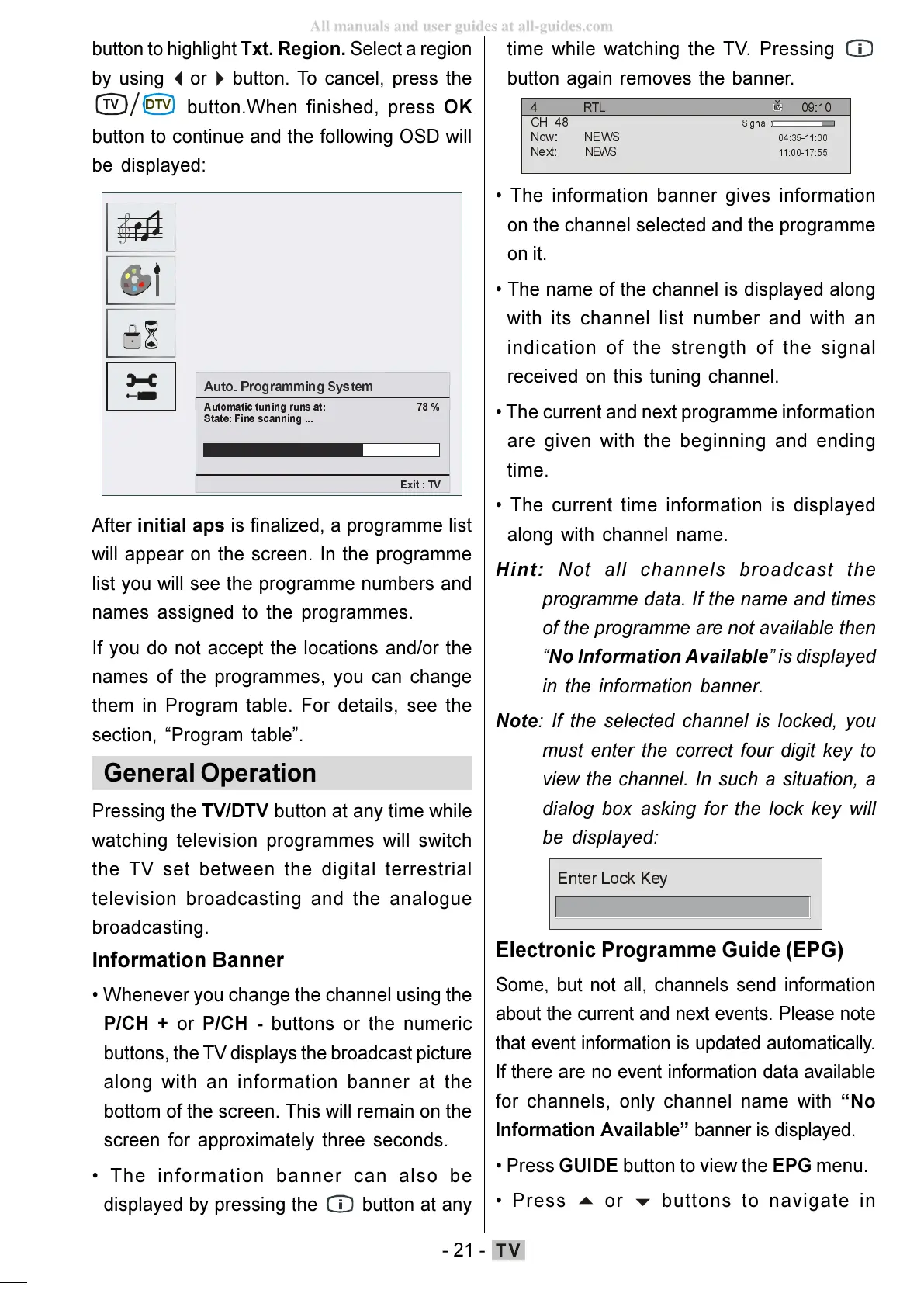
button to continue and the following OSD will
be displayed:
$XWR3URJUDP PLQJ6\VWHP
$XWRPDWLF WXQLQJUXQVDW
6WDWH)LQHVFDQQLQJ
([LW79
After initial aps is finalized, a programme list
will appear on the screen. In the programme
list you will see the programme numbers and
names assigned to the programmes.
If you do not accept the locations and/or the
names of the programmes, you can change
them in Program table. For details, see the
section, Program table.
General Operation
Pressing the TV/DTV button at any time while
watching television programmes will switch
the TV set between the digital terrestrial
television broadcasting and the analogue
broadcasting.
Information Banner
Whenever you change the channel using the
P/CH + or P/CH - buttons or the numeric
buttons, the TV displays the broadcast picture
along with an information banner at the
bottom of the screen. This will remain on the
screen for approximately three seconds.
The information banner can also be
displayed by pressing the
button at any
time while watching the TV. Pressing
button again removes the banner.
57/
&+
1RZ1(:6
1H[W 1( :6
6LJQDO
The information banner gives information
on the channel selected and the programme
on it.
The name of the channel is displayed along
with its channel list number and with an
indication of the strength of the signal
received on this tuning channel.
The current and next programme information
are given with the beginning and ending
time.
The current time information is displayed
along with channel name.
Hint: Not all channels broadcast the
programme data. If the name and times
of the programme are not available then
No Information Available is displayed
in the information banner.
Note: If the selected channel is locked, you
must enter the correct four digit key to
view the channel. In such a situation, a
dialog box asking for the lock key will
be displayed:
(QWHU/RFN.H\
Electronic Programme Guide (EPG)
Some, but not all, channels send information
about the current and next events. Please note
that event information is updated automatically.
If there are no event information data available
for channels, only channel name with No
Information Available banner is displayed.
Press GUIDE button to view the EPG menu.
Press
buttons to navigate in
ENG-01-TV-22784W-1165UK-MB29-PEUIDTV-(1SCRT-AV-YPBPR-HP-SPDIF-STRLOUT-PCIN)-10060401-5013xxxx.p6511.10.2008, 17:3721
All manuals and user guides at all-guides.com







 To Next Page