English - 15 -
Using Other Connectors
You can connect a range of optional equipment to your LCD TV. Possible connections are shown
below. Note that cables shown in the illustration are not supplied.
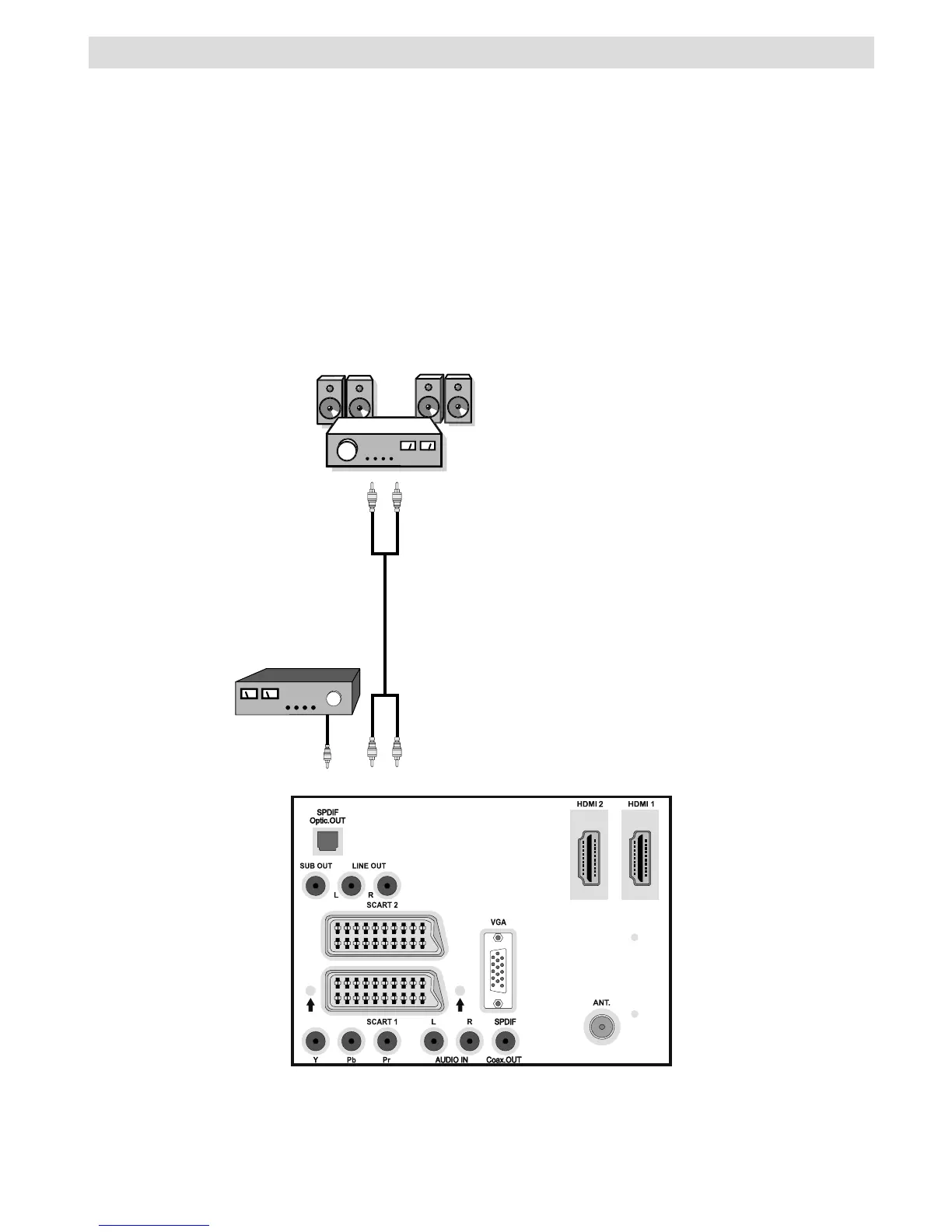
• For connecting a to a device that has SPDIF support, use an appropriate SPDIF cable to
enable sound connection.
• To connect external speakers; connect the audio output sockets on the TV to an external amplifi er
that is connected to a speaker system.
• After connecting the cable between your TV and external amplifi er, turn your TV and amplifi er
on.
• You can refer to your amplifi er and speaker set instruction manual for further information.
External Speakers
A device that
supports
SPDIF signal.
REAR VIEW


 To Next Page