- 18 -
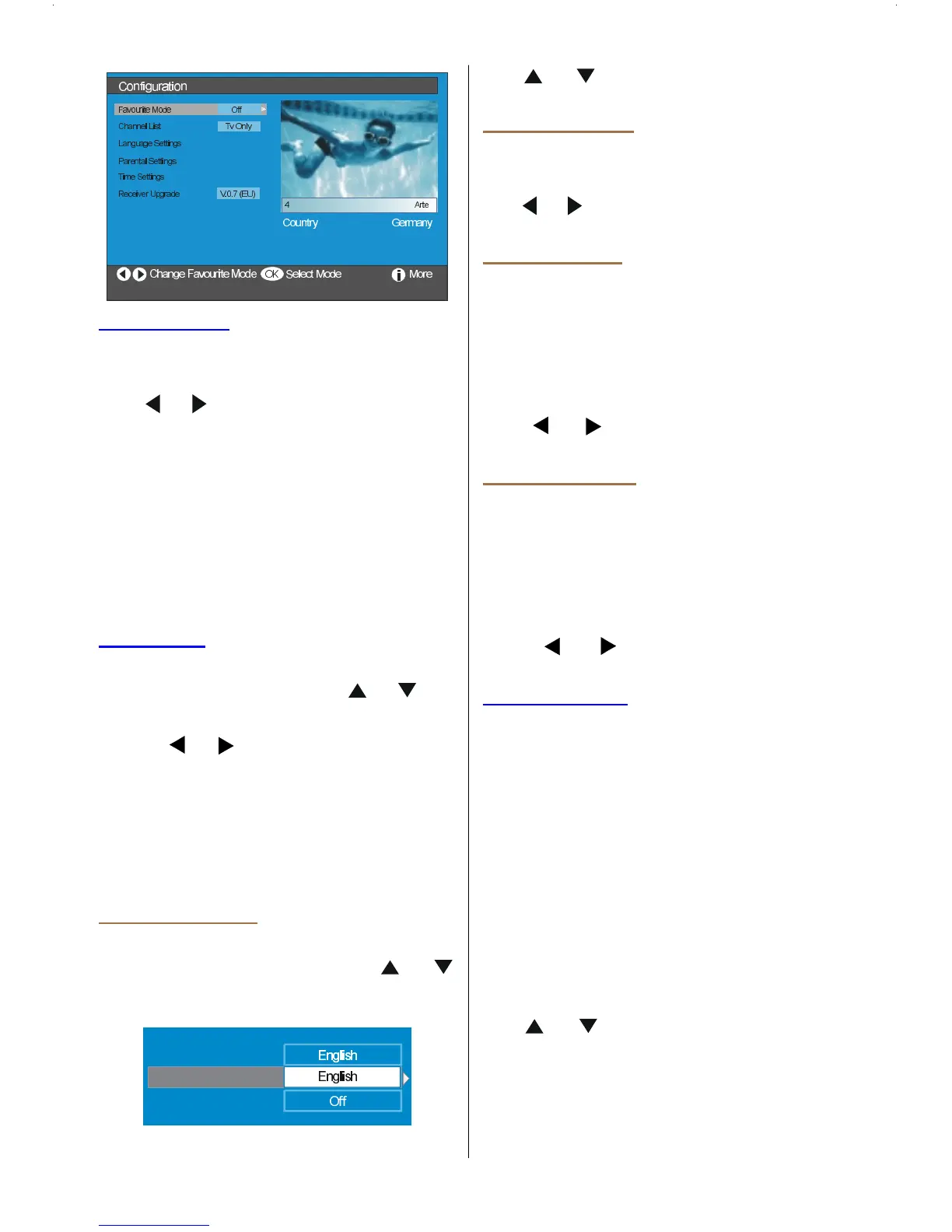
Favourite Mode
This function enables or disables the
favourite channel list mode.
Use
or buttons to set Favourite Mode
to List 1, List 2,..., List 5 or Off.
Selecting Off disables the favourite chan-
nel List mode.
If the Favourite Mode is set on via select-
ing a channel list number, in normal operat-
ing mode pressing P + and P - buttons will
only navigate through the channels that
were previously defined as favourites in the
selected channel list.
Channel List
In the Configuration Menu, highlight the
Channel List item by pressing
or but-
tons.
Use the
or buttons to set the Channel
List to TV only or Radio only.
This feature enables navigation only through
the selected channel list type.
If Radio only is set, you can only navigate
through the Radio channels in the channel
list via using P + or P - buttons.
Language Settings
In the configuration Menu, highlight the Lan-
guage Settings item by pressing
or
buttons. Press OK and Language Settings
sub menu will be displayed on the screen:
$XGLR/DQJXDJH
6XEWLWOH/DQ
H
6\VWHP/DQJXDJH
Use or buttons to highlight the menu
item that will be adjusted.
System Language
System Language determines the on-
screen menu language.
Use
or buttons to set the System Lan-
guage setting.
Audio Language
Digital terrestrial television channels can
broadcast simultaneous sountracks in more
than one language. This function selects
which language soundtrack you will hear
when switching to a channel broadcasting
with the multiple soundtracks.
Use
or buttons to cycle through the
language options.
Subtitle Language
Digital terrestrial television channels can
broadcast with subtitles displayed on-screen
for the hard-of-hearing. This function selects
the desired subtitle language and enables
the automatic display of subtitles whenever
subtitle information is broadcast.
Use
or buttons to cycle through
Off and language options.
Parental Settings
Some channels broadcast material which
you do not want younger members of the
family to watch. Any channel can be locked
so that it cannot be selected for viewing with-
out first a four-digit PIN code being entered.
In this way any channel not suitable for
younger viewers can be protected.
This function enables or disables the menu
protection system and allows the PIN code to
be changed. Channel And Menu Protection
Lock feature.
(See Channel List menu Favourites on page
14)
Use
or buttons to highlight Parental
Settings. Press SELECT button to enter Pa-
rental Settings Menu. A box asking for the
lock key is displayed.


 To Next Page
 Loading...