EasyManua.ls Logo

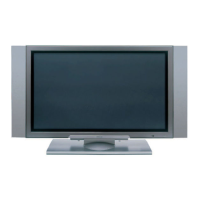
Hitachi 42PD5000 - User Manual

Hitachi 42PD5000
76 pages
Print Icon
To Next Page IconTo Next Page
Loading...
1
ENGLISH
USER'S MANUAL
Thank you very much for purchasing the HITACHI Plasma Display
Monitor.
Before using your monitor, please carefully read the "SAFETY
INSTRUCTIONS" and this "USER'S MANUAL" so you will know how to
operate the monitor properly. Keep this manual in a safe place. You
will find it useful in the future.
Notes on lnstallation Work:
This product is marketed assuming that it is installed by qualifed
personnel with enough skill and competence. Always have an
installation specialist or your dealer install and set up the product.
HITACHI cannot assume liabilities for damage caused by mistake
in installation or mounting, misuse, modification or a natural
disaster.
Note for Dealers:
After installation, be sure to deliver this manual to the customer
and explain to the customer how to handle the product.
01 QR58553-英語-初校03.10.1510:47AMページ1

Other manuals for Hitachi 42PD5000

Questions and Answers

  • S
    steven20Aug 7, 2025
    What to do if my Hitachi 42PD5000 says “No Sync. Signal” or “Power Save”?
    • K
      kenneth65Aug 7, 2025
      If your Hitachi Monitor displays the message “No Sync. Signal” or “Power Save”, first check the signal cable connection. Also, ensure that the computer or imaging equipment is switched on and is not in power-save mode. Finally, verify that the input selection matches the connection terminal.
  • J
    Jeffrey PonceAug 11, 2025
    Why is my Hitachi 42PD5000 Monitor power light on but no picture?
    • M
      Molly PhillipsAug 11, 2025
      If the power indicating lamp is normally lit but there is no picture on your Hitachi Monitor, try adjusting the contrast and brightness settings to a higher level. Also, check the signal cable connection.
  • D
    David PriceAug 15, 2025
    What to do if my Hitachi 42PD5000 says “Invalid Scan Freq.”?
    • M
      Matthew JohnstonAug 16, 2025
      If your Hitachi Monitor displays the message “Invalid Scan Freq.”, first check if the input signal matches the monitor specifications. Also, check the signal cable connection.
  • R
    Ricky WrightAug 19, 2025
    How to fix a Hitachi 42PD5000 Monitor with no picture and the power light off?
    • L
      lrasmussenAug 20, 2025
      If there is no picture on your Hitachi Monitor and the power-indicating lamp is off, check the power cable connection and press the power switch.
  • R
    reyessamanthaAug 25, 2025
    Why is the text on my Hitachi Monitor blurred?
    • D
      Dennis WongAug 25, 2025
      If text displayed across the screen of your Hitachi Monitor appears blurred, adjust the dot clock phase for the clearest viewing. This applies to RGB input.
  • K
    Kimberly WilliamsAug 28, 2025
    How to fix a Hitachi Monitor image flowing slantwise?
    • S
      Steven SandersAug 28, 2025
      If the display image on your Hitachi Monitor appears flowing slantwise, and text displayed across the screen appears vertically streaked with blurred characters, adjust the dot clock frequency and then the phase. This adjustment is for RGB input.
  • K
    Kathryn CobbSep 2, 2025
    Why is my Hitachi 42PD5000 remote control not working?
    • J
      Jacqueline BriggsSep 2, 2025
      If the remote control for your Hitachi Monitor isn't working, check if the batteries are loaded correctly in the remote control. Also, check to see if the batteries in the remote control are OK.

Hitachi 42PD5000 Specifications

General IconGeneral
Screen Size42 inches
Display TypePlasma
Resolution1024 x 1024
Aspect Ratio16:9
Brightness1000 cd/m²
Contrast Ratio3000:1
InputsHDMI, Component, Composite, S-Video, VGA
Viewing Angle160°
Weight36 kg

Related product manuals