EasyManua.ls Logo

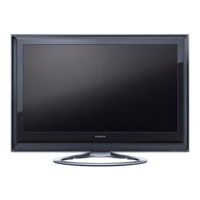
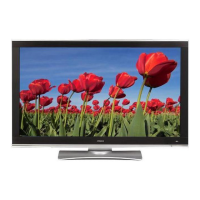
Hitachi 55HDM71 - 55" Plasma Panel - User Manual

Hitachi 55HDM71 - 55" Plasma Panel
49 pages
Print Icon
To Next Page IconTo Next Page
Loading...
USER'S MANUAL
MANUEL UTILISATEUR
MANUAL DEL USUARIO
READ THE INSTRUCTIONS INSIDE CAREFULLY.
KEEP THIS USER'S MANUAL FOR FUTURE REFERENCE.
For future reference, record the serial number of your monitor.
SERIAL NO.
The serial number is located on the rear of the monitor.
This monitor is ENERGY STAR® compliant when used with a computer equipped with
VESA DPMS.
The ENERGY STAR® emblem does not represent EPA endorsement of any product or
service.
As an ENERGY STAR® Partner, Hitachi,Ltd. has determined that this product meets
the ENERGY STAR® guidelines for energy efficiency.
Color Plasma Display Monitor
Model PW1
55HDM71
00 QR60511-表紙04.2.177:35PMページ2

Questions and Answers

  • E
    erikedwardsJul 29, 2025
    What to do if my Hitachi Monitor displays 'No Sync Signal' or 'Power Save'?
    • C
      Christian GoldenJul 29, 2025
      If your Hitachi monitor displays 'No Sync Signal' or 'Power Save', and the power indicating lamp lights up in orange, it means no sync signal is being detected. First, check the signal cable connection. Also ensure that the computer or imaging equipment is turned on and not in power-save mode. Finally, verify that the input selection matches the connection terminal.
  • S
    Sean DuncanAug 2, 2025
    How to fix a Hitachi 55HDM71 - 55" Plasma Panel Monitor with no picture and the power light off?
    • S
      Stacey HallAug 2, 2025
      If your Hitachi monitor shows no picture and the power indicating lamp is off, check the power cable connection. Also, make sure to press the power switch.
  • K
    Kenneth OwenAug 6, 2025
    What to do if my Hitachi Monitor has power but no picture?
    • J
      James PattonAug 6, 2025
      If your Hitachi monitor's power light is on but there's no picture, check the contrast and brightness settings, adjusting them for higher contrast and brightness. Also, verify the signal cable connection.
  • K
    Kyle NashAug 10, 2025
    Why does my Hitachi 55HDM71 - 55" Plasma Panel Monitor say 'Invalid Scan Freq'?
    • J
      Jimmy HughesAug 11, 2025
      If your Hitachi monitor displays 'Invalid Scan Freq.', it indicates that an input signal is not being received normally. Verify that the input signal matches the monitor specifications and check the signal cable connection.
  • J
    jennifer00Aug 15, 2025
    How to troubleshoot a Hitachi 55HDM71 - 55" Plasma Panel remote control that isn't working?
    • H
      Hunter AcostaAug 15, 2025
      If the remote control for your Hitachi monitor isn't working, check if the batteries are loaded in the correct direction. Also, ensure that the batteries in the remote control are not depleted.
  • N
    nicole81Aug 19, 2025
    How to fix blurred text on a Hitachi Monitor?
    • B
      Brian CollinsAug 19, 2025
      If text appears blurred or a fine pattern flickers on your Hitachi monitor, adjust the dot clock phase for the clearest viewing. (RGB input)
  • G
    ghaleAug 23, 2025
    How to correct a slanted display image on a Hitachi 55HDM71 - 55" Plasma Panel?
    • A
      Andrew CummingsAug 23, 2025
      If the display image appears slanted or text is vertically streaked on your Hitachi monitor, adjust the dot clock frequency and phase. Adjust the dot clock frequency first, then the dot clock phase. (RGB input)

Summary

IMPORTANT SAFETY INSTRUCTIONS

Safety Points Overview

Key safety advice for operating your Hitachi Plasma monitor.

General Safety Warnings

Crucial warnings and cautions regarding electrical shock, fire hazards, and proper usage.

FEATURES

Display Panel and Processor

Details on the 55-inch HD plasma panel and its digital processing capabilities.

SAFETY INSTRUCTIONS

Handling Power and Remote Controls

Safety guidelines for power cords, external cables, and remote control batteries.

FCC Compliance Statement

FCC Warning and User Instructions

Explains FCC regulations, warnings, and user responsibilities for Class B digital devices.

INSTALLATION INSTRUCTIONS

OPERATING INSTRUCTIONS

TROUBLESHOOTING

Symptoms and Point-to-Check Guide

A guide to common symptoms and their potential causes and solutions.

Correcting Abnormal Displays

Procedures to fix specific display issues like streaking or flickering.

PRODUCT SPECIFICATIONS

General Specifications

Key technical details of the monitor, including dimensions, resolution, and power.

Hitachi 55HDM71 - 55" Plasma Panel Specifications

General IconGeneral
BrandHitachi
Model55HDM71 - 55" Plasma Panel
CategoryMonitor
LanguageEnglish

Related product manuals