- 13 -
Program Button
z
If your DVD disc has one or more music chapters or titles, you can setup playing order for
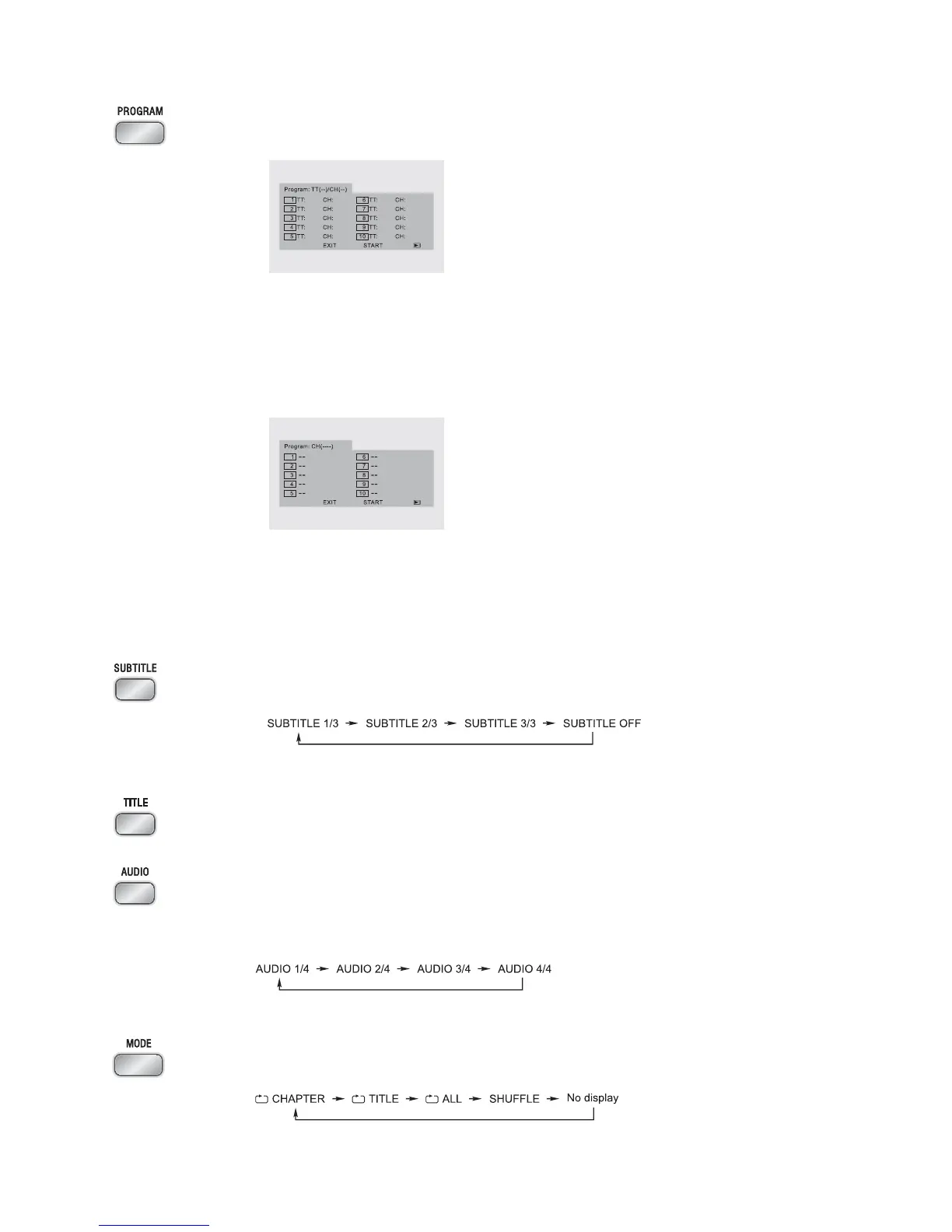
the disc using this button. Press the program button, TV display will be shown as follows:
* Use the
0-9,10+ buttons to input the sequence number which you want to program
playing (the first selection is title and the second selection is chapter of the programs
menu.). After finishing the programing, press the
STW X buttons to select “START”
then press the
ENTER button to start programmed play. (If you setup a disc playing order
over 10, press the
G to continue to the next program screen.)
z
If you are playing a disc, the TV display will be as follows:
* Use the
0-9,10+ buttons to input the sequence number you want to program playing.
After the program has been entered, press the
STW X buttons to select “START” then
press the
ENTER button to start programmed play. (If you setup a disc playing order
over 10, press the
G to continue to the next program screen.)
Subtitle Button
When you are playing the DVD disc, you can repeatedly press the
SUBTITLE button to select
the subtitle language to display on the TV screen if available.
Title Button
In play mode, press the
TITLE button, to go back to the title menu.
Audio Button
z
When playing a Video CD, you can choose Mono Left, Mono Right or “STEREO” audio
output by pressing the
AUDIO button.
z
If playing DVD disc is recorded with several languages, you can repeatedly press the
AUDIO button to select one of language to play.
Mode Button
z
When playing a DVD disc, this function can be used to play a title, chapter or disc
repeatedly. Repeatedly press the
MODE button, the screen shows in this sequence:
Note: TT: Title
CH: Chapter


 To Next Page