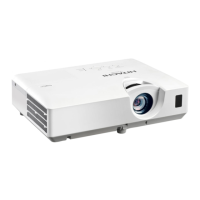
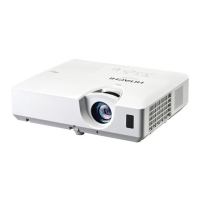
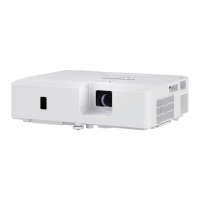
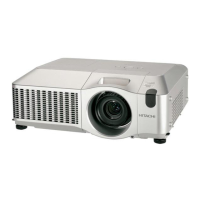
LCD Projector
ENGLISH
FRANÇAIS
DEUTSCH
ESPAÑOL
ITALIANO
NORSK
NEDERLANDS
PORTUGUÊS
ѣᮽ
뼑霢꽩
SVENSKA
ɊɍɋɋɄɂɃ
SUOMI
POLSKI
User’s Manual (concise)
Please read this user’s manual thoroughly to ensure the proper use of this product.
Manuel d’utilisation (résumé)
Nous vous recommandons de lire attentivement ce manuel pour bien assimiler le
fonctionnement de l'appareil.
Bedienungsanleitung (Kurzform)
Um zu gewährleisten, dass Sie die Bedienung des Geräts verstanden haben, lesen Sie
dieses Handbuch bitte sorgfältig.
Manual de usuario (resumen)
Lea atentamente el manual de usuario del proyector para garantizar un uso adecuado del mismo.
Manuale d'istruzioni (breve)
Vi preghiamo di leggere attentamente il manuale d'istruzioni per garantire una corretta
comprensione delle istruzioni.
Brukerhåndbok (konsis)
Vennligst les denne brukerhåndbok grundig for å være garantert driftssikker bruk.
Gebruiksaanwijzing (beknopt)
Lees deze gebruikershandleiding grondig door, zodat u de werking ervan begrijpt en correct
gebruik verzekerd is.
Instruções do proprietário (conciso)
Leia atentamente o presente manual do utilizador para garantir a utilização correcta por via
da sua compreensão.
๑ᆩຫກ ) ᅟӲ *
൩ጮဦለ܁ԨĖ๑ᆩຫກėLjሞڦإฉኟඓ๑ᆩă
ꩡ끞ꐺ 샩鲵끞
ꚭꩡ끞녅ꐺꌱ녍넲냱겑隕넩뼩뼍겕쁹 꿡ꗉꌩ陁ꩡ끞뼩늱겢겑꿙
Bruksanvisning (koncis)
Läs denna bruksanvisning noga för att förstå alla instruktionerna för ett korrekt bruk.
Ɋɭɤɨɜɨɞɫɬɜɨɩɨɥɶɡɨɜɚɬɟɥɹɤɪɚɬɤɨɟ
ɉɨɠɚɥɭɣɫɬɚɜɧɢɦɚɬɟɥɴɧɨɩɪɨɱɬɢɬɟɞɚɧɧɨɟɪɭɤɨɜɨɞɫɬɜɨɩɨɥɴɡɨɜɚɬɟɥɹɞɥɹ
ɨɡɧɚɤɨɦɥɟɧɢɹɢɧɪɚɜɢɥɶɧɨɢɫɩɨɥɶɡɨɜɚɧɢɹ
Käyttäjän ohjekirja (suppea)
Lue käyttäjän ohjekirja huolellisesti varmistaaksesi, että ymmärrät miten laitetta käytetään oikein.
3RGUĊF]QLNXĪ\WNRZQLNDVNUyFRQ\
3U]HF]\WDMGRNáDGQLHL]H]UR]XPLHQLHPQLQLHMV]\
SRGUĊF]QLNXĪ\WNRZQLNDDE\]DSHZQLüSUDZLGáRZH
XĪ\WNRZDQLHXU]ąG]HQLD
.XOODQPD.ÕODYX]X|]HW
%XUQGR÷UXNXOODQDELOPHNLoLQEXNXOODQPDNÕODYX]XQX
iyice okuyun.
CP-X2541WN/CP-X3041WN/CP-X4041WN
CP-WX3041WN/CP-WX3541WN/CP-WX4041WN
CP-EX251N/CP-EX301N/CP-EW301N/CP-EX401
TÜRK



 To Next Page
 General