EasyManua.ls Logo

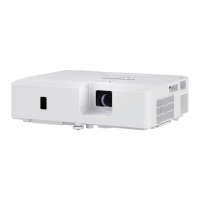
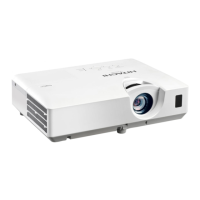
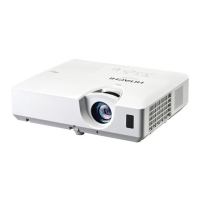
Hitachi CP-EX301N - User Manual

Hitachi CP-EX301N
89 pages
Print Icon
To Next Page IconTo Next Page
Loading...
1
Projector
User's Manual (detailed)
Operating Guide
Thank you for purchasing this projector.
Ź%HIRUHXVLQJWKLVSURGXFWSOHDVHUHDGDOOPDQXDOVIRUWKLV
SURGXFW%HVXUHWRUHDGSafety Guide¿UVW$IWHUUHDGLQJWKHPVWRUHWKHPLQD
VDIHSODFHIRUIXWXUHUHIHUHQFH
WARNING
7KHLQIRUPDWLRQLQWKLVPDQXDOLVVXEMHFWWRFKDQJHZLWKRXWQRWLFH
7KHLOOXVWUDWLRQVLQWKLVPDQXDODUHIRULOOXVWUDWLYHSXUSRVHV7KH\PD\GLIIHU
VOLJKWO\IURP\RXUSURMHFWRU
7KHPDQXIDFWXUHUDVVXPHVQRUHVSRQVLELOLW\IRUDQ\HUURUVWKDWPD\DSSHDULQ
WKLVPDQXDO
7KHUHSURGXFWLRQWUDQVIHURUFRS\RIDOORUDQ\SDUWRIWKLVGRFXPHQWLVQRW
SHUPLWWHGZLWKRXWH[SUHVVZULWWHQFRQVHQW
NOTE
Trademark acknowledgment
9DULRXVV\PEROVDUHXVHGLQWKLVPDQXDO7KHPHDQLQJVRIWKHVHV\PEROVDUH
GHVFULEHGEHORZ
$ERXWWKLVPDQXDO
WARNING
CAUTION
7KLVV\PEROLQGLFDWHVLQIRUPDWLRQWKDWLILJQRUHGFRXOGSRVVLEO\
UHVXOWLQSHUVRQDOLQMXU\RUHYHQGHDWKGXHWRLQFRUUHFWKDQGOLQJ
7KLVV\PEROLQGLFDWHVLQIRUPDWLRQWKDWLILJQRUHGFRXOGSRVVLEO\
UHVXOWLQSHUVRQDOLQMXU\RUSK\VLFDOGDPDJHGXHWRLQFRUUHFW
KDQGOLQJ
3OHDVHUHIHUWRWKHSDJHVZULWWHQIROORZLQJWKLVV\PERO
0DF
®
LVDUHJLVWHUHGWUDGHPDUNRI$SSOH,QF
:LQGRZV
®
'LUHFW'UDZ
®
DQG'LUHFW'
®
DUHUHJLVWHUHGWUDGHPDUNVRI0LFURVRIW&RUSRUDWLRQ
LQWKH86DQGRURWKHUFRXQWULHV
9(6$DQG''&DUHWUDGHPDUNVRIWKH9LGHR(OHFWURQLFV6WDQGDUG$VVRFLDWLRQ

+'0,WKH+'0,ORJRDQG+LJK'H¿QLWLRQ0XOWLPHGLD,QWHUIDFHDUHWUDGHPDUNVRUUHJLVWHUHG
WUDGHPDUNVRI+'0,/LFHQVLQJ//&LQWKH8QLWHG6WDWHVDQGRWKHUFRXQWULHV
%OXUD\'LVF
70
DQG%OXUD\
70
DUHWUDGHPDUNVRI%OXUD\'LVF$VVRFLDWLRQ
$OORWKHUWUDGHPDUNVDUHWKHSURSHUWLHVRIWKHLUUHVSHFWLYHRZQHUV
NOTICE 7KLVHQWU\QRWLFHVRIIHDURIFDXVLQJWURXEOH
CP-EX251N/CP-EX301N/CP-EW301N

Questions and Answers

  • R
    Rebecca SanchezAug 8, 2025
    What to do if my Hitachi CP-EX301N Projector shows no input signal?
    • S
      Stephanie MartinAug 8, 2025
      If your Hitachi Projector displays 'no input signal,' confirm the signal input connection and check the status of the signal source.
  • M
    Matthew ThompsonAug 18, 2025
    What to do if my Hitachi Projector receives an improper signal?
    • C
      Christopher HunterAug 18, 2025
      If your Hitachi Projector is receiving an improper signal, confirm the specifications for your projector or the signal source specifications.
  • U
    ufisherAug 28, 2025
    What to do if COMPUTER IN2/MONITOR OUT port is selected as the picture input source even if MONITOR OUT is selected for COMPUTER IN2 on Hitachi CP-EX301N?
    • A
      Adam MirandaAug 28, 2025
      To project the picture input to the COMPUTER IN2/MONITOR OUT port, select AUTO or SYNC ON/OFF in the dialog. If you do this, you cannot use the 021,725 287 function. Otherwise, select another port for picture input.

Summary

Part Identification (Continued)

Remote Control Identification

Identifies buttons and components of the remote control.

Setting Up

Setting Up (Continued)

Connecting Devices

Guides on connecting external devices to the projector.

Connecting to Power Supply

Instructions for connecting the projector to a power source.

Remote Control

Installing Batteries

Steps to insert batteries into the remote control.

Power On;Off

Turning On the Power

Step-by-step guide to powering on the projector.

Power On;Off (Continued)

Turning Off the Power

Instructions for powering down the projector safely.

Operating

Volume Adjustment and Muting

How to change the audio volume and mute the sound.

Operating (Continued)

Selecting and Searching Input Signals

How to choose and find active input sources.

Aspect Ratio Adjustment

Adjusts the screen's aspect ratio for different content.

Projector Position and Focus Adjustment

Adjusts projector height, screen size, and picture sharpness.

Automatic Picture Adjustment

Automatically optimizes picture position and sync.

Picture Position Adjustment

Manually adjusts the picture's horizontal and vertical position.

Correcting Keystone Distortions

Corrects trapezoidal distortion caused by projector angle.

Operating (Continued)

Using the Menu Function

Explains how to navigate and use the projector's menus.

EASY MENU

Aspect Ratio and Keystone Adjustment

Adjusts screen aspect ratio and corrects keystone distortion.

Picture Mode Selection

Selects preset picture modes for different sources.

PICTURE Menu

Brightness, Contrast, and Gamma

Adjusts image brightness, contrast, and tonal response.

IMAGE Menu

Aspect Ratio Settings

Adjusts the screen's aspect ratio for different content.

IMAGE Menu (Continued)

Overscan and Picture Position

Controls overscan and adjusts vertical/horizontal picture position.

INPUT Menu

INPUT Menu (Continued)

Resolution Settings

Sets the display resolution for computer inputs.

SETUP Menu

AUDIO Menu

SCREEN Menu

OPTION Menu

OPTION Menu (Continued)

NETWORK Menu

SECURITY Menu

SECURITY Menu (Continued)

Maintenance

Replacing the Lamp

Step-by-step guide for replacing the projector lamp.

Maintenance (Continued)

Cleaning and Replacing the Air Filter

Instructions for cleaning and replacing the air filter.

Troubleshooting

Troubleshooting (Continued)

Specifications

Hitachi CP-EX301N Specifications

General IconGeneral
BrandHitachi
ModelCP-EX301N
CategoryProjector
LanguageEnglish

Related product manuals