EasyManua.ls Logo

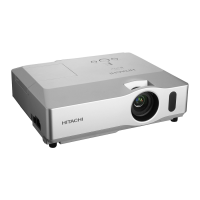
Hitachi CP-X205 - User Manual

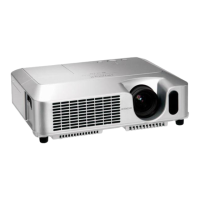
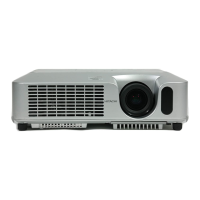
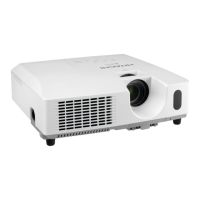
Hitachi CP-X205
127 pages
Print Icon
To Next Page IconTo Next Page
Loading...
1
Projector
CP-X205/CP-X305
User's Manual (detailed)
Operating Guide
Thank you for purchasing this projector.
WARNING Ź%HIRUHXVLQJWKLVSURGXFWSOHDVHUHDGDOOPDQXDOVIRUWKLV
SURGXFW%HVXUHWRUHDG³6DIHW\*XLGH´¿UVW$IWHUUHDGLQJWKHPVWRUHWKHPLQ
DVDIHSODFHIRUIXWXUHUHIHUHQFH
$ERXWWKLVPDQXDO
9DULRXVV\PEROVDUHXVHGLQWKLVPDQXDO7KHPHDQLQJVRIWKHVHV\PEROVDUH
GHVFULEHGEHORZ
WARNING 7KLVV\PEROLQGLFDWHVLQIRUPDWLRQWKDWLILJQRUHGFRXOGSRVVLEO\
UHVXOWLQSHUVRQDOLQMXU\RUHYHQGHDWKGXHWRLQFRUUHFWKDQGOLQJ
CAUTION 7KLVV\PEROLQGLFDWHVLQIRUPDWLRQWKDWLILJQRUHGFRXOGSRVVLEO\
UHVXOWLQSHUVRQDOLQMXU\RUSK\VLFDOGDPDJHGXHWRLQFRUUHFW
KDQGOLQJ
3OHDVHUHIHUWRWKHSDJHVZULWWHQIROORZLQJWKLVV\PERO
NOTE7KHLQIRUPDWLRQLQWKLVPDQXDOLVVXEMHFWWRFKDQJHZLWKRXWQRWLFH
7KHPDQXIDFWXUHUDVVXPHVQRUHVSRQVLELOLW\IRUDQ\HUURUVWKDWPD\DSSHDULQWKLVPDQXDO
7KHUHSURGXFWLRQWUDQVIHURUFRS\RIDOORUDQ\SDUWRIWKLVGRFXPHQWLVQRWSHUPLWWHG
ZLWKRXWH[SUHVVZULWWHQFRQVHQW
Trademark acknowledgment
0DFLVUHJLVWHUHGWUDGHPDUNVRI$SSOH&RPSXWHU,QF
9(6$DQG69*$DUHWUDGHPDUNVRIWKH9LGHR(OHFWURQLFV6WDQGDUG$VVRFLDWLRQ
:LQGRZVLVDUHJLVWHUHGWUDGHPDUNRI0LFURVRIW&RUSRUDWLRQ
$OORWKHUWUDGHPDUNVDUHWKHSURSHUWLHVRIWKHLUUHVSHFWLYHRZQHUV

Other manuals for Hitachi CP-X205

Questions and Answers

  • K
    Kristine MorganAug 9, 2025
    How do I remove the filter warning message on my Hitachi CP-X205 Projector?
    • D
      deankelseyAug 9, 2025
      To remove the filter warning message on your Hitachi Projector, immediately turn off the power and clean or change the air filter. After cleaning or changing the filter, reset the filter timer.
  • T
    Travis SavageAug 14, 2025
    What to do if my Hitachi CP-X205 Projector shows 'No Input Detected'?
    • W
      washingtonscottAug 14, 2025
      If your Hitachi Projector displays 'No Input Detected', the issue is likely due to a missing input signal. Please verify the input signal connection and check the status of the signal source.
  • Z
    zkellyAug 19, 2025
    Why does my Hitachi Projector say 'Check the Air Flow'?
    • B
      Brittany ParsonsAug 19, 2025
      The 'Check the Air Flow' message on your Hitachi Projector indicates that the internal temperature is rising. Turn off the projector and let it cool down for at least 15 minutes. Afterwards, check the unit and turn the power on again.
  • H
    Heather DennisAug 25, 2025
    What should I do if the cooling fan is not operating on my Hitachi CP-X205?
    • A
      Alicia MuellerAug 25, 2025
      If the cooling fan on your Hitachi Projector is not working, turn the power off and allow the projector to cool down for at least 15 minutes. After the projector has cooled sufficiently, check the unit and turn the power on again.
  • B
    bradley85Aug 29, 2025
    How to fix the rising internal temperature on Hitachi CP-X205?
    • W
      wvegaAug 29, 2025
      If the internal temperature of your Hitachi Projector is rising, ensure that the air passage is not blocked.
  • P
    philipirwinSep 3, 2025
    Why does my Hitachi Projector say 'Sync is Out of Range'?
    • A
      Anthony PrattSep 3, 2025
      If your Hitachi Projector displays 'Sync is Out of Range', it means the horizontal or vertical frequency of the input signal is not within the specified range. Please confirm the projector's specifications or the signal source specifications.

Hitachi CP-X205 Specifications

General IconGeneral
ResolutionXGA (1024 x 768)
Contrast Ratio500:1
Display Technology3LCD
Throw Ratio1.5 - 1.8:1
Projection Size30 - 300 inches
Zoom Ratio1.2x
Brightness2000 lumens
Lamp Life2000 hours (Normal Mode)
Lamp TypeUHB
Input ConnectorsVGA, S-Video, Composite Video, Audio
Output ConnectorsVGA, Audio

Related product manuals