EasyManua.ls Logo

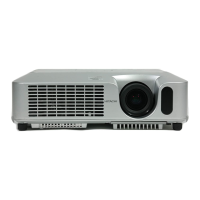
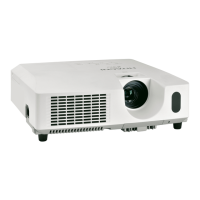
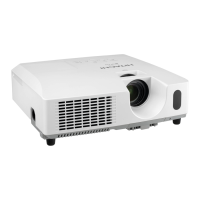
Hitachi CP-X250 - User Manual

Hitachi CP-X250
67 pages
Print Icon
To Next Page IconTo Next Page
Loading...
1
Projector
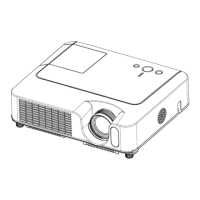
CP-S240/CP-X250
User's Manual – Operating Guide
Thank you for purchasing this projector.
WARNING ►Before using this product, please read the "User's Manual -
Safety Guide" and related manuals to ensure the proper use of this product.
After reading them, store them in a safe place for future reference.
About this manual
Various symbols are used in this manual. The meanings of these symbols are
described below.
WARNING This symbol indicates information that, if ignored, could possibly
result in personal injury or even death due to incorrect handling.
CAUTION This symbol indicates information that, if ignored, could possibly
result in personal injury or physical damage due to incorrect
handling.
Please refer to the pages written following this symbol.
NOTE • The information in this manual is subject to change without notice.
The manufacturer assumes no responsibility for any errors that may appear in this manual.
The reproduction, transfer or copy of all or any part of this document is not permitted
without express written consent
.
Trademark acknowledgment
VGA and XGA are registered trademarks of International Business Machines Corporation.
Apple and Mac are registered trademarks of Apple Computer, Inc.
VESA and SVGA are trademarks of Video Electronics Standard Association.
Windows is a registered trademark of Microsoft Corporatio
n.
All other trademarks are the properties of their respective owners.

Other manuals for Hitachi CP-X250

Questions and Answers

  • J
    jamesmackAug 13, 2025
    What to do if my Hitachi Projector is lighting in green and says it is time to clean the air filter?
    • R
      Rick CollinsAug 13, 2025
      When the indicator is lighting in green, it is time to clean the air filter. Immediately turn the power off, and clean or change the air filter. After cleaning or changing the air filter, be sure to reset the filter timer.
  • J
    Justin GravesAug 17, 2025
    What should I do if my Hitachi CP-X250 reminds me about filter maintenance?
    • K
      Karen ThompsonAug 17, 2025
      If your Hitachi Projector displays a reminder about filter maintenance, immediately turn the power off and clean or change the air filter. After cleaning or changing the air filter, be sure to reset the filter timer to remove the warning message.
  • E
    Erika JordanAug 20, 2025
    What to do if my Hitachi CP-X250 is blinking red and the lamp doesn't light?
    • J
      Joshua ManningAug 21, 2025
      If the lamp does not light and the indicator is blinking red, it is possible the interior is overheating. Turn the power off and let the projector cool down for at least 20 minutes. Once cooled, check for blockages in the air passage, a dirty air filter, or a peripheral temperature exceeding 35°C. After these checks, turn the power back on. If the issue persists, replace the lamp.
  • A
    Anna MilesAug 25, 2025
    Why does my Hitachi CP-X250 Projector say 'CHECK THE AIR FLOW'?
    • S
      shelbymillerAug 25, 2025
      The 'CHECK THE AIR FLOW' message indicates the internal temperature of your Hitachi Projector is rising. Turn the power off and allow the projector to cool down for at least 20 minutes. Then, check for any blockage of the air passage, a dirty air filter, or a room temperature exceeding 35°C. After confirming these items, turn the power back on. If the message persists, set the FAN SPEED in the SERVICE menu to HIGH.
  • K
    Kenneth JimenezAug 28, 2025
    What to do if my Hitachi CP-X250 Projector is blinking red due to overheating?
    • B
      brucechristensenAug 28, 2025
      If your Hitachi Projector is blinking red, this indicates that the interior portion has become heated. Turn the power off and allow the projector to cool down for at least 20 minutes. After it has cooled down, check for blockages in the air passage, a dirty air filter, or a peripheral temperature exceeding 35°C. After these checks, turn the power back on. If the same indication is displayed after the remedy, please set FAN SPEED of the SERVICE item in the OPTION menu to HIGH.
  • T
    Thomas DavisSep 1, 2025
    What to do if my Hitachi CP-X250 Projector is blinking red because the lamp cover is not properly fixed?
    • J
      Joseph ChenSep 1, 2025
      If your Hitachi Projector is blinking red because the lamp cover is not properly fixed, turn the power off and let the projector cool down for at least 45 minutes. After it has cooled down, confirm the attachment state of the lamp cover. After performing any needed maintenance, turn the power on again.
  • M
    Mary WarnerSep 4, 2025
    What to do if my Hitachi CP-X250 Projector is blinking red because the cooling fan is not operating?
    • C
      Colleen EvansSep 5, 2025
      If your Hitachi Projector is blinking red because the cooling fan is not operating, turn the power off and allow the projector to cool down for at least 20 minutes. After it has cooled down, check that no foreign matter has become caught in the fan. Then, turn the power on again.
  • D
    djonesSep 8, 2025
    What to do if my Hitachi CP-X250 Projector shows 'NO INPUT IS DETECTED'?
    • J
      Jasmine BushSep 8, 2025
      If your Hitachi Projector displays 'NO INPUT IS DETECTED', confirm the signal input connection and the status of the signal source.

Hitachi CP-X250 Specifications

General IconGeneral
ResolutionXGA (1024 x 768)
Contrast Ratio500:1
Lamp Life2000 hours (normal mode), 3000 hours (eco mode)
Aspect Ratio4:3
Display TypeLCD
Zoom Lens1.2x
Projection System3LCD
Screen Size30 - 300 inches
Brightness2500 ANSI Lumens
Input Ports1 x S-Video, 1 x Composite Video
Output ConnectorsVGA, Audio
Noise Level28 dB (eco mode)
Throw Ratio1.5 - 1.8:1

Related product manuals