EasyManua.ls Logo

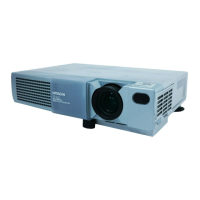
Hitachi CP-X705 - User Manual

Hitachi CP-X705
73 pages
Print Icon
To Next Page IconTo Next Page
Loading...
1
Projector
CP-X705/CP-X615
User's Manual (detailed) – Operating Guide
Thank you for purchasing this projector.
►Before using this product, please read the "User's Manual -
Safety Guide" and related manuals to ensure the proper use of this product.
After reading them, store them in a safe place for future reference.
WARNING
The information in this manual is subject to change without notice.
The manufacturer assumes no responsibility for any errors that may appear in
this manual.
The reproduction, transfer or copy of all or any part of this document is not
permitted without express written consent.
NOTE
Trademark acknowledgment
• Mac is registered trademarks of Apple Computer, Inc.
• VESA and SVGA are trademarks of the Video Electronics Standard Association.
• Windows is a registered trademark of Microsoft Corporation.
is a trademark of SRS Labs, Inc.
• WOW technology is incorporated under license from SRS Labs, Inc.
HDMI, the HDMI logo and High-Definition Multimedia Interface are trademarks
or registered trademarks of HDMI Licensing LLC.
All other trademarks are the properties of their respective owners.
Various symbols are used in this manual. The meanings of these symbols are
described below.
About this manual
WARNING
CAUTION
This symbol indicates information that, if ignored, could possibly
result in personal injury or even death due to incorrect handling.
This symbol indicates information that, if ignored, could possibly
result in personal injury or physical damage due to incorrect
handling.
Please refer to the pages written following this symbol.


Table of Contents

Other manuals for Hitachi CP-X705

Questions and Answers

Summary

Setting Up the Projector Installation

Placement Precautions

Warnings and cautions regarding projector placement and environment.

Connecting External Devices

Device Connectivity Details

Power Supply Connection

Power Cord Safety Warnings

Warnings about proper power cord connection and usage.

Powering the Projector On and Off

Power On;Off Sequence

Step-by-step guide for powering the projector on and off.

Basic Projector Operations

Selecting Input Signals

Procedures for selecting input sources via projector buttons and remote.

Input Signal and Aspect Ratio Control

Picture Adjustment: Zoom, Focus, and Lens Shift

Automatic Adjustment Feature

How to use the auto-adjust function for picture position and phase.

Picture Position and Keystone Correction

Keystone Distortion Correction

How to perform automatic or manual keystone correction.

Navigating Projector Menus

Menu Navigation Basics

How to access and navigate through the projector's menus.

EASY MENU: Quick Adjustments

EASY MENU Item Descriptions

Explains ASPECT, AUTO KEYSTONE, KEYSTONE, and PICTURE MODE settings.

PICTURE Menu: Brightness, Contrast, Gamma

Picture Mode and Gamma Adjustment

How to select picture modes and adjust gamma settings.

IMAGE Menu: Aspect Ratio and Position

Aspect Ratio, Over Scan, and Position

Adjusting aspect ratio, over scan, and picture vertical/horizontal position.

INPUT Menu: Signal Processing

Input Signal Processing Modes

Configuring progressive scan, video noise reduction, 3D-YCS, and color space.

INPUT Menu: Component, Video, HDMI

Component, Video Format, and HDMI

Settings for component, video format, and HDMI input signals.

SETUP Menu: Keystone Correction

Automatic and Manual Keystone

Performing automatic keystone correction and manual adjustments.

AUDIO Menu: Volume and Sound Settings

Audio Adjustments and Port Allocation

Setting volume, EQ, SRS WOW, speaker output, and audio port linking.

SCREEN Menu: Display and Language

SCREEN Menu: MyScreen Customization

MyScreen Image Capture

How to capture and set a custom image for the startup screen.

OPTION Menu: Auto Functions

OPTION Menu: Customization and Service

OPTION Menu: System Control and Reset

OPTION Menu: Security Passwords

Password Management Procedures

Procedures for entering and changing security passwords.

OPTION Menu: MyScreen Password

OPTION Menu: PIN Lock and MyScreen Password Off

OPTION Menu: Transition Detector

Transition Detector Function and Password

Using the Transition Detector function and setting its password.

OPTION Menu: My Text Customization

OPTION Menu: My Text Display and Password

NETWORK Menu: Network Setup

NETWORK Menu: Status and Service

Maintenance: Lamp Replacement

Lamp Replacement and Time Reset

Steps for replacing the projector lamp and resetting lamp time.

Lamp Safety and Disposal

Lamp Handling Precautions

Critical safety precautions for handling lamps and proper disposal methods.

Maintenance: Air Filter Cleaning

Air Filter Cleaning Process

Step-by-step guide to cleaning the projector's air filter.

Air Filter Maintenance and Timers

Filter Time Reset and Warnings

How to reset the filter timer and important warnings for air filter use.

Maintenance: Internal Clock Battery

Troubleshooting: Related Messages

Interpreting On-Screen Messages

Explanation of common on-screen messages and their remedies.

Troubleshooting: Indicator Lamps

Power and Lamp Indicator Status

Meaning of POWER, LAMP, and TEMP indicator lights during operation.

Troubleshooting: Indicator Lamp Combinations

Advanced Indicator Lamp Meanings

Explains complex indicator patterns for diagnosing issues.

Troubleshooting: Potential Defects

Common Issues Mistaken for Defects

Lists common problems and checks before assuming a machine defect.

Troubleshooting: Sound and Picture Issues

Sound and Picture Troubleshooting

Resolving problems related to sound output, picture display, and HDMI input.

Troubleshooting: Display Quality Issues

Video Freezes, Color, and Focus Issues

Addressing video freezes, color settings, brightness, focus, and lens cleanliness.

Summary

Setting Up the Projector Installation

Placement Precautions

Warnings and cautions regarding projector placement and environment.

Connecting External Devices

Device Connectivity Details

Power Supply Connection

Power Cord Safety Warnings

Warnings about proper power cord connection and usage.

Powering the Projector On and Off

Power On;Off Sequence

Step-by-step guide for powering the projector on and off.

Basic Projector Operations

Selecting Input Signals

Procedures for selecting input sources via projector buttons and remote.

Input Signal and Aspect Ratio Control

Picture Adjustment: Zoom, Focus, and Lens Shift

Automatic Adjustment Feature

How to use the auto-adjust function for picture position and phase.

Picture Position and Keystone Correction

Keystone Distortion Correction

How to perform automatic or manual keystone correction.

Navigating Projector Menus

Menu Navigation Basics

How to access and navigate through the projector's menus.

EASY MENU: Quick Adjustments

EASY MENU Item Descriptions

Explains ASPECT, AUTO KEYSTONE, KEYSTONE, and PICTURE MODE settings.

PICTURE Menu: Brightness, Contrast, Gamma

Picture Mode and Gamma Adjustment

How to select picture modes and adjust gamma settings.

IMAGE Menu: Aspect Ratio and Position

Aspect Ratio, Over Scan, and Position

Adjusting aspect ratio, over scan, and picture vertical/horizontal position.

INPUT Menu: Signal Processing

Input Signal Processing Modes

Configuring progressive scan, video noise reduction, 3D-YCS, and color space.

INPUT Menu: Component, Video, HDMI

Component, Video Format, and HDMI

Settings for component, video format, and HDMI input signals.

SETUP Menu: Keystone Correction

Automatic and Manual Keystone

Performing automatic keystone correction and manual adjustments.

AUDIO Menu: Volume and Sound Settings

Audio Adjustments and Port Allocation

Setting volume, EQ, SRS WOW, speaker output, and audio port linking.

SCREEN Menu: Display and Language

SCREEN Menu: MyScreen Customization

MyScreen Image Capture

How to capture and set a custom image for the startup screen.

OPTION Menu: Auto Functions

OPTION Menu: Customization and Service

OPTION Menu: System Control and Reset

OPTION Menu: Security Passwords

Password Management Procedures

Procedures for entering and changing security passwords.

OPTION Menu: MyScreen Password

OPTION Menu: PIN Lock and MyScreen Password Off

OPTION Menu: Transition Detector

Transition Detector Function and Password

Using the Transition Detector function and setting its password.

OPTION Menu: My Text Customization

OPTION Menu: My Text Display and Password

NETWORK Menu: Network Setup

NETWORK Menu: Status and Service

Maintenance: Lamp Replacement

Lamp Replacement and Time Reset

Steps for replacing the projector lamp and resetting lamp time.

Lamp Safety and Disposal

Lamp Handling Precautions

Critical safety precautions for handling lamps and proper disposal methods.

Maintenance: Air Filter Cleaning

Air Filter Cleaning Process

Step-by-step guide to cleaning the projector's air filter.

Air Filter Maintenance and Timers

Filter Time Reset and Warnings

How to reset the filter timer and important warnings for air filter use.

Maintenance: Internal Clock Battery

Troubleshooting: Related Messages

Interpreting On-Screen Messages

Explanation of common on-screen messages and their remedies.

Troubleshooting: Indicator Lamps

Power and Lamp Indicator Status

Meaning of POWER, LAMP, and TEMP indicator lights during operation.

Troubleshooting: Indicator Lamp Combinations

Advanced Indicator Lamp Meanings

Explains complex indicator patterns for diagnosing issues.

Troubleshooting: Potential Defects

Common Issues Mistaken for Defects

Lists common problems and checks before assuming a machine defect.

Troubleshooting: Sound and Picture Issues

Sound and Picture Troubleshooting

Resolving problems related to sound output, picture display, and HDMI input.

Troubleshooting: Display Quality Issues

Video Freezes, Color, and Focus Issues

Addressing video freezes, color settings, brightness, focus, and lens cleanliness.

Hitachi CP-X705 Specifications

General IconGeneral
BrandHitachi
ModelCP-X705
CategoryProjector
LanguageEnglish

Related product manuals