EasyManua.ls Logo

Hitachi E Series - User Manual

Hitachi E Series
24 pages
Print Icon
To Next Page IconTo Next Page
Loading...
OPERATION
MANUAL




 

Instruction manual Page 1~26
To obtain the best performance, please read this instruction manual completely.
อการใช
งาน หน 27~54
เพอได บการทางานท โปรดอานคออยางละเอยด
< H1138: B >

 
!"#
  !"#

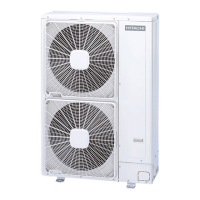
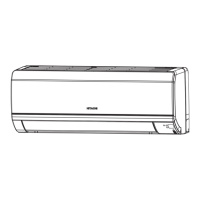
OUTDOOR UNIT
RAC-E50YHAC
INDOOR UNIT
RAS-E50YHAC
Question and Answer IconNeed help?

Do you have a question about the Hitachi E Series and is the answer not in the manual?

Summary

Safety Precautions

Precautions During Installation

Safety measures to follow during the installation process of the unit.

Precautions During Shifting or Maintenance

Safety guidelines for moving or maintaining the unit to prevent accidents.

Precautions During Operation

Essential safety rules to observe while the air conditioner is running.

Names and Functions of Each Part

Indoor Unit Components

Identification and description of the parts of the indoor unit.

Outdoor Unit Components

Identification and description of the parts of the outdoor unit.

Indoor Unit Indicators and Controls

Operation Indicator Lamps

Explanation of the meaning of different indicator lamps on the indoor unit.

Temporary Operation Switch

Instructions on how to use the temporary switch when the remote is not functional.

Remote Controller Functions

Remote Control Operation

Detailed explanation of how to operate the unit using the remote controller.

Various Functions

Auto Restart Control

How the unit automatically restarts after a power failure.

Automatic Operation Mode

How the unit automatically selects heating or cooling based on room temperature.

Heating Operation

Defrosting Cycle

Explanation of the defrosting process during heating operation.

Dehumidifying Operation

Dehumidifying Function Details

Specifics on how the dehumidifying mode works and its conditions.

Cooling Operation

Cooling Operation Settings

How to set up and operate the unit for cooling mode.

Fan Operation

Fan Speed Settings

How to select fan speed for air circulation or drying the unit.

Timer Reservation

Powerful Operation Mode

How to activate maximum power operation for quick cooling or heating.

Eco Operation

Energy Saving Mode

How to use the ECO mode for energy saving by adjusting temperature and power.

How to Set the Sleep Timer

Sleep Timer Function

How to set the sleep timer to automatically turn off the unit after a desired period.

Adjusting the Air Deflectors

Horizontal Air Deflector Adjustment

How to adjust the upward and downward airflow direction using the horizontal deflector.

Vertical Air Deflector Adjustment

How to adjust the left and right airflow direction using the vertical deflector.

How to Exchange the Batteries in the Remote Controller

The Ideal Ways of Operation

Suitable Room Temperature

Guidance on maintaining optimal room temperature for health and energy efficiency.

Ventilation and Air Quality

Importance of proper ventilation and fresh air intake.

Effective Timer Usage

Tips for using the timer functions effectively for comfort and energy saving.

Pre-Filter Cleaning Schedule

Recommendation to clean the pre-filter every two weeks to maintain performance.

Temperature Adjustment for Vulnerable Groups

Advice on adjusting temperature for babies, children, and the elderly.

For Users Information

Heat Sources and Room Conditions

How room heat load affects cooling capability.

Long-Term Non-Operation

Instructions for when the unit is not used for an extended period.

Lightning Safety Precautions

Measures to take to protect the unit during lightning.

Electrical Interference Avoidance

How to prevent interference from other electrical products.

Attaching the Air Purifying Filters

Air Purifying Filter Installation

Step-by-step guide on how to attach air purifying filters to the unit.

Air Purifying Filter Maintenance Note

Notes on the usage, cleaning, and replacement of air purifying filters.

Maintenance

Pre-Filter Cleaning Procedure

Detailed steps for cleaning the pre-filter to maintain airflow and cooling efficiency.

Cleaning of Front Panel

Front Panel Removal and Cleaning

How to remove and clean the front panel of the indoor unit.

Important Electrical and Safety Information

Earthing and Circuit Breaker Requirements

Essential information regarding earthing and circuit breaker installation for safety.

Mains Lead Wire Color Code

Explanation of the wire color coding for mains connection and terminal identification.

After Sale Service and Warranty

Troubleshooting Checklist

A list of points to check for common issues before requesting service.

Normal Operation Phenomena

Explanation of sounds or occurrences that are not abnormal during operation.

Operating Temperatures and Notes

Recommended Operating Temperatures

Table showing the recommended minimum and maximum operating temperatures for indoor and outdoor units.

Brightness Fluctuation Note

Information about slight brightness fluctuations when switching on the equipment.

Overview

This document describes the Hitachi Room Air Conditioner, Split Type E Series (HFC R32), designed for both cooling and heating. It includes detailed information on its functions, technical specifications, usage features, and maintenance.

Function Description

The air conditioner operates in various modes:

  • Automatic Operation (AUTO): The unit automatically determines whether to operate in HEAT or COOL mode based on the current room temperature. The selected mode will change if the room temperature varies, unless connected to a multi-type outdoor unit. If the automatically selected mode is unsatisfactory, users can manually switch to HEAT, DEHUMIDIFY, COOL, or FAN modes.
  • Cooling Operation (COOL): Effective when the outdoor temperature is between -10°C and 46°C. If indoor humidity exceeds 80%, some dew may form on the air outlet grille.
  • Heating Operation (HEAT): Recommended for outdoor temperatures above -15°C and below 27°C. If the outdoor temperature is too warm (over 27°C), the heating function may not work to protect the device.
  • Dehumidifying Operation (DEHUMIDIFY): Suitable for room temperatures above 16°C. Below 15°C, this function will not operate. Dehumidifying occurs with a target temperature slightly lower than the room temperature setting (16°C for a 16°C setting). Operation stops if the room temperature falls below the target value and restarts if it rises above it.
  • Fan Operation (FAN): Allows the device to function solely as an air circulator, useful for drying the interior of the indoor unit at the end of summer.

Special Features:

  • Powerful Operation: Activates maximum power for 20 minutes across HEATING, DEHUMIDIFYING, COOLING, FAN, and AUTOMATIC modes, blowing cooler or warmer air as appropriate. This feature is cancelled if ECO mode is selected or during defrost operation.
  • ECO Operation: An energy-saving mode that adjusts the set temperature and limits maximum power consumption during Heating, Automatic Dehumidifying, or Cooling operations. It may not reduce power consumption if it's already low.
  • Sleep Timer: Sets the unit to operate for a desired number of hours before automatically turning off. It also adjusts room temperature and reduces fan speed for comfort during sleep.
  • Auto Restart Control: In case of a power failure, the unit automatically restarts with previous operation mode and airflow direction once power is restored. This feature is not available when Timer or Sleep Timer mode is set.
  • Defrosting: Performed approximately once an hour for 5-10 minutes when frost forms on the outdoor unit's heat exchanger during heating operation. The operation lamp blinks during this process. Maximum defrosting time is 20 minutes.

Important Technical Specifications

  • Refrigerant: HFC R32.
  • Remote Controller Range: Approximately 7 meters. This range may be shorter with inverter lamps.
  • Model Name and Dimensions:
    • Indoor Unit (RAS-E50YHAC):
      • Width: 900 mm
      • Height: 300 mm
      • Depth: 229 mm
    • Outdoor Unit (RAC-E50YHAC):
      • Width: 850 mm
      • Height: 750 mm
      • Depth: 298 mm
  • Recommended Operating Temperatures:
    • Cooling:
      • Indoor Dry bulb: 21-32°C
      • Indoor Wet bulb: 15-23°C
      • Outdoor Dry bulb: -10-46°C
      • Outdoor Wet bulb: -26°C
    • Heating:
      • Indoor Dry bulb: 20-27°C
      • Indoor Wet bulb: 12-19°C
      • Outdoor Dry bulb: -15-21°C
      • Outdoor Wet bulb: -15°C

Usage Features

  • Remote Controller: Controls the indoor unit. It should be handled with care to avoid damage from dropping or getting wet. After battery replacement, it takes about 10 seconds to respond.
  • Indoor Unit Indicators:
    • Operation Lamp: Lights during operation, flashes/dims during preheating (2-3 minutes after startup) and defrosting (5-10 minutes every hour).
    • Timer Lamp: Lights when the timer is active.
  • Temporary Switch: Allows basic automatic operation if the remote controller is not working or after a power outage.
  • Fan Speed Settings: AUTO, HIGH, MED, LOW, SILENT. In AUTO mode, fan speed adjusts based on discharged air temperature (heating) or to reach preset temperature (cooling).
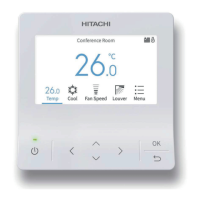
  • Temperature Adjustment: Buttons on the remote controller allow setting the desired room temperature.
  • Air Deflector Adjustment:
    • Horizontal (Up/Down): Automatically set to the proper angle for each operation, can be continuously swung or fixed at a desired angle using the AUTO SWING (HORIZONTAL) button. Closes the air outlet when operation stops.
    • Vertical (Left/Right): Swings right and left, can be fixed at a desired position using the AUTO SWING (VERTICAL) button.
  • Timer Reservation: Both ON Timer and OFF Timer functions are available, allowing users to schedule operation start or stop times in 1-hour intervals.
  • Battery Replacement: The remote controller uses AAA batteries. New and old batteries should not be mixed, and batteries should be removed if the controller is unused for 2-3 months.
  • Ideal Ways of Operation:
    • Maintain suitable room temperature to avoid health issues and energy waste.
    • Use curtains or blinds to reduce heat entering the room.
    • Ventilate the room occasionally to allow fresh air.
    • Utilize the timer effectively for comfortable room temperatures, especially at night.
    • Adjust temperature and airflow direction carefully for babies, children, and elderly individuals.

Maintenance Features

  • Cleaning and Maintenance: Should only be performed by qualified service personnel after stopping operation and switching off the power supply.
  • Pre-filter Cleaning: Removes dust from the room. A dusty pre-filter reduces airflow, cooling capacity, and can cause noise. It should be cleaned every 2 weeks.
    1. Open the front panel.
    2. Remove the pre-filter.
    3. Vacuum dust or wipe with a wet cloth/sponge and dry in shade.
    4. Re-insert the pre-filter and close the front panel.
  • Air Purifying Filters:
    • Attached to the pre-filter frame.
    • Not washable; recommended to clean with a vacuum.
    • Should be replaced every year for maximum performance (Type number: SPX-CFH22).
    • Using air purifying filters may slightly weaken cooling capacity and slow cooling speed; set fan speed to "HIGH" in this condition.
    • Do not use detergent on air purifying filters as it may deteriorate electrostatic performance.
  • Front Panel Cleaning:
    • Can be removed and washed with clean water and a soft sponge, using neutral detergent.
    • If not removed, wipe with a soft dry cloth.
    • Ensure water is thoroughly wiped off to prevent issues with indicators or signal receiver.
    • Never use hot water (above 40°C), benzine, gasoline, acid, thinner, or a brush, as these can damage plastic surfaces and coating.
  • Regular Inspection: Qualified service personnel should check the earth line, mounting frame stability, and power plug connection either half-yearly or yearly.
  • Troubleshooting: The manual provides a checklist for common issues (remote controller not transmitting, unit not operating, not cooling/heating well) and suggests initial checks (batteries, fuse, voltage, circuit breaker, filter, sunlight, open doors/windows, set temperature, blocked inlets/outlets, fan speed).
  • Supply Cord: If damaged, it must be replaced by a special cord obtainable at authorized service/parts centers.

Hitachi E Series Specifications

General IconGeneral
BrandHitachi
ModelE Series
CategoryAir Conditioner
LanguageEnglish

Related product manuals