EN-3
GETTING STARTED
Preparation
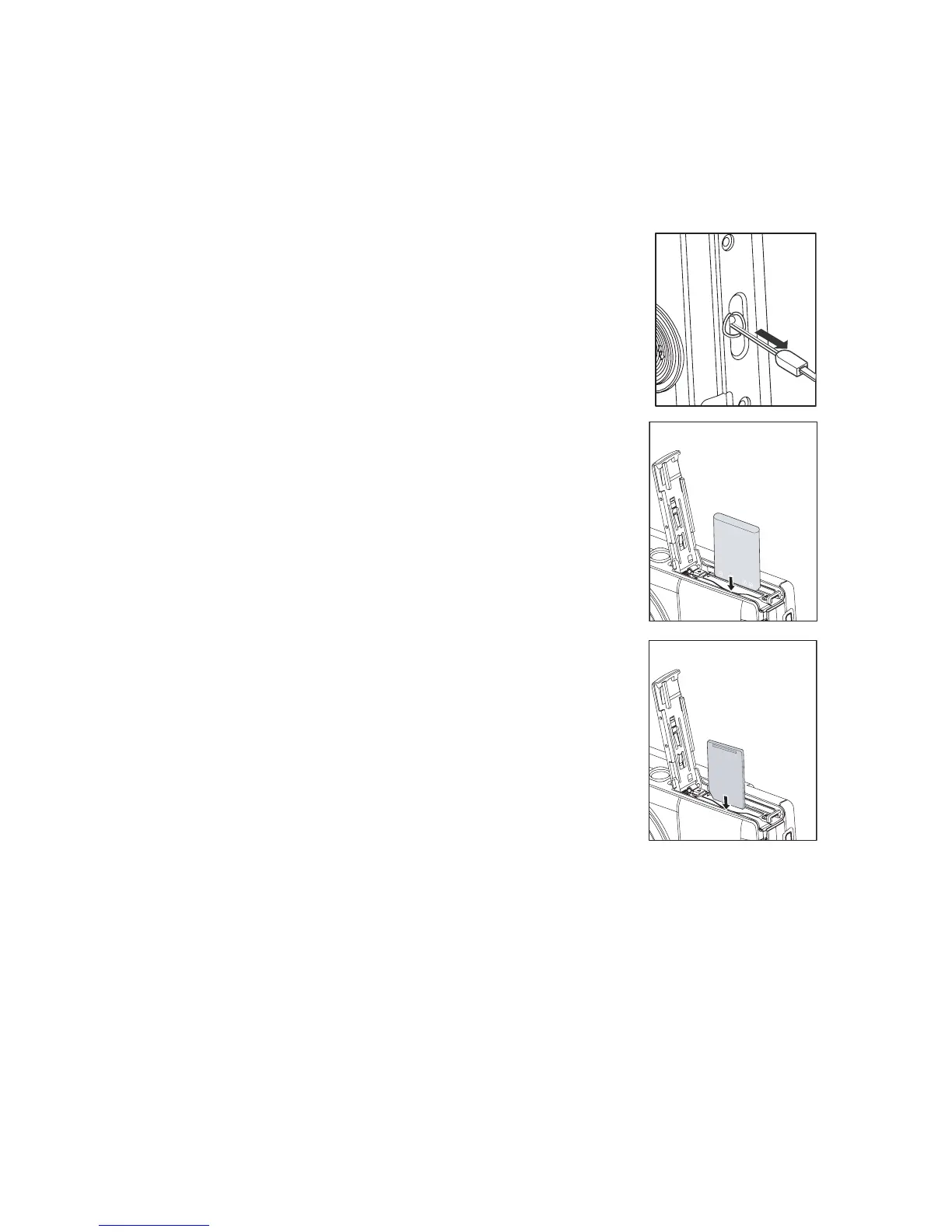
1. Attach the camera strap.
2. Open the battery/memory card cover.
3. Insert the supplied battery with correct orientation as
shown. (label side back)
4. Insert an SD/SDHC memory card (Optional).
The camera has
32MB internal me
mory (27M
B available
for image storage)
, but you can load an SD/SDHC
memory card to expand the camera’s memory capacity.
Be sure to format the memory card with this camera
before its initial usage.
5. Close the battery/memory card cover and make sure it is
locked securely.



 To Next Page