13
Defrosting Sea Food
1. Press four times.
“d-4” will be shown on the display.
2. Press the numeric buttons to select the desired food weight.
3. Press
to start defrosting.
Auto Menu
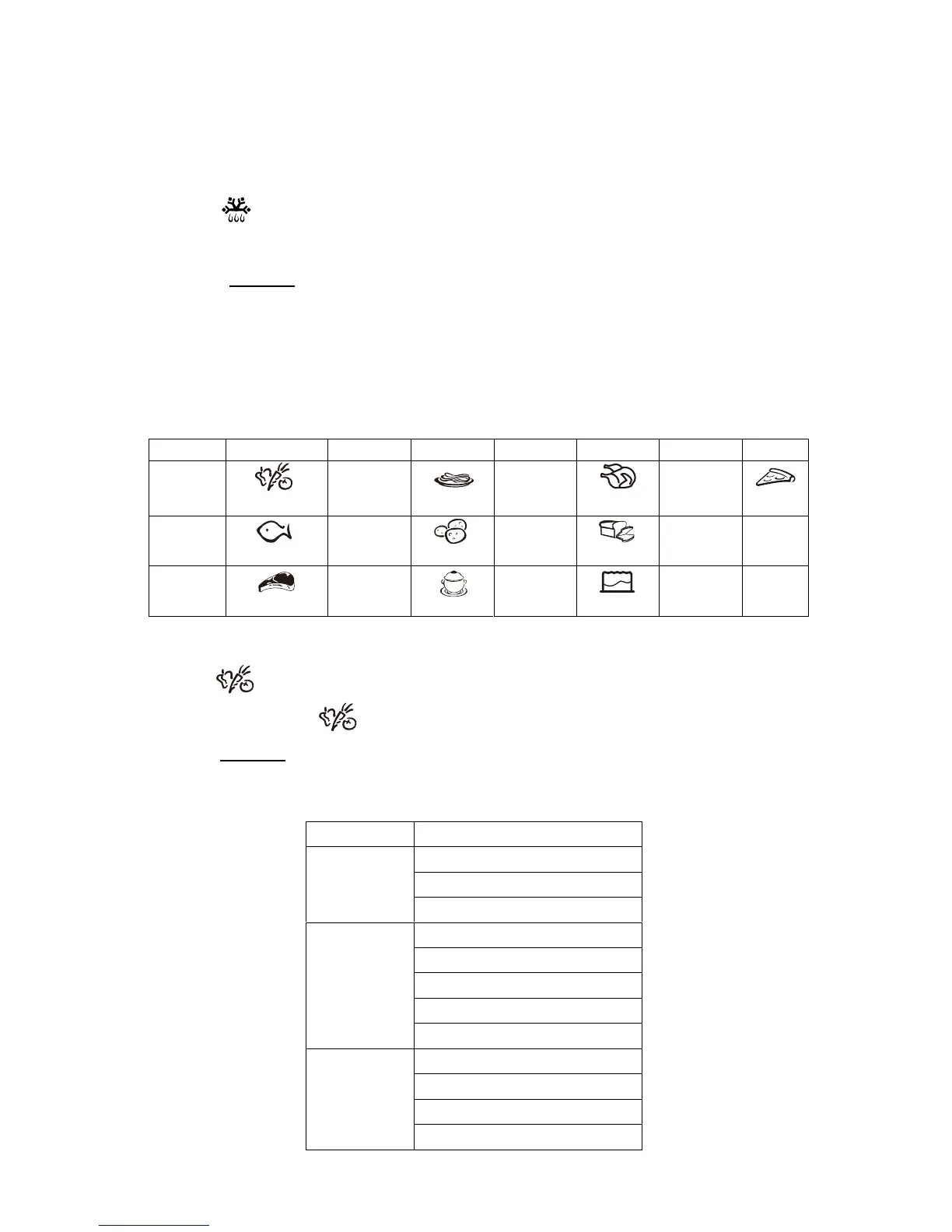
For the food in the following table, it is not necessary to program the cooking
power and time.
Button Menu Button Menu Button Menu Button Menu
1
Vegetable
4
Pasta
7
Roast
0
Pizza
2
Fish
5
Potato
8
Bread
3
Meat
6
Soup
9
Cake
Example: In standby mode, cook 350g vegetable.
1. Press .
2. Repeatedly press until 350g is selected.
3. Press to start cooking.
Menu Weight(g)
150
350
Vegetable
500
150
250
350
450
Fish
650
150
300
450
Meat
600
START
+30
SEC
.
START
+30
SEC
.


 To Next Page