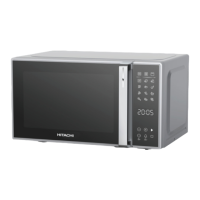
Example: Choose 80% power for cooking 20 minutes.
1. Press once.
“P100” will be shown on the display.
2. Press again or turn to choose 80% microwave power.
“P80” will be shown on the display.
3.
Press
to confirm.
4. Turn to set the cooking time until “20:00” is shown on the display.
5. Press to start cooking.
NOTE:
You can check the cooking power during cooking by pressing .
During microwave cooking, each press of can increase 30 seconds of
cooking time.
Speed Cooking
In standby state, press to cook with 100% power level for 30 seconds.
Each press of the button will increase the cooking time by 30 seconds. The longest
cooking time is 95 minutes.
In standby state, turn anticlockwise to choose cooking time then press
to cook with 100% microwave power.
Defrosting by Weight
The oven could be used to defrost food based on the weight selected. The defrosting
time and power level are automatically set once the weight is programmed. The
frozen food weight ranges from 100g to 2000g.
1. Press once.
"dEF1" will be shown on the display.
2. Turn to select the desired food weight.
3. Press to start defrosting.
GB
Downloaded from www.vandenborre.be


 To Next Page