GROUP SETTING
4
9
ENGLISH
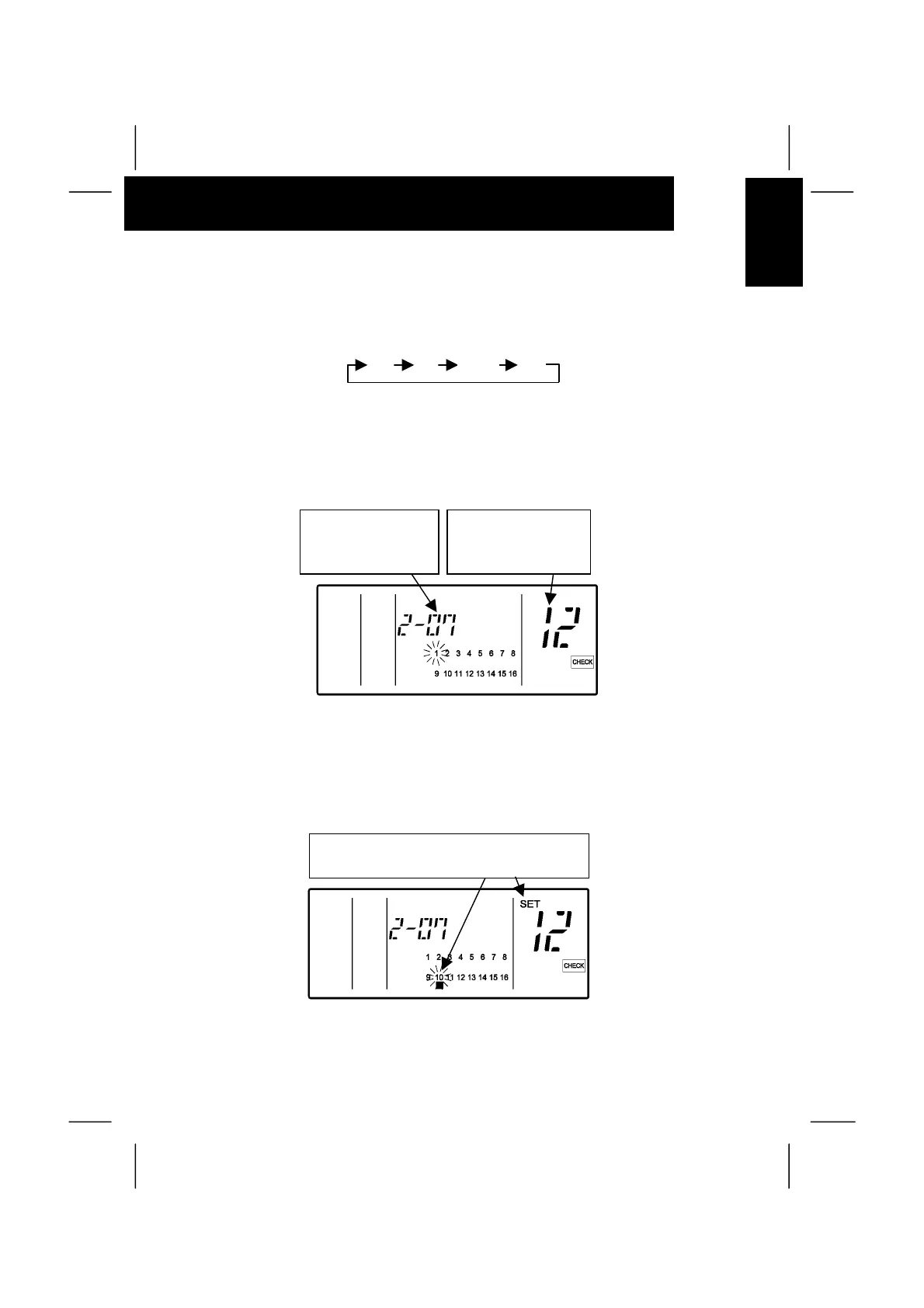
“Ø” and ”SET” Indications: ON
(The slave unit is set for a group.)
2. Selection of Indoor Unit To Be Set
Change Ref. No. by depressing “∇ ” (TEMP) switch and I.U. Add. by “∆ ” (TEMP) switch, and
select the indoor unit to be set. The indication is changed in order as shown below.
Ô
ATTENTION:
- Ref. No. with no indoor unit connected and I.U. Add. not connected are not indicated.
- When the selected unit is already set as slave unit, the group number indication “
Ø ” of the unit
and “SET” indication appear.
- The indoor unit already set as the master unit is not indicated.
3. Setting Procedure
Depress the “RUN/STOP” switch after selecting indoor unit,
the indicated unit is set as the slave unit, and the “Ø” and
“SET” indications appear.
(Every time the “RUN/STOP” switch is depressed, the slave
unit is set and canceled alternately.)
00 01 15•••
Ref. No.: Select
by depressing “∇”
(TEMP) switch.
Ref. No.: Select
by depressing “∆”
(TEMP) switch.
(ex. When selecting indoor unit of Ref. No. 4 and
I.U. Add. 9)


 To Next Page