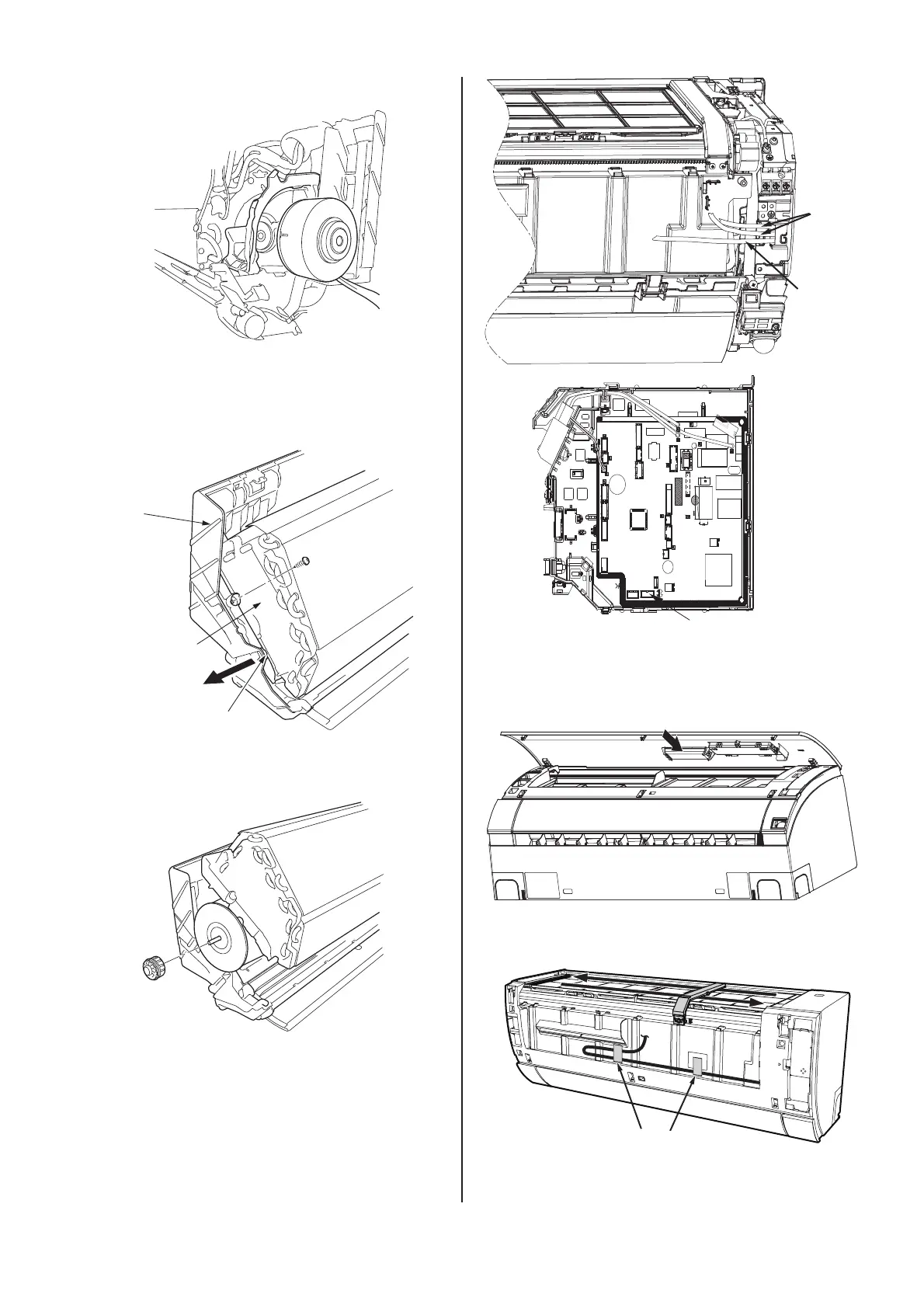
8.WIFI adapter installation
(1) Insert the WIFI cable into the PCB(CN7)
through the mounting hole;
(2) Install the front cover;
(3) Install the WIFI adapter in the front panel toward
the direction as illustrated;
(4) Fix the WIFI cable with tape to the front panel;
(5) Insert the WIFI cable into the WIFI adapter;
(6) Close the front panel.
indication
box wire
WIFI cable
tape
CN7
Cabinet
Claw
Lower bearing
cover
(3) Pull fan motor out of the remove the right.
(6) Remove the fan and bearing from the left.
( 4 ) Remove the screws from the upper and lower
( 5 ) Remove the locking hook of the lower bearing
bearing covers.
cover from the Cabinet.



 To Next Page