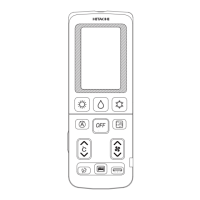
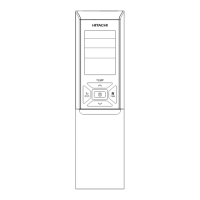
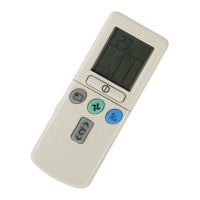
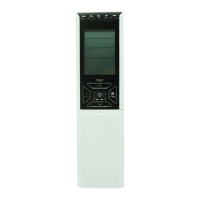
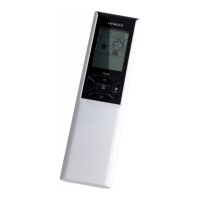
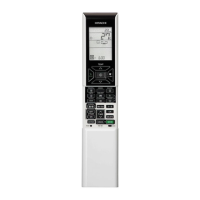
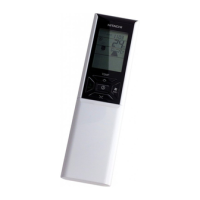
The device is a Hitachi RAR-5F1 Remote Controller, designed for use with Hitachi air conditioners. This manual provides comprehensive instructions for its operation, maintenance, and various functions, ensuring optimal performance and years of trouble-free use.
Function Description
The remote controller manages the operation and timer settings of the room air conditioner. It has an effective control range of approximately 7 meters, which may be shorter if indoor lighting is electronically controlled.
Key Buttons and Functions:
- MODE Button: Selects the operation mode (Heating, Dehumidifying, Cooling). Each press cycles through these modes.
- STOP Button: Stops the air conditioner's operation.
- ECO Button: Activates the ECO mode for energy-saving operation.
- OFF TIMER Button: Sets the turn-off time for the air conditioner.
- ON TIMER Button: Sets the turn-on time for the air conditioner.
- Transmission Sign: A blinking indicator that confirms a signal has been sent.
- POWERFUL Button: Initiates powerful operation for rapid cooling or heating.
- TEMPERATURE Button: Adjusts the room temperature setting. Holding the button down changes the value more quickly.
- FAN SPEED Button: Selects the fan speed for cooling and heating modes.
- AUTO SWING Button: Controls the angle of the horizontal air deflector.
Usage Features
The remote controller offers several operational modes and settings to customize the air conditioner's performance.
Manual Operation (Heating, Dehumidifying, Cooling):
Users can manually set the function mode, room temperature, and fan speed.
Timer Reservation:
Both ON Timer and OFF Timer functions are available.
-
OFF TIME Setting:
- Select the desired turn-off time using the OFF TIMER button.
- The setting time changes in 1-hour intervals.
- The operation stops at the set time.
-
ON TIME Setting:
- Select the desired turn-on time using the ON TIMER button.
- The setting time changes in 1-hour intervals.
Powerful Operation:
This mode allows the air conditioner to operate at maximum power for 20 minutes to achieve rapid cooling or heating.
- To activate, press the POWERFUL button during AUTO, HEATING, DEHUMIDIFYING, COOLING, or FAN operation.
- The "POWERFUL" indicator will appear on the LCD.
- After 20 minutes, the system automatically reverts to the previous settings.
- This mode is canceled if ECO mode or LEAVE HOME mode is selected.
- Capacity will not increase if the air conditioner is already running at maximum capacity or just before defrost operation (in heating mode).
- After auto restart, powerful operation is canceled, and previous operation resumes.
Leave Home (LH) Operation:
This feature prevents the room temperature from falling too low (automatically setting it to 10°C) when no one is at home.
- To activate, hold down the HEATING button for 3-5 seconds.
- The room temperature is automatically set to 10°C.
- Indicators like "*", "LH", "A", and "10°C" will be displayed on the LCD.
- To cancel, press the STOP button or change to another operation mode.
- During LH operation, fan speed and horizontal air deflector position cannot be changed.
ECO Operation:
This mode saves energy by adjusting the set temperature and limiting maximum power consumption.
- To activate, press the ECO button during Auto, Heating, Dehumidifying, or Cooling operation.
- The "ECO" indicator will appear on the LCD.
- Energy saving is achieved by adjusting the set temperature (higher or lower) and reducing power consumption.
- To cancel, press the STOP button or press the ECO button again. The "ECO" indicator will disappear.
- If power consumption is already low, ECO operation will not further reduce it.
- Pressing the POWERFUL button cancels ECO operation.
- After auto restart, ECO operation is canceled, and the previous operation mode resumes.
Adjusting the Airflow Direction:
Maintenance Features
Exchanging the Batteries in the Remote Controller:
- Removal: Remove the cover as shown in the figure and take out the old batteries.
- Installation: Install new batteries, ensuring their direction matches the marks inside the compartment.
- Caution:
- Do not mix new and old batteries or different types of batteries.
- Remove batteries if the remote controller will not be used for 2 or 3 months.
Important Technical Specifications
- Model: RAR-5F1
- Control Range: Approximately 7 meters.
- Timer Intervals: 1-hour intervals for both ON and OFF timers.
- Powerful Operation Duration: 20 minutes.
- Leave Home Temperature Setting: 10°C.
Precautions for Use
- Do not expose the remote controller to direct sunlight or high temperatures.
- Protect the remote controller from drops and water.
- If the FUNCTION button is pressed during operation, the air conditioner may stop for approximately 3 minutes for protection before it can be restarted.

 Need help?
 General

 To Next Page