EasyManua.ls Logo

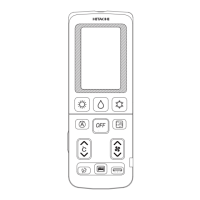
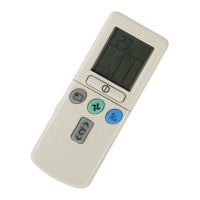
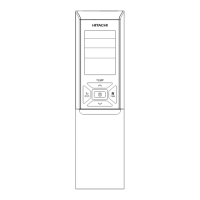
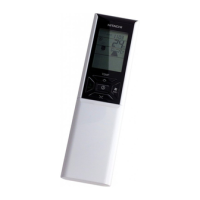
Hitachi RAR-6N1 - User Manual

Hitachi RAR-6N1
29 pages
Print Icon
To Next Page IconTo Next Page
Loading...
1
Remote Controller Manual
Remote Controller manual Page 1~28
To obtain the best performance and ensure years of trouble free use, please read this instruction manual completely.
MODEL
RAR-6N1
Question and Answer IconNeed help?

Do you have a question about the Hitachi RAR-6N1 and is the answer not in the manual?

Summary

Preparation Before Operation

Install Batteries

Instructions for installing batteries into the remote controller.

Mount Remote Holder

Instructions for fixing the remote controller holder to a wall.

Set Calendar and Clock

Remote Controller Functions

Remote Controller Overview and Handling

General description of the remote control's purpose, handling, and components like signal window, sensor, and display.

Basic Operation Buttons

How to use TEMP, START/STOP, FAN SPEED, and ECO buttons.

Mode and Special Function Buttons

Functions of POWERFUL, INFO, CLEAN, LEAVE HOME, ECO SLEEP TIMER buttons.

Timer and Swing Control Buttons

Functions of ON/OFF TIMER, WEEKLY TIMER, MODE SELECTOR, SILENT, AUTO SWING buttons.

Precautions for Use

Important notes on handling and placing the remote controller.

Air Conditioner Operation Modes

Auto Restart Control

Automatic restart feature after power interruption.

Automatic Operation Mode

How the unit automatically selects HEAT or COOL based on room temp.

Heating Operation

Heating Operation Details

Conditions for heating and optimal temperature range.

Defrosting Process

Explanation of the automatic defrosting cycle.

Dehumidifying Operation

Dehumidifying Functionality

How the unit reduces humidity and recommended temperature.

Cooling Operation

Cooling Operation Details

Conditions for cooling and recommended temperature range.

Fan Operation

Fan-Only Mode

Using the unit solely as an air circulator.

Auto Swing Control

How to activate and cancel vertical and horizontal air swing.

Powerful Operation

Activating Powerful Mode

How to use the POWERFUL button for maximum output.

Powerful Mode Notes

Conditions and limitations for POWERFUL operation.

Silent Operation

Activating Silent Mode

How to set the fan speed to ultra slow for quiet operation.

Silent Mode Notes

Conditions and limitations for SILENT operation.

ECO Operation

Standard ECO Operation

Energy saving by auto temperature adjustment and power limit.

ECO Operation Notes

Conditions and limitations for ECO operation.

ECO Operation with Sensor

Sensor-Based ECO Mode

Energy saving via presence detection and temperature shifting.

Sensor ECO Mode Behavior

How temperature shifts based on occupancy duration.

Leave Home Operation

Continuous Leave Home

Setting Leave Home for continuous temperature maintenance.

Day Timer Leave Home

Setting Leave Home for a specific number of days.

Leave Home Operation Notes

Conditions and limitations for Leave Home mode.

Clean Operation

Start Clean Operation

How to activate the one-touch cleaning cycle.

Cancel Clean Operation

How to stop the cleaning cycle.

Clean Operation Notes

Notes on the CLEAN function, especially for multi-connections.

Once Timer Operation

Off Timer Setting

Setting a specific time to turn the unit off.

On Timer Setting

Setting a specific time to turn the unit on.

On;Off Timer Setting

Setting both turn-on and turn-off times.

Cancel Timer Reservation

How to cancel any set timer reservations.

ECO Sleep Timer Operation

Start ECO Sleep Timer

Setting a timer for energy-saving sleep with reduced fan speed.

Cancel ECO Sleep Timer

How to stop the ECO Sleep Timer.

ECO Sleep Timer and ON Timer

Set Combined ECO Sleep and ON Timer

Combining ECO Sleep Timer with an ON Timer.

Cancel Combined Timers

How to cancel both ECO Sleep and ON Timer settings.

Weekly Timer Operation

Set Weekly Timer Schedule

Initial setup of weekly timer programs.

Select Timer Mode and Activate

Choosing between Mode A/B and activating/deactivating the weekly timer.

Setting Non-Active Weekly Timer

How to disable the weekly timer.

Copy and Paste Schedule

Editing schedules by copying data from one day to another.

Delete Weekly Timer Data

How to delete program reservations or entire days/modes.

Info Function

Check Ambient Temperature

Displaying the temperature around the remote controller.

Check Monthly Power Consumption

Displaying energy usage data for heating and cooling.

Retrieve Calendar and Clock

Syncing current time and date from the indoor unit.

Error Code Display

Displaying error codes when the unit fails.

Operation Mode Lock

Lock Heating Mode Operation

Preventing changes to the HEATING mode.

Unlock Heating Mode Operation

Allowing changes to the HEATING mode.

Lock Cooling;Dehumidifying Modes

Preventing changes to COOLING/DEHUMIDIFYING modes.

Unlock Cooling;Dehumidifying Modes

Allowing changes to COOLING/DEHUMIDIFYING modes.

Summary

Preparation Before Operation

Install Batteries

Instructions for installing batteries into the remote controller.

Mount Remote Holder

Instructions for fixing the remote controller holder to a wall.

Set Calendar and Clock

Remote Controller Functions

Remote Controller Overview and Handling

General description of the remote control's purpose, handling, and components like signal window, sensor, and display.

Basic Operation Buttons

How to use TEMP, START/STOP, FAN SPEED, and ECO buttons.

Mode and Special Function Buttons

Functions of POWERFUL, INFO, CLEAN, LEAVE HOME, ECO SLEEP TIMER buttons.

Timer and Swing Control Buttons

Functions of ON/OFF TIMER, WEEKLY TIMER, MODE SELECTOR, SILENT, AUTO SWING buttons.

Precautions for Use

Important notes on handling and placing the remote controller.

Air Conditioner Operation Modes

Auto Restart Control

Automatic restart feature after power interruption.

Automatic Operation Mode

How the unit automatically selects HEAT or COOL based on room temp.

Heating Operation

Heating Operation Details

Conditions for heating and optimal temperature range.

Defrosting Process

Explanation of the automatic defrosting cycle.

Dehumidifying Operation

Dehumidifying Functionality

How the unit reduces humidity and recommended temperature.

Cooling Operation

Cooling Operation Details

Conditions for cooling and recommended temperature range.

Fan Operation

Fan-Only Mode

Using the unit solely as an air circulator.

Auto Swing Control

How to activate and cancel vertical and horizontal air swing.

Powerful Operation

Activating Powerful Mode

How to use the POWERFUL button for maximum output.

Powerful Mode Notes

Conditions and limitations for POWERFUL operation.

Silent Operation

Activating Silent Mode

How to set the fan speed to ultra slow for quiet operation.

Silent Mode Notes

Conditions and limitations for SILENT operation.

ECO Operation

Standard ECO Operation

Energy saving by auto temperature adjustment and power limit.

ECO Operation Notes

Conditions and limitations for ECO operation.

ECO Operation with Sensor

Sensor-Based ECO Mode

Energy saving via presence detection and temperature shifting.

Sensor ECO Mode Behavior

How temperature shifts based on occupancy duration.

Leave Home Operation

Continuous Leave Home

Setting Leave Home for continuous temperature maintenance.

Day Timer Leave Home

Setting Leave Home for a specific number of days.

Leave Home Operation Notes

Conditions and limitations for Leave Home mode.

Clean Operation

Start Clean Operation

How to activate the one-touch cleaning cycle.

Cancel Clean Operation

How to stop the cleaning cycle.

Clean Operation Notes

Notes on the CLEAN function, especially for multi-connections.

Once Timer Operation

Off Timer Setting

Setting a specific time to turn the unit off.

On Timer Setting

Setting a specific time to turn the unit on.

On;Off Timer Setting

Setting both turn-on and turn-off times.

Cancel Timer Reservation

How to cancel any set timer reservations.

ECO Sleep Timer Operation

Start ECO Sleep Timer

Setting a timer for energy-saving sleep with reduced fan speed.

Cancel ECO Sleep Timer

How to stop the ECO Sleep Timer.

ECO Sleep Timer and ON Timer

Set Combined ECO Sleep and ON Timer

Combining ECO Sleep Timer with an ON Timer.

Cancel Combined Timers

How to cancel both ECO Sleep and ON Timer settings.

Weekly Timer Operation

Set Weekly Timer Schedule

Initial setup of weekly timer programs.

Select Timer Mode and Activate

Choosing between Mode A/B and activating/deactivating the weekly timer.

Setting Non-Active Weekly Timer

How to disable the weekly timer.

Copy and Paste Schedule

Editing schedules by copying data from one day to another.

Delete Weekly Timer Data

How to delete program reservations or entire days/modes.

Info Function

Check Ambient Temperature

Displaying the temperature around the remote controller.

Check Monthly Power Consumption

Displaying energy usage data for heating and cooling.

Retrieve Calendar and Clock

Syncing current time and date from the indoor unit.

Error Code Display

Displaying error codes when the unit fails.

Operation Mode Lock

Lock Heating Mode Operation

Preventing changes to the HEATING mode.

Unlock Heating Mode Operation

Allowing changes to the HEATING mode.

Lock Cooling;Dehumidifying Modes

Preventing changes to COOLING/DEHUMIDIFYING modes.

Unlock Cooling;Dehumidifying Modes

Allowing changes to COOLING/DEHUMIDIFYING modes.

Overview

This document describes the Hitachi RAR-6N1 Remote Controller, designed to operate an indoor air conditioning unit. It provides detailed instructions for installation, operation, and maintenance, ensuring optimal performance and longevity of the device.

Function Description

The remote controller serves as the primary interface for controlling the indoor air conditioning unit. It allows users to select various operating modes, adjust temperature and fan speed, set timers, and access special functions.

Operating Modes: The remote controller supports several operating modes:

  • AUTO Mode: The device automatically determines whether to operate in HEAT or COOL mode based on the current room temperature. The selected mode will adjust if the room temperature changes, but not if the indoor unit is connected to a multi-type outdoor unit. If the automatically selected mode is unsatisfactory, users can manually switch to HEAT, DEHUMIDIFY, COOL, or FAN mode.
  • HEATING Mode: This mode is used for heating when the outdoor temperature is under 21°C and above -15°C. The heating function may not work if it's too warm (over 21°C) to protect the device. Defrosting occurs approximately once an hour for 5-10 minutes when frost forms on the outdoor unit's heat exchanger. The operation lamp blinks during defrosting.
  • DEHUMIDIFYING Mode: This mode is effective when the room temperature is over 16°C. It will not work if the temperature is under 15°C. The fan speed is automatically set to LOW, but users can select SILENT or LOW fan speed. The recommended temperature range for dehumidifying is 20-26°C.
  • COOLING Mode: This mode is used for cooling when the outdoor temperature is between -10°C and 43°C. If indoor humidity is very high (80%), some dew may form on the air outlet grille.
  • FAN Operation: The device can be used simply as an air circulator without heating or cooling.

Special Functions:

  • POWERFUL Operation: When activated during AUTO, HEATING, DEHUMIDIFYING, COOLING, or FAN operation, the air conditioner performs at maximum power for 20 minutes. Cooler or warmer air is blown out from the indoor unit for COOLING or HEATING, respectively. This mode is canceled if SLEEP, ECO, SILENT, or LEAVE HOME modes are selected.
  • SILENT Operation: This mode reduces fan speed to ultra-slow during AUTO, HEATING, DEHUMIDIFYING, COOLING, or FAN operation, minimizing noise. It is canceled if POWERFUL operation is selected.
  • ECO Operation: An energy-saving function that automatically adjusts the set temperature and limits maximum power consumption. Depending on the model, it may include a sensor to detect human presence. If no one is detected for 20 minutes, the set temperature shifts for energy saving, and shifts further if no one is detected for 60 minutes. The unit returns to normal operation when human movement is detected.
  • LEAVE HOME Operation: Prevents the room temperature from falling too low when unoccupied. The initial setting is 10°C, and the range can be set between 10°C and 16°C. This can operate continuously or with a day timer for up to 99 days. During this operation, fan speed and horizontal air deflector position cannot be changed. POWERFUL, SILENT, and ECO operations are not applicable.
  • CLEAN (ONE TOUCH CLEAN) Operation: Dries the indoor heat exchanger after cooling to prevent mildew. This operation lasts 60 minutes and involves HEATING or FAN operation. The operation lamp blinks during this process. The unit switches off automatically upon completion.
  • AUTO SWING Operation: Controls the angle of the horizontal and vertical air deflectors. Vertical auto swing moves deflectors up and down, while horizontal auto swing moves them right and left.

Timer Functions:

  • ONCE TIMER (ON/OFF TIMER): Allows setting the device to turn on or off at a designated time, or both. The switching sequence prioritizes the earlier preset time.
  • ECO SLEEP TIMER: Sets a timer for up to 7 hours. During this operation, the unit shifts room temperature and reduces fan speed for energy saving. The air conditioner will operate for the designated hours and then turn off.
  • WEEKLY TIMER: Allows setting up to 6 programs per day for each of two modes (Mode A or Mode B), totaling a maximum of 42 programs per week. Programs can be set for specific days (Mon-Sun), full days, weekdays, or weekends.

Information Function (INFO): Displays the temperature around the remote controller and monthly power consumption. After changing batteries, it transmits the current calendar and clock from the remote controller to the indoor unit. It can also retrieve the current calendar and clock from the indoor unit. In case of an air conditioner failure, it displays an error code.

Usage Features

Battery Installation: The remote controller uses two AAA.LR03 (alkaline) dry batteries. To install, slide off the cover, insert batteries matching the polarity marks, and replace the cover. Batteries last approximately 1 year, but should be replaced sooner if the display fades or reception degrades.

Remote Controller Holder: The remote controller can be fixed to a wall or pillar using the provided screws. Choose a location where signals can easily reach the indoor unit.

Signal Transmission: Point the signal transmitting/receiving window towards the indoor unit when controlling it. The range of control is about 7 meters, but may be shorter if indoor lighting is electronically controlled. A transmission sign lights up when a signal is sent.

Display: The LCD displays the selected room temperature, current time, timer status, selected function, and airflow rate. The LCD turns off after about 3 minutes of inactivity during OFF condition, or 10 minutes during clock setting, but remains on during TIMER setting.

Buttons:

  • START/STOP Button: Initiates or stops operation.
  • FAN SPEED Selector Button: Cycles through fan speeds: AUTO, HIGH, MED, LOW, SILENT.
  • ROOM TEMPERATURE Setting Buttons (∧/∨): Adjusts the room temperature up or down. Holding the button changes the value more quickly.
  • MODE Selector Button: Cycles through AUTO, HEAT, DEHUMIDIFY, COOL, and FAN modes.
  • RESET Button: Used for initial calendar and clock setting, and can unlock operation modes.
  • OK Button: Confirms timer settings.
  • SEND Button: Transmits timer settings to the indoor unit.
  • CANCEL Button: Cancels timer reservations or copy mode.
  • COPY/PASTE Buttons: Used for copying and pasting weekly timer schedules.

Operation Mode Lock: The remote controller can be set to fix the HEATING, COOLING, or DEHUMIDIFYING modes (including FAN operation). This prevents accidental changes to the operating mode. To lock, simultaneously press ECO and POWERFUL buttons (for HEATING) or ECO and SILENT buttons (for COOLING/DEHUMIDIFYING) for about 5 seconds when the remote controller is OFF. To unlock, repeat the same button combination or press the RESET button (which will clear all stored information). This function will not activate if TIMER reservations are active.

Maintenance Features

Remote Controller Care:

  • Avoid exposing the remote controller to direct sunlight.
  • Keep the signal transmitter and receiver free of dust by wiping with a soft cloth to maintain sensitivity.
  • Handle the remote controller with care to prevent damage from dropping or getting wet, which could compromise signal transmission.
  • Close the slide cover when the remote controller is not in use to prevent failure.

Battery Replacement:

  • When replacing batteries, use batteries of the same type and replace both old batteries together.
  • Remove batteries if the system will not be used for a long time.
  • If the remote controller display fades or reception degrades within a year, replace both batteries with new AAA.LR03 (alkaline) batteries.

Troubleshooting Signal Communication:

  • Signal communication may be disabled if an electronic-starter-type fluorescent lamp (e.g., inverter-type lamps) is in the room. Consult the shop if this occurs.
  • If the remote controller signals operate another appliance, move that appliance or consult the service shop.

Auto Restart Control: In case of a power failure, operation will automatically restart with the previous operation mode and airflow direction once power is resumed. To prevent this, switch off the power supply before power is restored. Auto Restart Control is not available when Timer or Sleep Timer mode is set.

Calendar and Clock Setting: Calendar and clock settings are crucial for timer functions. If batteries are changed or if there is a power failure, the calendar and clock need to be reset. This is done by pressing the RESET button, then directing the remote controller towards the indoor unit and pressing the INFO button to transmit the calendar and clock from the indoor unit.

General Precautions:

  • Do not place the remote controller under direct sunlight or near a heater.
  • The outdoor unit will not restart for about 3 minutes after stopping (unless power is cycled) to protect the device.
  • Pressing the MODE selector button during operation may stop the device for about 3 minutes for protection.
  • During cooling and dehumidifying, avoid keeping deflectors swinging or in the lower position for extended periods to prevent dew condensation.

Hitachi RAR-6N1 Specifications

General IconGeneral
TypeRemote Control
BrandHitachi
ModelRAR-6N1
Compatible DevicesHitachi Air Conditioners
Power SourceBattery
Battery Quantity2

Related product manuals