EasyManua.ls Logo

Hitachi RAR-3R5 - User Manual

Hitachi RAR-3R5
10 pages
Print Icon
To Next Page IconTo Next Page
Loading...
9-2
REMOTE CONTROLLERS OPERATION
9.1 WIRELESS REMOTE CONTROL FUNCTION
PRECAUTIONS:
x This controls the operation of indoor unit. The range of control is 7 meters. If indoor lighting is controlled electronically, the
range of control may be shorter, in some cases; the control signal may not be received. This unit can be fixed on a wall
using the fixture provided. Before fixing it, make sure the indoor unit can be controlled from the remote controller.
x Press buttons only with fingers. Do not press buttons by any other item, as it may damage the buttons.
x Do not put the remote controller in the following places.
o In direct sunlight.
o In the vicinity of a heater.
x Handle the remote controller with care. Dropping it or getting it wet may compromise its signal transmission capability.
x After new batteries are inserted into the remote controller, the unit will initially require approximately 10 seconds responding
to commands and operating.
x Once the outdoor unit stops, it will not restart for about 3 minutes (unless we switch OFF and ON the power or unplug and
plug back the power cord again.) This is to protect the device and does not indicate a failure.
x If you press the FUNCTION selector button during operation, the device may stop for about 3 minutes for protection.
9.1.1. NAMES AND FUNCTIONS OF WIRELESS REMOTE CONTROL UNIT
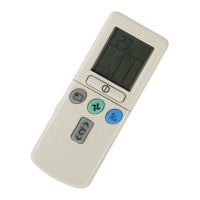
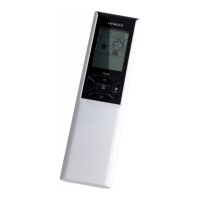
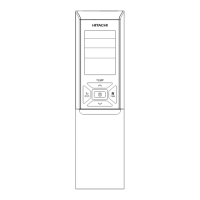
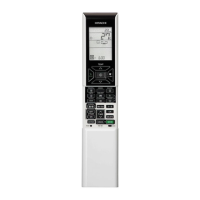
9.1.1.1 RAR-3R5 (For RAS-SX8)
Transmission indicator
The transaction indicator lift when a signal is sent
ROOM TEMPERATURE Button
Press this button to set the room temperature
START/STOP BUTTON
Press this button to start operation. Press
again to stop operation
HEAT Button
Press this button to start heating
operation
Transmission Part
DEHUMIDIFY Button
Press this button to start dehumidify
operation
COOL Button
Press this button to start cooling
operation
DRY COOL Button
Press this button to start dry cooling
operation
IONIZED MIST Operation Button
Press this button to start ionized mist
operation
HUMIDIFY Button
Press this button to set the humidify for
dehumidify and dry cool operation
SLEEP TIMER Operation Button
Press this button to start sleep timer
operation
(When the door is open)
OPERATION Selector
Press this button to select operation mode
VERTICAL AIRFLOW Button
Use this button to swing the vertical air
deflector or to adjust the angle to your
preference
HORIZONTAL AIRFLOW Button
Use this button to swing the horizontal air
deflector or to adjust the angle to your
preference
PREFERENCE Button
Press this button to select your preferred mode
TIMER Button
SET TIME Button
Use this button to set and check the current time
RESET Button
Press this button after the batteries are replaced
and when the air-conditioner does not function
properly
ON/OFF Button
Use this button to set or cancel the function
selected by the function selector
FUNCTION Selector Button
Each time when you press, blinking changes in
the sequence
FAN SPEED Button
Press this button to select fan speed
MANUAL CLEAN Button
Start filter cleaning operation while the
air-conditioner operation is stopped
AIR PURIFYING Button
Press this button to start stainless
plasma air purifying (FAN) operation

Question and Answer IconNeed help?

Do you have a question about the Hitachi RAR-3R5 and is the answer not in the manual?

Summary

Wireless Remote Control Functions

Remote Control Unit Names and Functions Overview

Introduces various remote control models and their button functions.

Specific Remote Control Model Functions

RAR-3 R5 Remote Control Functions

Details functions of buttons on the RAR-3R5 remote control unit.

RAR-3 U1 Remote Control Functions

Details functions of buttons on the RAR-3U1 remote control unit.

RAR-3 U2 Remote Control Functions

Details functions of buttons on the RAR-3U2 remote control unit.

RAR-3 U3 Remote Control Functions

Details functions of buttons on the RAR-3U3 remote control unit.

RAR-3 U4 Remote Control Functions

Details functions of buttons on the RAR-3U4 remote control unit.

Summary

Wireless Remote Control Functions

Remote Control Unit Names and Functions Overview

Introduces various remote control models and their button functions.

Specific Remote Control Model Functions

RAR-3 R5 Remote Control Functions

Details functions of buttons on the RAR-3R5 remote control unit.

RAR-3 U1 Remote Control Functions

Details functions of buttons on the RAR-3U1 remote control unit.

RAR-3 U2 Remote Control Functions

Details functions of buttons on the RAR-3U2 remote control unit.

RAR-3 U3 Remote Control Functions

Details functions of buttons on the RAR-3U3 remote control unit.

RAR-3 U4 Remote Control Functions

Details functions of buttons on the RAR-3U4 remote control unit.

Overview

This document describes various models of wireless remote controllers for air conditioning units, including RAR-3R5, RAR-3U1, RAR-3U2, RAR-3U3, RAR-3U4, and RAR-2P2. These controllers are designed to manage the operation of indoor air conditioning units, with a typical control range of 7 meters. However, this range can be shorter if indoor lighting is electronically controlled. The units can be fixed to a wall using provided fixtures.

General Precautions and Usage Features:

  • Handling: Users should press buttons only with fingers to avoid damage. The remote controller should not be placed in direct sunlight or near a heater. Dropping the unit or getting it wet can compromise its signal transmission.
  • Restart Behavior: After new batteries are inserted, the unit may take approximately 10 seconds to respond. If the outdoor unit stops, it will not restart for about 3 minutes (unless power is cycled) to protect the device. Pressing the FUNCTION selector button during operation may also cause the device to stop for about 3 minutes for protection.
  • Signal Transmission: All models feature a signal emitting window/transmission sign. This window should be pointed towards the indoor unit. The transmission sign blinks when a signal is sent.
  • Display: The display shows the selected room temperature, current time, timer status, active function, and intensity of circulation.

Common Functions Across Models:

  • START/STOP Button: Initiates or stops the air conditioner operation.
  • TEMPERATURE Buttons: Used to raise or lower the temperature setting. Holding these buttons down will change the value more quickly.
  • FAN SPEED Selector: Determines the fan speed. Each press cycles through different intensity levels: AUTO, HI, MED, LOW, and EX-LOW (where applicable). This allows for optimal setting.
  • FUNCTION Selector Button: Selects the operating mode. Each press cycles through modes such as AUTO, HEAT, DEHUMIDIFY, COOL, and FAN.
  • AUTO SWING Button: Controls the angle of the horizontal air deflector, allowing it to swing continuously or be set to a desired angle.
  • TIME Button: Used to set and check the current time and date.
  • SLEEP Button: Activates the sleep timer function.
  • RESET Button: Should be pressed after battery replacement or if irregular operation occurs.
  • TIMER Control Buttons (SET TIME, TIMER Selector, ON-TIMER, OFF-TIMER, RESERVE, CANCEL): These buttons are used to set and manage various timer functions, including turn-off time, turn-on time, and time reservations. Only one timer (OFF, ON, or ON/OFF) can be active at a time.

Model-Specific Features:

RAR-3R5 (For RAS-SX8):

  • Transmission Part: Includes a transmission indicator that lights up when a signal is sent.
  • Specific Operation Buttons:
    • HEAT Button: Starts heating operation.
    • DEHUMIDIFY Button: Starts dehumidify operation.
    • COOL Button: Starts cooling operation.
    • DRY COOL Button: Starts dry cooling operation.
    • HUMIDIFY Button: Sets the humidity for dehumidify and dry cool operation.
    • SLEEP TIMER Operation Button: Starts sleep timer operation.
    • IONIZED MIST Operation Button: Starts ionized mist operation (when the door is open).
    • MANUAL CLEAN Button: Starts filter cleaning operation when the air conditioner is stopped.
    • AIR PURIFYING Button: Starts stainless plasma air purifying (FAN) operation.
    • VERTICAL AIRFLOW Button: Swings the vertical air deflector or adjusts its angle.
    • HORIZONTAL AIRFLOW Button: Swings the horizontal air deflector or adjusts its angle.
    • PREFERENCE Button: Selects the user's preferred mode.
    • ON/OFF Button (Function Selector): Sets or cancels the function selected by the function selector.

RAR-3U1 (For RAK-NH6A, RAI-NH5A, RAS-FH6):

  • Timer Selector: Includes ON TIMER and OFF TIMER options.
  • Display: Indicates room temperature, current time, timer status, function, and circulation intensity.

RAR-3U2 (For RAK-QH8, RAF-QH8, RAF-FX8):

  • EXTENDED AIRFLOW Button: Pushes air out further for an extended airflow.
    • Usage Note: If pressed during operation, airflow direction automatically adjusts, and fan speed changes for extended airflow. During cooling, fan speed returns to original position after 3 hours.
    • Interaction with AUTO SWING: If EXTENDED AIRFLOW is pressed while AUTO SWING is active, AUTO SWING is canceled, and EXTENDED AIRFLOW is set. Conversely, if AUTO SWING is pressed while EXTENDED AIRFLOW is active, EXTENDED AIRFLOW is canceled, and AUTO SWING is set.
    • Deflector Adjustment: If EXTENDED AIRFLOW is pressed when the horizontal air deflector is at a preferred angle, the deflector changes to EXTENDED AIRFLOW.
    • Cooling Function: Can be pressed to quickly lower room temperature during high-temperature cooling.
  • Display: Indicates room temperature, current time, timer status, function, and circulation intensity.

RAR-3U3 (For RAS-80YH5A):

  • SYMMETRY SWING Button:
  • PARALLEL SWING Button:
  • Display: Indicates room temperature, current time, timer status, function, and circulation intensity.

RAR-3U4 (For RAS-WX8):

  • PLASMA ION Button: Activates/deactivates the plasma ion function.
  • EXTENDED AIRFLOW Button: Pushes air out further for an extended airflow.
    • Standby Function: When the unit is in standby mode, pressing this button activates the SELF CLEANING function.
  • Display: Indicates room temperature, current time, timer status, function, and circulation intensity.

RAR-2P2 (For Bigflow series):

  • Precautions for Use: Similar general precautions as other models regarding placement (no direct sunlight, away from heaters) and handling (avoid dropping, protect from water).
  • Restart Behavior: Outdoor unit will not restart for about 3 minutes after stopping (unless power is cycled) for device protection. Pressing the FUNCTION selector during operation may stop the device for about 3 minutes for protection.
  • Display: Indicates room temperature, current time, timer status, function, and circulation intensity.

Operational Modes and Features:

  • Automatic Operation: The device automatically determines the mode (HEAT, COOL, or DEHUMIDIFY) based on current room temperature. The mode changes as room temperature varies.
    • Setting: Press the function selector to AUTO mode, then START/STOP. Temperature can be adjusted in 1°C increments.
    • Note: Preset and actual room temperatures may vary. The display does not show preset temperature in AUTO mode; a beep indicates a setting change.
  • Auto Restart Control: In case of power failure, operation automatically restarts with previous mode and airflow direction when power is resumed. If the circuit breaker is resumed, operation will also restart. Users should switch off power if they don't intend to continue.
  • Heating Operation:
    • Setting: Select HEAT mode, set desired room temperature, then START/STOP.
    • Note: If room temperature is higher than setting, the device dehumidifies. If lower, dehumidifying occurs at a slightly lower temperature. Function stops when room temperature falls below setting.
  • Cooling Operation:
    • Setting: Select COOL mode, set desired FAN SPEED, set desired room temperature, then START/STOP.
  • Dehumidifying Operation:
    • Setting: Select DEHUMIDIFY mode. FAN SPEED is automatically set to LOW and cannot be adjusted. Set desired room temperature.
  • Auto Changeover (Applicable to specific models and Multizone outdoor units):
    • Function: Automatically changes operation mode (cooling/heating) based on outdoor and indoor temperatures.
    • Criteria:
      • During Cooling: Restricted to cooling if outdoor temperature >27°C. Changes to heating if room temperature <3°C below preset.
      • During Heating: Restricted to heating if outdoor temperature <16°C. Changes to cooling if room temperature >2°C above preset.
    • Temperature Thresholds: Final preset temperature is 25°C. Cooling occurs at -3°C from preset, heating at +2°C from preset.
    • Applicable Models: RAC-25WX8, RAC-35WX8, RAC-50WX8, RAC-25FX8, RAC-35FX8, RAC-50FX8, RAC-25NH5, RAC-35NH5, RAC-50NH5, RAC-65NH5, RAC-25YH5, RAC-35YH5, RAC-18YH6, RAC-25YH6, RAC-35YH6, RAC-50YH6, RAC-60YH5, RAC-70YH5, RAC-80YH5.
    • Note: Auto changeover is not applicable when connected to Multizone outdoor units.

Timer Settings:

  • Sleep Timer:
    • Function: Device works for a designated number of hours, then turns off. Timer info is displayed, and the timer lamp lights up.
    • Setting: Cannot be set if date or current time is not set. If set after ON, OFF, or ON/OFF timer, the sleep timer takes precedence. Effective only once.
  • How to Set Time (RAR-3U1, RAR-3U2, RAR-3U3, RAR-3U4):
    • Set current time with TIMER control button. Press TIME button again; time indication lights instead of flashing. Display disappears in 10 seconds. Press TIME twice to check setting.
  • How to Set Time (RAR-2P2):
    • After battery change, remote prompts for month and date. Set with TIMER control button. Press TIME button. Set current time with TIMER control button. Press TIME button again; time indication lights instead of flashing. Display disappears in 10 seconds. Press TIME twice to check setting.
  • How to Set OFF Timer:
    • Press OFF TIMER button; O (OFF) blinks. Set turn-off time with TIMER control. Point remote to indoor unit, press RESERVE. O (OFF) lights, RESERVE lights, beep sounds, TIMER lamp lights.
    • Cancellation: Press CANCEL button; RESERVE sign goes out, beep sounds, TIMER lamp turns off.
  • How to Set ON Timer:
    • Press ON TIMER button; ■ (ON) blinks. Set turn-on time with TIMER control. Point remote to indoor unit, press RESERVE. ■ (ON) lights, RESERVE lights, beep sounds, TIMER lamp lights.
  • How to Set ON/OFF Timer:
    • Press OFF TIMER button; O (OFF) blinks. Set turn-off time with TIMER control. Press RESERVE. Press ON TIMER button; O (OFF) lights, ■ (ON) blinks. Set turn-on time with TIMER control. Point remote to indoor unit, press RESERVE. ■ (ON) lights, RESERVE lights, beep sounds, TIMER lamp lights.
    • Note: Only one timer (OFF, ON, or ON/OFF) can be set. To cancel, press CANCEL.

Air Deflector Adjustment:

  • Function: Horizontal air deflector automatically sets to the proper angle for each operation. It can swing continuously or be set to a desired angle using the AUTO SWING button.
  • Note: Pressing AUTO SWING once makes the deflector swing; pressing it again stops it. When operation stops, the deflector moves to the air outlet closed position.
  • Caution: Do not keep the horizontal deflector in a fixed position during cooling operation.

Hitachi RAR-3R5 Specifications

General IconGeneral
BrandHitachi
ModelRAR-3R5
CategoryRemote Control
LanguageEnglish

Related product manuals