EasyManua.ls Logo

Hitachi RAR-M0B6 - User Manual

Hitachi RAR-M0B6
30 pages
Print Icon
To Next Page IconTo Next Page
Loading...
Remote Controller Manual
Remote Controller manual Page 1 -
To obtain the best performance and ensure years of trouble free use, please read this instruction manual completely.
MODEL
RAR-M0B6
30
Question and Answer IconNeed help?

Do you have a question about the Hitachi RAR-M0B6 and is the answer not in the manual?

Summary

Hitachi Remote Controller Manual

Preparation and Installation

Battery Installation

Steps to install AAA batteries into the remote controller.

Remote Controller Holder Mounting

Instructions for fixing the remote controller holder to a wall.

Setting Calendar and Clock

Setting the Date and Time

Detailed steps to set the current year, month, day, and time.

Remote Controller Functions Overview

Key Components and Display

Explanation of the signal transmitter, sensor, and LCD display.

Basic Operation Buttons

Description of START/STOP, FAN SPEED, and ECO buttons.

Remote Controller Mode Selection

Mode Selector and Special Modes

Selecting operating modes (Auto, Heat, Cool, Fan) and special modes.

Timer and Swing Functions

Overview of Timer and Swing function buttons.

Automatic and Auto Restart Operation

Automatic Operation

How the unit automatically determines operation mode based on temperature.

Auto Restart Control

Functionality after power failure and resuming operation.

Heating Operation

Defrosting Function

Explanation of the defrosting cycle and its duration.

Dehumidifying Operation

Dehumidifying Function Details

How dehumidifying works based on temperature settings.

Cooling Operation

Cooling Operation Settings

Setting fan speed and temperature for cooling mode.

Fan and Auto Swing Operation

Fan Operation

Using the unit as an air circulator.

Vertical and Horizontal Auto Swing

Controlling the air deflector swing direction.

Powerful Operation

Activating and Cancelling Powerful Mode

How to use and stop the powerful operation feature.

Silent Operation

Using Silent Mode

Setting the fan speed to ultra slow for quiet operation.

ECO Operation (Without Sensor)

Starting and Cancelling ECO Mode

Activating energy-saving ECO mode via the remote.

ECO Operation (With Sensor)

Sensor-Based ECO Mode

ECO mode that uses a sensor to detect people for energy saving.

Leave Home Operation

Continuous and Day Timer Leave Home

Setting temperature to prevent extreme room temperatures when away.

Frost Wash Operation (Auto Mode)

Process and Auto Start Conditions

Explanation of the automatic frost wash process and triggers.

Frost Wash Operation (Manual Mode)

Starting and Cancelling Manual Frost Wash

How to manually initiate and stop the frost wash cycle.

Clean (One Touch Clean) Operation

One Touch Clean Functionality

Drying the heat exchanger to prevent mildew after cooling.

Once Timer (ON;OFF Timer) Operation

Setting and Cancelling Once Timers

Instructions for setting single ON, OFF, or ON/OFF timers.

Air Sleep Operation

Air Sleep Mode Settings

Using the motion sensor for comfortable sleep environment control.

Cancelling Air Sleep Operation

Methods to Stop Air Sleep Mode

Various ways to cancel the Air Sleep operation.

Weekly Timer Operation Setup

Setting Programs and Days

How to select modes, set programs, and choose days of the week.

Weekly Timer Operation Settings

Setting ON;OFF Timers and Temperature

Configuring timer reservations for ON, OFF, and temperature.

Weekly Timer Mode Selection

Selecting Mode A;B and Activation

How to choose between Mode A or B and activate the weekly timer.

Weekly Timer Copy and Paste

Copying and Pasting Schedules

Easy editing by copying schedule data from one day to another.

Weekly Timer Data Deletion

Deleting Specific Program Reservations

Steps to delete individual program number reservations.

Weekly Timer Reservation Deletion

Deleting Day or Mode Reservations

How to delete reservations for a specific day or an entire mode.

Info Function

Checking Temperature and Power Consumption

Displaying current temperature and monthly power usage.

Retrieving Calendar and Clock

How to retrieve calendar and clock settings from the indoor unit.

Operation Mode Lock

Locking and Unlocking Modes

Fixing the operation mode to prevent accidental changes.

Unit of Setting Temperature

Switching Between Fahrenheit and Celsius

Method to change the temperature display unit.

Summary

Hitachi Remote Controller Manual

Preparation and Installation

Battery Installation

Steps to install AAA batteries into the remote controller.

Remote Controller Holder Mounting

Instructions for fixing the remote controller holder to a wall.

Setting Calendar and Clock

Setting the Date and Time

Detailed steps to set the current year, month, day, and time.

Remote Controller Functions Overview

Key Components and Display

Explanation of the signal transmitter, sensor, and LCD display.

Basic Operation Buttons

Description of START/STOP, FAN SPEED, and ECO buttons.

Remote Controller Mode Selection

Mode Selector and Special Modes

Selecting operating modes (Auto, Heat, Cool, Fan) and special modes.

Timer and Swing Functions

Overview of Timer and Swing function buttons.

Automatic and Auto Restart Operation

Automatic Operation

How the unit automatically determines operation mode based on temperature.

Auto Restart Control

Functionality after power failure and resuming operation.

Heating Operation

Defrosting Function

Explanation of the defrosting cycle and its duration.

Dehumidifying Operation

Dehumidifying Function Details

How dehumidifying works based on temperature settings.

Cooling Operation

Cooling Operation Settings

Setting fan speed and temperature for cooling mode.

Fan and Auto Swing Operation

Fan Operation

Using the unit as an air circulator.

Vertical and Horizontal Auto Swing

Controlling the air deflector swing direction.

Powerful Operation

Activating and Cancelling Powerful Mode

How to use and stop the powerful operation feature.

Silent Operation

Using Silent Mode

Setting the fan speed to ultra slow for quiet operation.

ECO Operation (Without Sensor)

Starting and Cancelling ECO Mode

Activating energy-saving ECO mode via the remote.

ECO Operation (With Sensor)

Sensor-Based ECO Mode

ECO mode that uses a sensor to detect people for energy saving.

Leave Home Operation

Continuous and Day Timer Leave Home

Setting temperature to prevent extreme room temperatures when away.

Frost Wash Operation (Auto Mode)

Process and Auto Start Conditions

Explanation of the automatic frost wash process and triggers.

Frost Wash Operation (Manual Mode)

Starting and Cancelling Manual Frost Wash

How to manually initiate and stop the frost wash cycle.

Clean (One Touch Clean) Operation

One Touch Clean Functionality

Drying the heat exchanger to prevent mildew after cooling.

Once Timer (ON;OFF Timer) Operation

Setting and Cancelling Once Timers

Instructions for setting single ON, OFF, or ON/OFF timers.

Air Sleep Operation

Air Sleep Mode Settings

Using the motion sensor for comfortable sleep environment control.

Cancelling Air Sleep Operation

Methods to Stop Air Sleep Mode

Various ways to cancel the Air Sleep operation.

Weekly Timer Operation Setup

Setting Programs and Days

How to select modes, set programs, and choose days of the week.

Weekly Timer Operation Settings

Setting ON;OFF Timers and Temperature

Configuring timer reservations for ON, OFF, and temperature.

Weekly Timer Mode Selection

Selecting Mode A;B and Activation

How to choose between Mode A or B and activate the weekly timer.

Weekly Timer Copy and Paste

Copying and Pasting Schedules

Easy editing by copying schedule data from one day to another.

Weekly Timer Data Deletion

Deleting Specific Program Reservations

Steps to delete individual program number reservations.

Weekly Timer Reservation Deletion

Deleting Day or Mode Reservations

How to delete reservations for a specific day or an entire mode.

Info Function

Checking Temperature and Power Consumption

Displaying current temperature and monthly power usage.

Retrieving Calendar and Clock

How to retrieve calendar and clock settings from the indoor unit.

Operation Mode Lock

Locking and Unlocking Modes

Fixing the operation mode to prevent accidental changes.

Unit of Setting Temperature

Switching Between Fahrenheit and Celsius

Method to change the temperature display unit.

Overview

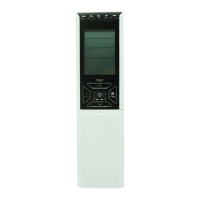
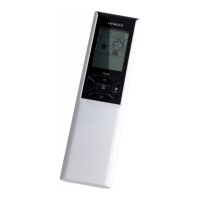
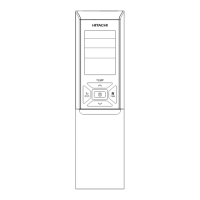
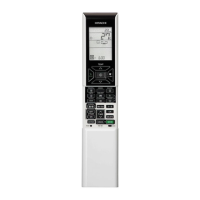
This document describes the Hitachi RAR-M0B6 Remote Controller, an essential component for operating Hitachi air conditioning units. It covers installation, basic operation, various functions, and maintenance features.

Function Description:

The remote controller serves as the primary interface for controlling the indoor air conditioning unit. It allows users to:

  • Start/Stop Operation: Initiate and terminate the air conditioner's operation.
  • Select Operating Mode: Choose between Auto, Heat, Dehumidify, Cool, and Fan modes.
  • Adjust Room Temperature: Set the desired temperature within a specified range (e.g., 60°F to 90°F or 16°C to 32°C).
  • Control Fan Speed: Select fan speeds including Auto, High, Med, Low, and Silent.
  • Set Timers: Utilize ON-Timer, OFF-Timer, ON/OFF-Timer, and a comprehensive Weekly Timer for scheduled operation.
  • Activate Special Modes: Engage Powerful, Silent, ECO, Air Sleep, Leave Home, Frost Wash, and Clean operations.
  • Adjust Airflow Direction: Control both vertical and horizontal auto swing of the air deflectors.
  • Display Information: Show current time, selected room temperature, timer status, function, airflow rate, and monthly power consumption.
  • Error Code Display: Indicate error codes in case of air conditioner malfunction.

Important Technical Specifications:

  • Control Range: Approximately 7 meters. This range may be shorter if indoor lighting is controlled electronically.
  • Batteries: Requires two AAA.LR03 (alkaline) dry batteries. Battery life is approximately 1 year, but replacement is needed sooner if the display fades or reception degrades.
  • Temperature Range (Cooling): Operates when outdoor temperature is -50°F to 109°F (-10°C to 43°C).
  • Temperature Range (Heating): Operates when outdoor temperature is under 70°F (21°C) and above -59°F (-15°C).
  • Temperature Range (Dehumidifying): Operates when room temperature is over 60°F (16°C).
  • Frost Wash Conditions: Works when outdoor temperature is 34°F to 109°F (1°C to 43°C) and indoor humidity is 30% to 70%.
  • One Touch Clean Duration: 60 minutes.

Usage Features:

Installation and Setup:

  • Battery Installation: Slide the cover, insert two AAA.LR03 alkaline batteries matching the polarity marks, and replace the cover.
  • Remote Controller Holder: Fix the holder to a wall or pillar using provided screws, ensuring it's in a location where signals can reach the indoor unit.
  • Calendar and Clock Setting: Press the Reset button, then use the Time button to set the year, day, and month. Finally, press the Clock button to set the current time. This is crucial for timer functions. After battery changes, the calendar and clock must be reset.

Operation Modes:

  • Automatic Operation: The unit automatically determines Heat or Cool mode based on room temperature. Mode changes with temperature variations, but not with multi-type outdoor units. Fan speed and temperature can be adjusted.
  • Heating Operation: Select Heat mode. Adjust fan speed and temperature. Defrosting occurs periodically (5-10 minutes) when frost forms on the outdoor unit's heat exchanger.
  • Dehumidifying Operation: Select Dehumidify mode. Fan speed is set to Low, but Silent or Low can be selected. Recommended temperature range is 68°F (20°C) to 75°F (26°C).
  • Cooling Operation: Select Cool mode. Adjust fan speed and temperature.
  • Fan Operation: Use the device as an air circulator by selecting Fan mode and adjusting fan speed.
  • Auto Swing Operation: Control vertical and horizontal air deflectors. Press the respective Auto Swing button to start/stop the swing.

Special Functions:

  • Powerful Operation: Maximizes air conditioner power for 20 minutes in Auto, Heating, Dehumidifying, Cooling, or Fan modes. Automatically reverts to previous settings afterward.
  • Silent Operation: Changes fan speed to ultra-low for quieter operation in Auto, Heating, Dehumidifying, Cooling, or Fan modes.
  • ECO Operation: An energy-saving function that automatically adjusts the set temperature and limits power consumption. Models with a sensor detect human presence to further optimize energy savings by shifting the set temperature when no one is detected.
  • Leave Home (LH) Operation: Prevents room temperature from dropping too low when unoccupied. Initial setting is 50°F (10°C), adjustable between 50°F (10°C) and 60°F (16°C). Can operate continuously or with a day timer (up to 99 days).
  • Frost Wash Operation: Cleans the indoor heat exchanger by freezing and thawing accumulated dust and dirt. Available in Auto and Manual modes. Auto mode triggers based on operating hours and human sensor detection.
  • Clean (One Touch Clean) Operation: Dries the indoor heat exchanger after cooling to prevent mildew. Lasts 60 minutes and involves fan operation.
  • ON/OFF Timer Operation: Set specific times for the unit to turn ON, OFF, or both.
  • Weekly Timer Operation: Allows setting up to 6 programs per day for each mode (A or B), totaling 42 programs per week. Includes options to copy and cancel schedules.
  • Info Function: Displays temperature around the remote controller and monthly power consumption. Can also retrieve current calendar and clock from the indoor unit and display error codes.
  • Operation Mode Lock: Fixes the air conditioner to Heating, Cooling, or Dehumidifying modes (including Fan) to prevent accidental changes.
  • Unit of Setting Temperature: Allows switching the temperature display between Fahrenheit (°F) and Celsius (°C).

Maintenance Features:

  • Battery Replacement: Replace both batteries with new ones of the same type when the display fades or reception degrades. Remove batteries if the system is not used for a long time.
  • Cleaning: Wipe dust off the signal transmitter or receiver with a soft cloth to maintain sensitivity.
  • Frost Wash: This feature itself is a maintenance function, cleaning the indoor heat exchanger to prevent odor and maintain performance. It can be initiated manually or automatically.
  • Clean (One Touch Clean): Another maintenance feature designed to dry the heat exchanger and prevent mildew.

Important Notes and Precautions:

  • Remote Controller Handling: Handle with care; avoid dropping or getting it wet. Do not expose to direct sunlight or place near heaters.
  • Signal Communication: May be disabled by electronic-starter-type fluorescent lamps.
  • Auto Restart Control: Automatically restarts operation after a power failure with previous settings. Not available when a timer is set.
  • Operation Delays: The outdoor unit may not restart for about 3 minutes after stopping (unless power is cycled). If the Mode selector button is pressed during operation, the device may stop for about 3 minutes for protection.
  • Timer Conflicts: If the Weekly Timer is already set, Once Timer operation takes priority. Calendar and clock must be set correctly for timer functions to work.
  • Frost Wash Precautions: Do not open windows/doors or the front panel during Frost Wash. Water may drip. Hissing, fizzy, or squeaking noises may occur. Frost Wash is not effective if the air conditioner runs continuously.
  • Multi-Model Connections: Some functions (e.g., Powerful, ECO, Leave Home, Clean, monthly power consumption info) may behave differently or have limitations with multi-type outdoor units or multiple indoor units. Priority is given to the first-run unit in certain scenarios.
  • Info Function: Ensure the remote controller is within 2 meters of the indoor unit for information retrieval. Calendar and clock must be set in the indoor unit for Info function to work.

Hitachi RAR-M0B6 Specifications

General IconGeneral
BrandHitachi
ModelRAR-M0B6
CategoryRemote Control
LanguageEnglish

Related product manuals