Number Item Description
3 Locate LED Amber:
■
Indicates the location of
the chassis.
■
Can be turned on or
turned off by the
maintenance utility.
4 Lock Locks and unlocks the front
panel bezel by using the
supplied key.
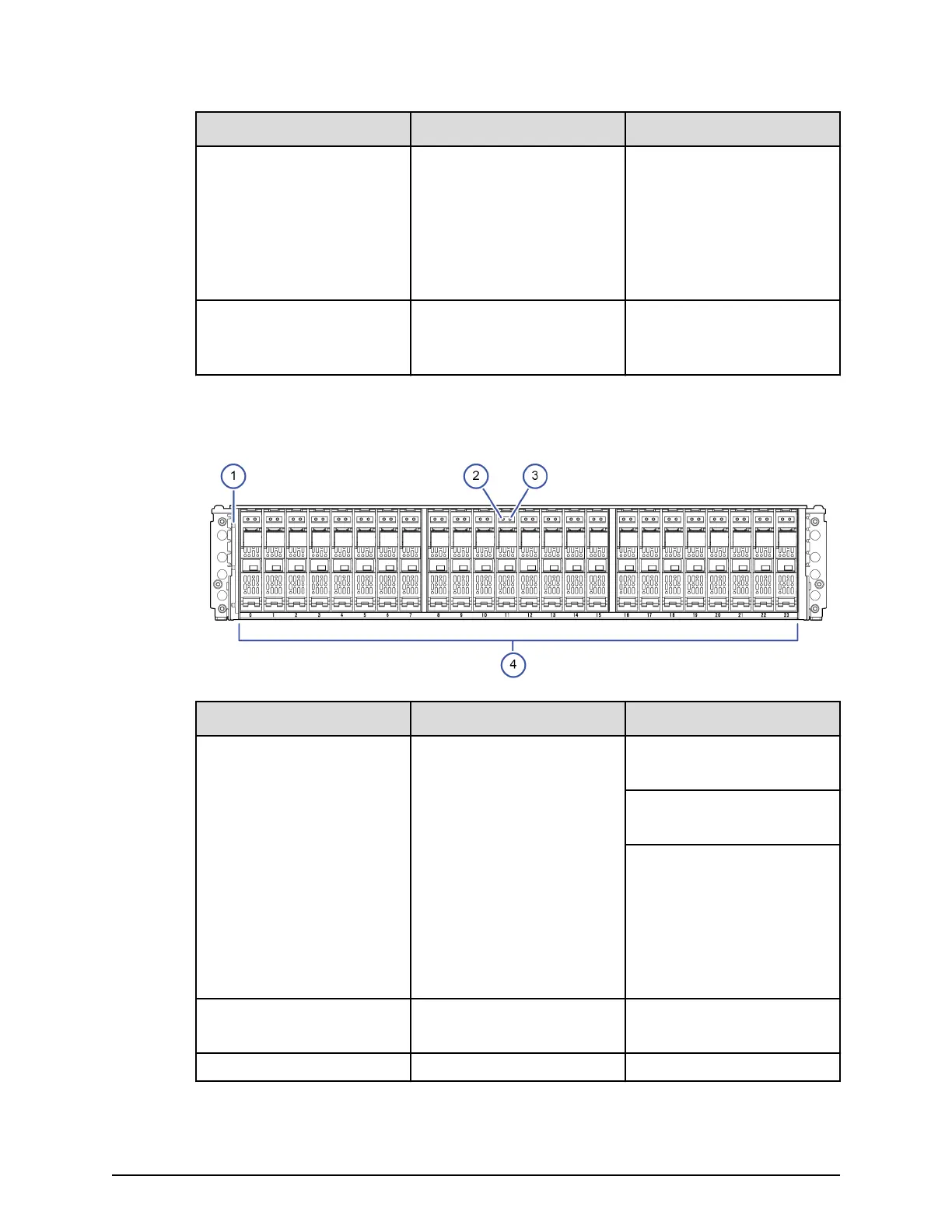
SFF front panel without bezel
Number Item Description
1 POWER, READY, and
LOCATE LEDs
Green: Drive tray is powered
on.
Green: Drive tray is
operational.
Amber:
■
Indicates the location of
the chassis.
■
Can be turned on or
turned off by the
maintenance utility.
2 ALM LED Red: Drive stopped due to a
failure and can be replaced.
3 ACT LED Green: Normal operation.
SFF front panel without bezel
Chapter 2: Hardware overview
Hitachi Virtual Storage Platform E590 and E790 Hardware Reference Guide 25



 To Next Page