7.
1
step
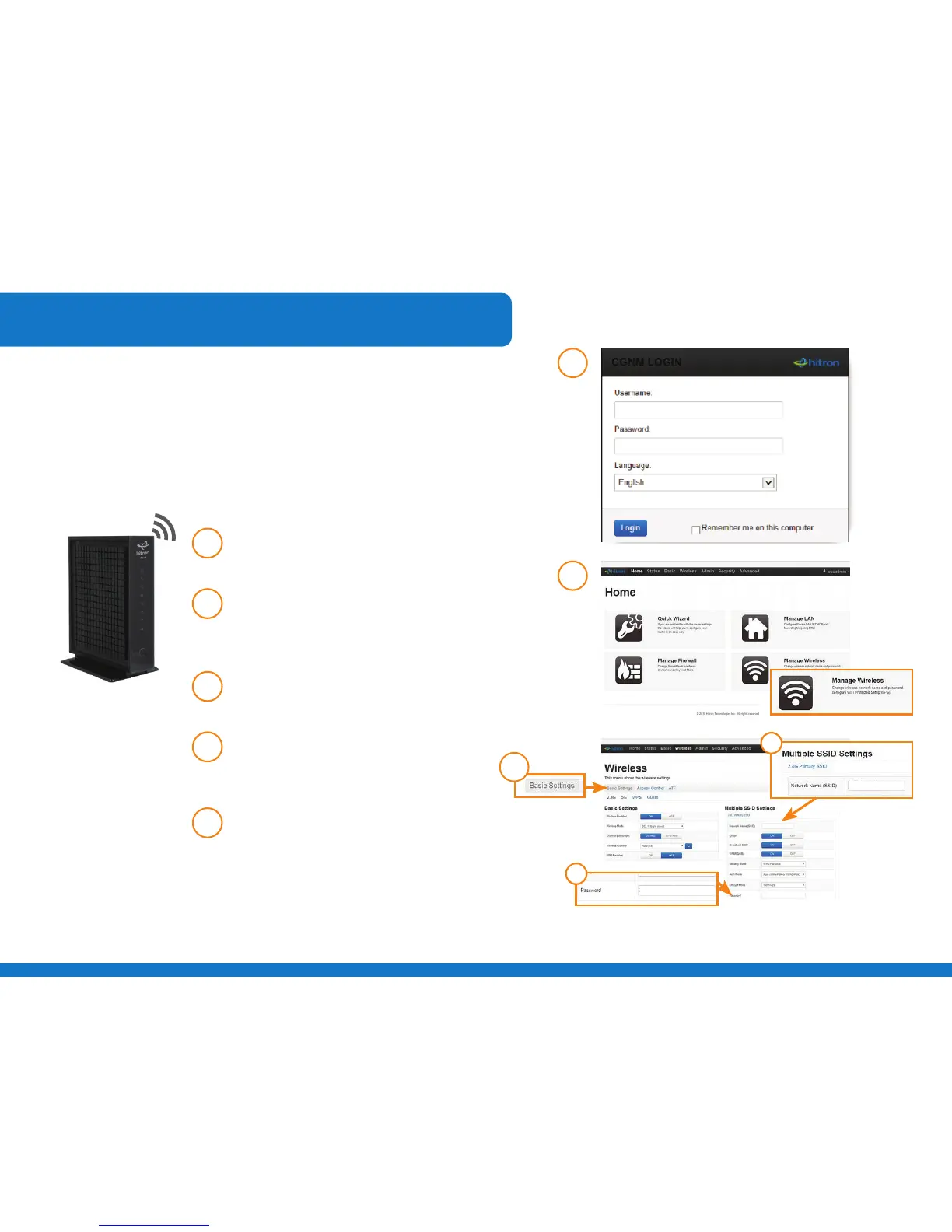
Open your internet browser and type
http://192.168.0.1 in the address bar.
2
step
Enter your Username: “cusadmin” and
Password: “password”. Click LOGIN to
proceed.
3
step
Click on the Manage Wireless button
at the bottom right of the screen.
4
step
Click Basic Settings in the top menu to
a. Change your SSID network name
b. Change your password
5
step
Click Save Changes.
2
step
3
step
For advanced users wishing to change their network name and/
or password, follow the steps below.
a.
b.
4
step
Advanced Wi-Fi Settings



 To Next Page