Need help?
Do you have a question about the Hitron CODA-57 and is the answer not in the manual?
Describes who the manual is intended for.
Explains how to navigate and use the user guide effectively.
Lists other relevant documentation for the product.
Provides information on how to get technical assistance.
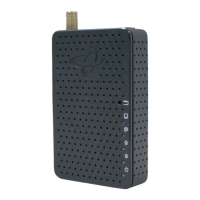
Introduces the CODA-57/57-EU and its basic functionality.
Describes the physical ports and buttons on the CODA-57/57-EU.
Explains the status indicators (lights) on the CODA-57/57-EU.
Details how to configure your computer's IP address to communicate with the device.
Provides steps to access the device's Graphical User Interface (GUI).
Provides a general overview of the device's Graphical User Interface.
Explains how to restore the device to its factory default settings.
Provides a general overview of status concepts related to the device.
Displays general information about the device's system and statistics.
Shows the steps taken to connect to the Internet for troubleshooting.
Provides information on upstream/downstream connections and WAN IP details.
Displays information about local WAN activity events.
Shows data rate and flow information for the device's LAN port.
Allows examination of the RF spectrum on the cable connection.
Performs a scan of RF signals and views results as a power vs. frequency graph.
Observes fluctuations in the RF signal spectrum as they happen.
Views a scatter diagram of the digitally-modulated RF signal.
Guides on how to resolve issues when no LEDs are lit on the device.
Provides steps to troubleshoot unexpected LED behavior.
Offers solutions for connectivity problems to the device or the internet.


 To Next Page
 General