User Manual - CODA56 - Cable Modem 13
Chapter 3 Connecting to the Internet
For information about how to reboot your cable modem, see the next
two pages.
Perform a Speed Test
To determine your accurate Internet speed, please visit the speed test
website of your cable Internet provider and perform a speed test.
If your actual speed is lower than your subscribed speed, you should
contact your cable Internet provider.
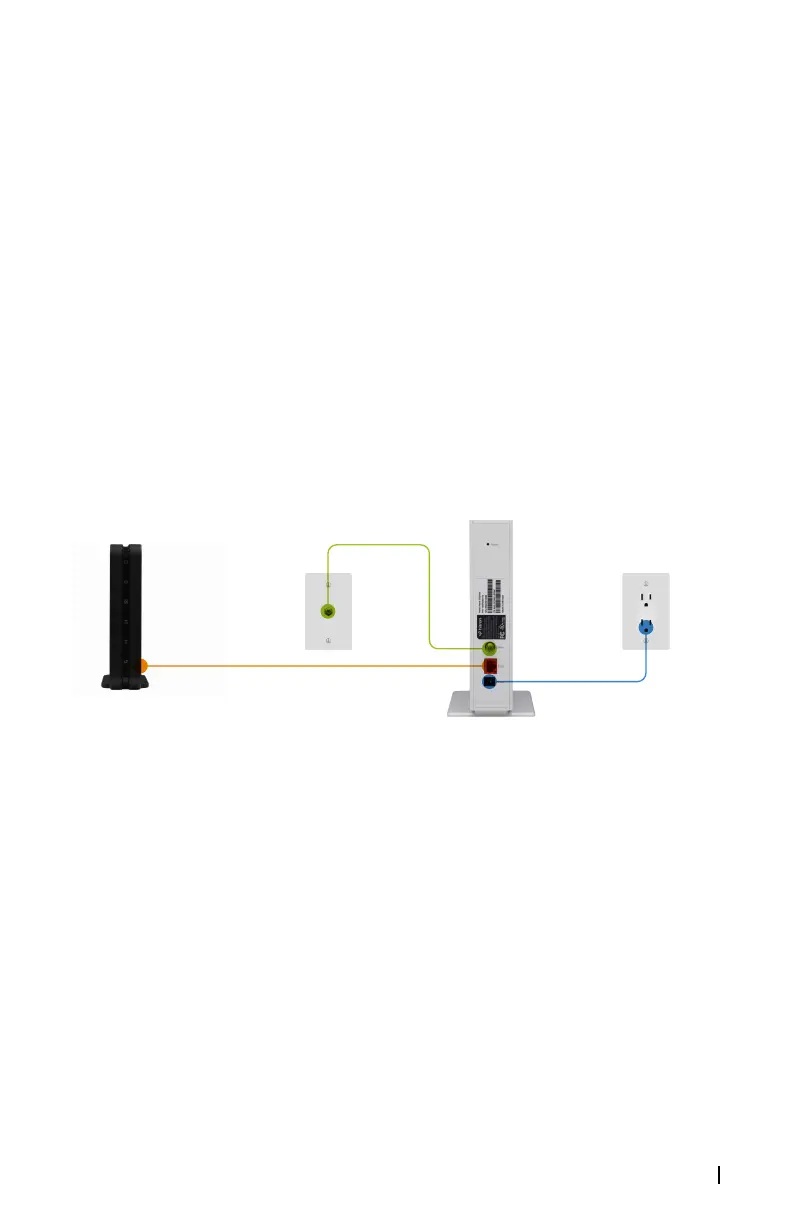
Connect your Cable Modem to a Router After Installation
and Activation
During the installation and activation, you must connect the cable
modem directly to a computer. But after installation and activation,
you can connect the cable modem to a router.
Figure 6:. Connect your CODA56 cable modem to a router
Coax
Ethernet
Power



 To Next Page