17
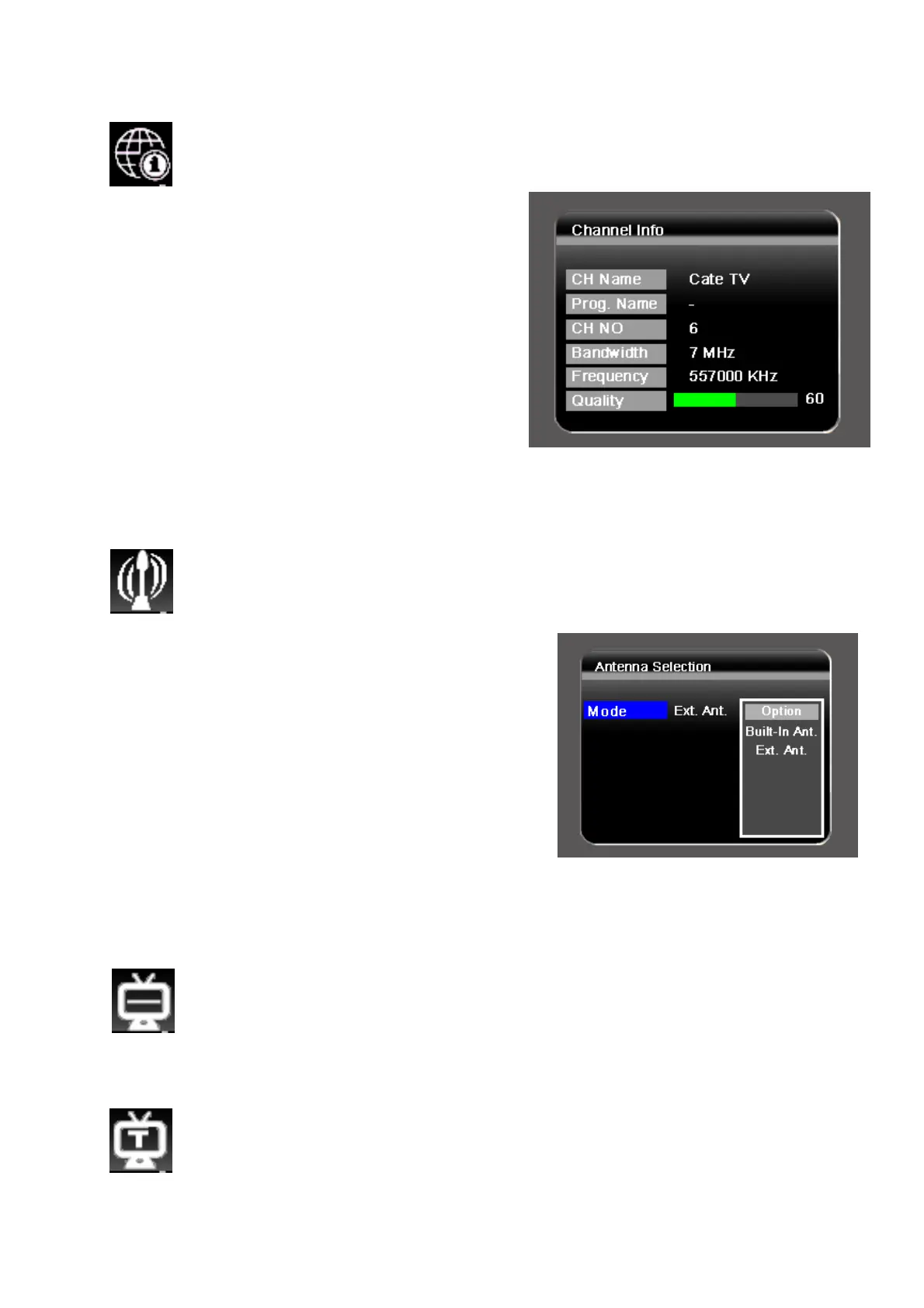
V.2.5. Channel Information
To display the channel broadcasting parameters and signal
information.
1. Browse the TV menu screen using
[CH+]/[CH-]/[VOL+]/[VOL-] buttons
to highlight the channel information
option.
2. Press [OK] button to display the
channel information.
3. Press [MENU] button to exit
V.2.6. Antenna Selection
To choose to receive DVB-T broadcasting either via built-in
antenna or external antenna.
1. Browse the TV menu screen using
[CH+]/[CH-]/[VOL+]/[VOL-] buttons to
highlight the antenna selection option.
2. Press [OK] button to enter.
3. Press [VOL+] key to access the
option-list.
4. Use [CH+]/[CH-] to scroll up/down.
Press [OK] button to select one option.
5. Press [MENU] key to exit.
V.2.7. Subtitle
To activate or deactivate the subtitle function.
V.2.8. Teletext
To start the teletext function.


 To Next Page